Menu Descriptions
6400
5
35
MANUAL EE ENTRY: This key allows the user
to manually enter an EE or calibration factor
for a given calorimeter ID or bomb head. If an
EE value is manually entered, it is necessary to
turn the Protect EE Value ON in order to pre-
vent this value from being overwritten by an
automatic update.
PRINT STANDARDIZATION RUNS: This key will
print all of the tests that have been incorpo-
rated into the calculated EE value. This will be
helpful in evaluating a series of tests which fail
to produce a satisfactory EE value and relative
standard deviation.
RESET BOMB FIRE COUNT: After bomb service,
press this key to reset the fire count to zero.
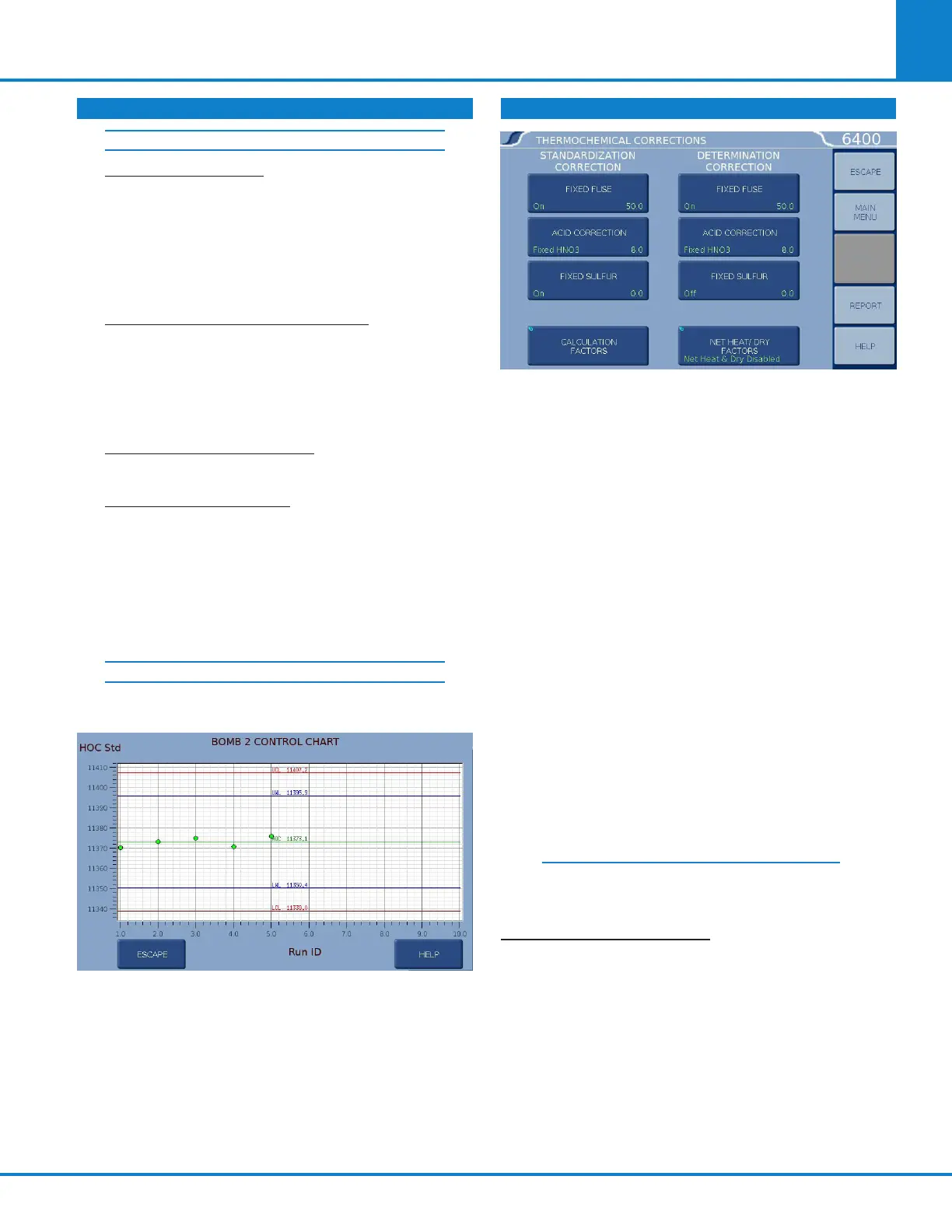
CONTROL CHART PLOT: Displays the current
standardization runs being used to calculate
the Bomb EE Value. The display will either chart
the value of the Heat of Combustion (HOC) of
the Standard or the Energy Equivalent (EE) de-
pending on the selection on the Control Chart
Parameters menu (see Calibration Data and
Controls menu).
CONTROL PLOT CHART PLOT
You can display the information used for each test
by selecting the appropriate dot.
Each data point represents a Standardization run
used in the calculation of the EE Value for the Bomb
ID being displayed. The left side of the graph con-
tains the oldest runs and the right represents the
most recent. To view the run data used for a particu-
lar data point, click on the data point with a stylus
and the run data for that point is displayed.
THERMOCHEMICAL CORRECTIONS
The Thermochemical Corrections Menu permits
three types of fixed corrections for standardization
(instrument calibration) runs, and the same three
types for determination (test) runs. Pressing the
LEFT side of each key toggles the correction ON or
OFF. Press the RIGHT side of each key to access
the specific numeric dialog box where that fixed
value can be set. Each value entered for these
fixed corrections is used in all preliminary reports.
When any fixed correction is set to ON, the speci-
fied value will be used in the final reports, and the
6400 will not prompt for actual corrections to be
entered. (If all corrections are fixed, only a final
report will be generated).
When any fixed correction is set to OFF, during the
data entry reporting steps the user will be prompt-
ed to enter an appropriate desired value which will
be used in the final report.
Further information on the corrections is
located in Chapter 7: Calculations.
STANDARDIZATION
CORRECTIONS
FIXED FUSE CORRECTION: Press this key on
the LEFT side to toggle ON or OFF the fixed fuse
correction for standardization runs. Press it on
the RIGHT side to access the Fixed Fuse numeric
dialog box on which the value can be set. An ap-
propriate fixed fuse value is 50 cal.
CALIBRATION DATA AND CONTROLS (CONTINUED)
USER/FACTROY SETTINGS (CONTINUED)



 To Next Page