Page 5-20 Lasair II Particle Counter Operations Manual
Chapter 5: Setup
3 Use the forward and backward tab keys to move to the desired location.
4 Change any fields that are necessary.
Refer to the section, “Edit Mode” on page 5-1, for more information about
changing values and selecting options in the fields.
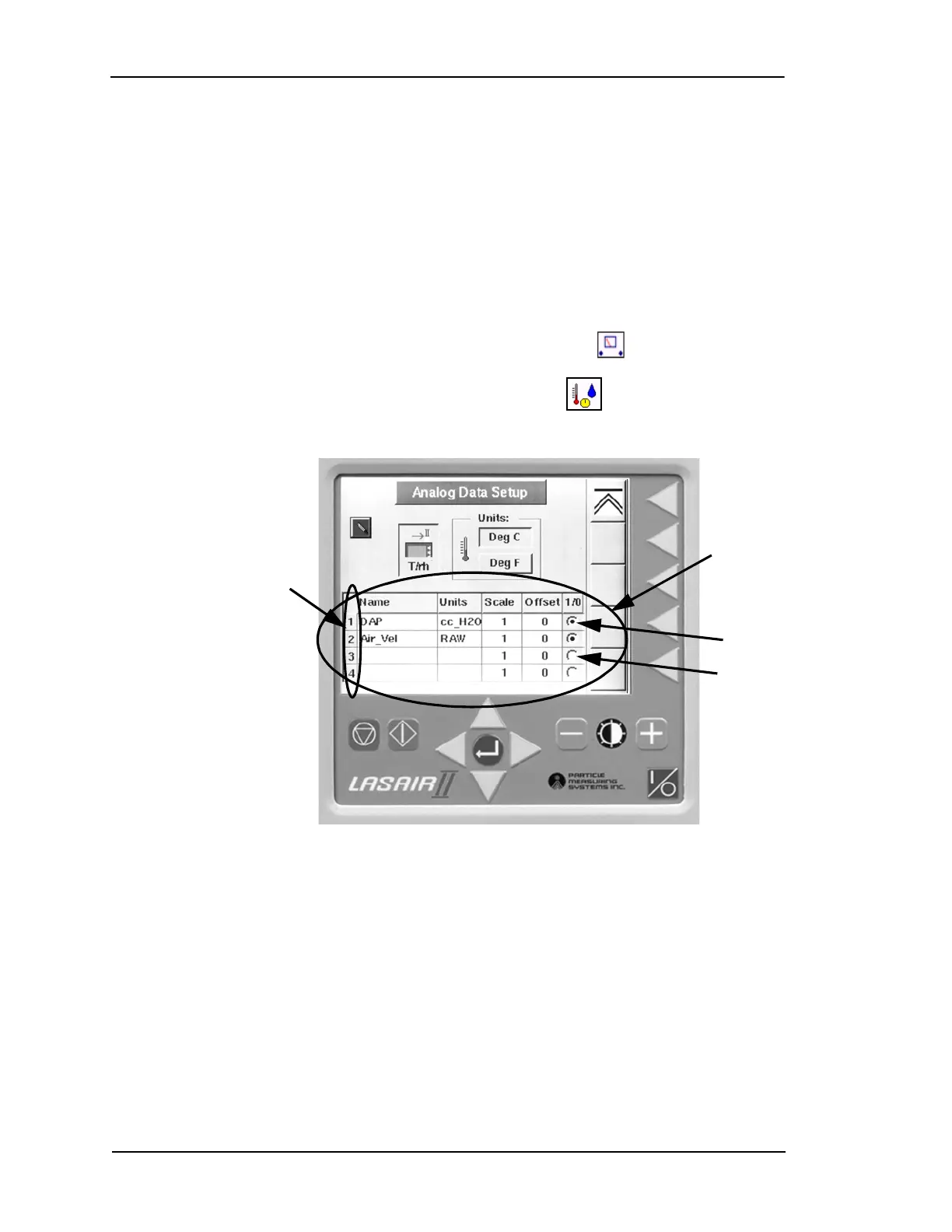
Analog Data Setup Screen
To display the Analog Data Setup Screen:
1 Press the second softkey on the Main Display Screen . The Main Setup
Screen will be displayed.
2 Press the second softkey on the Main Setup Screen . The Analog Data Setup
Screen will open:
Figure 5-11: Analog Data Setup Screen
4–20 mA
Analog
Setup Table
User
Channels (4)
Enabled
Disabled


 To Next Page
 Loading...
