Page 6-6 Lasair II Particle Counter Operations Manual
Chapter 6: Operation
Controlling how the Data is Displayed
You can manipulate the displayed data in the following two ways:
• You can determine how the data are displayed by controlling the Data Display
Screen.
• You can determine which data are displayed by controlling the Data Filter
Screen.on the Data Table Screen.
To control how the data are displayed:
1 From the Main Display Screen, press the Icon softkey, and then press
the icon softkey on the next screen
2 Open the Data Display Setup Screen by pressing the Data Display icon
softkey.
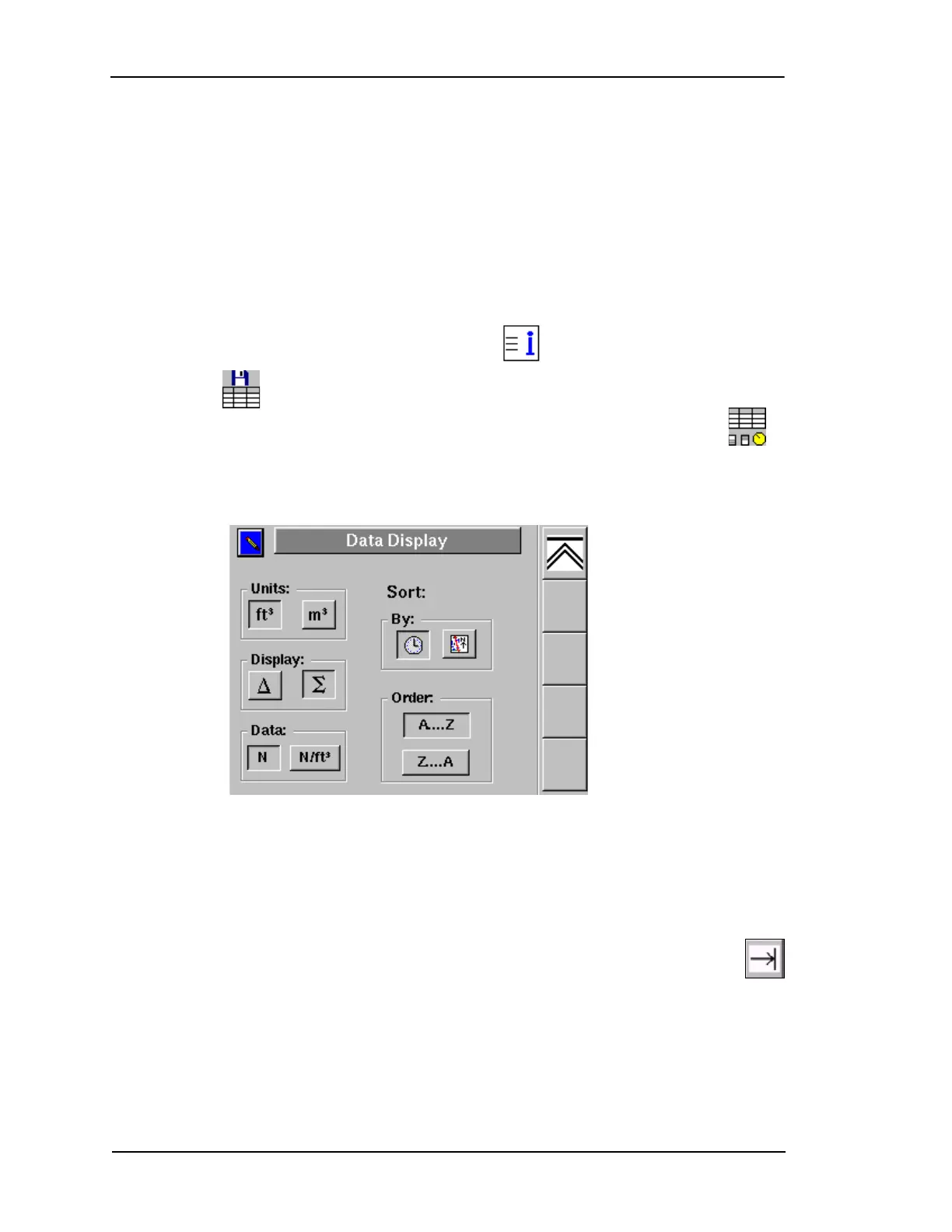
The Data Display Setup Screen will open.
The options in the Data Display Setup Screen allow you to choose the units of data
displayed, the kind of data displayed, how the data is sorted, and the order of the
data (ascending or descending.)
The following information describes the Data Display Setup Screen options
in the order that they would be activated when pressing the Tab Forward
softkey.
Units: [ft.
3
or m
3
]
Select cubic feet or cubic meters. The default is read from the instrument’s
Sampling Setup Screen when the particle counter is turned on.
Figure 6-3: Data Table Display Setup Screen



 To Next Page
 Loading...