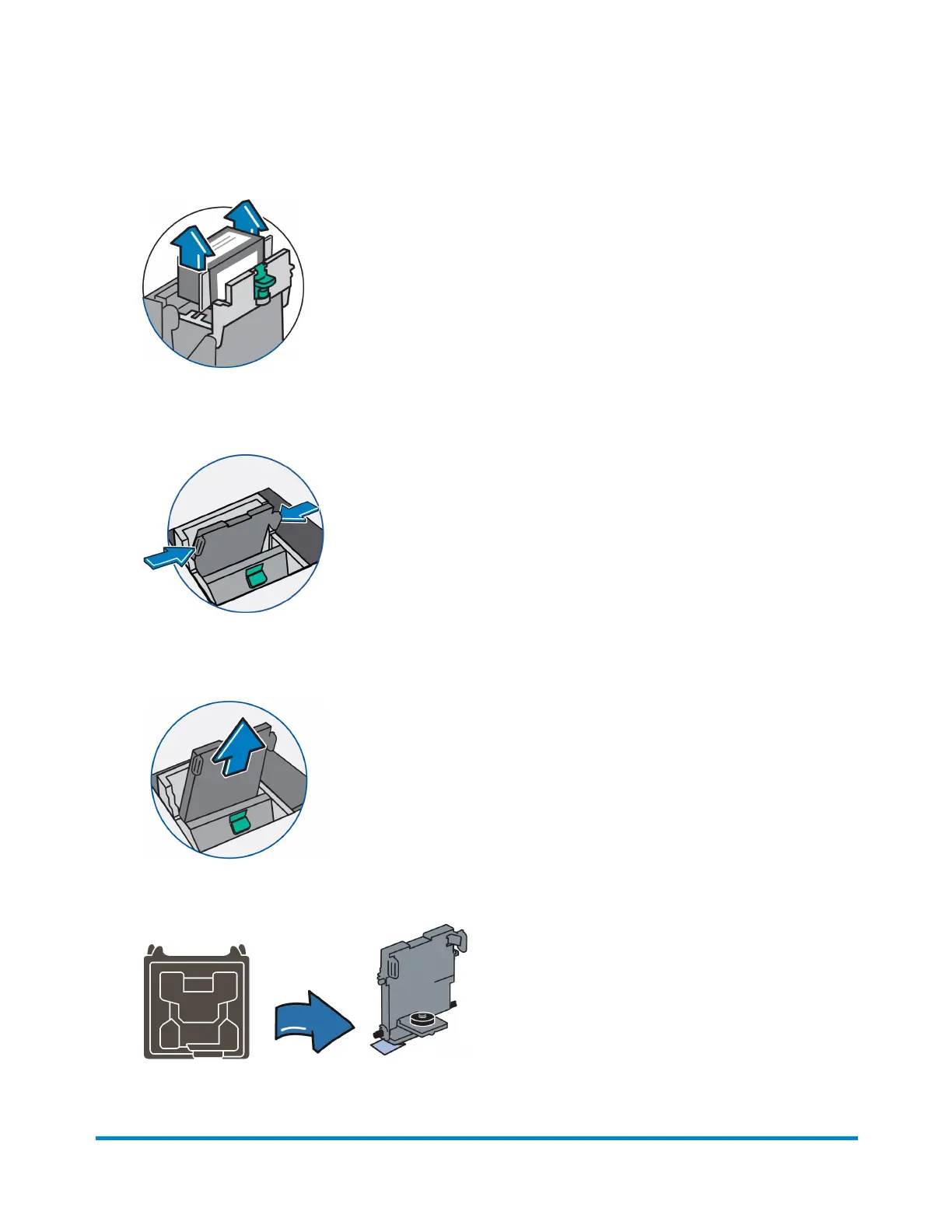
5. Lift up and remove the ink tank cartridge.
6. Squeeze in on the two gray tabs on either side of the print head so that they slide toward each
other.
7. While squeezing, lift and tilt the print head to the right toward the space for the ink tank cartridge.
The print head should come up out of the machine.
8. Remove the new print head from packaging.
Maintenance
Pitney Bowes Operator Guide February, 2017 Page 54 of 226












 To Next Page