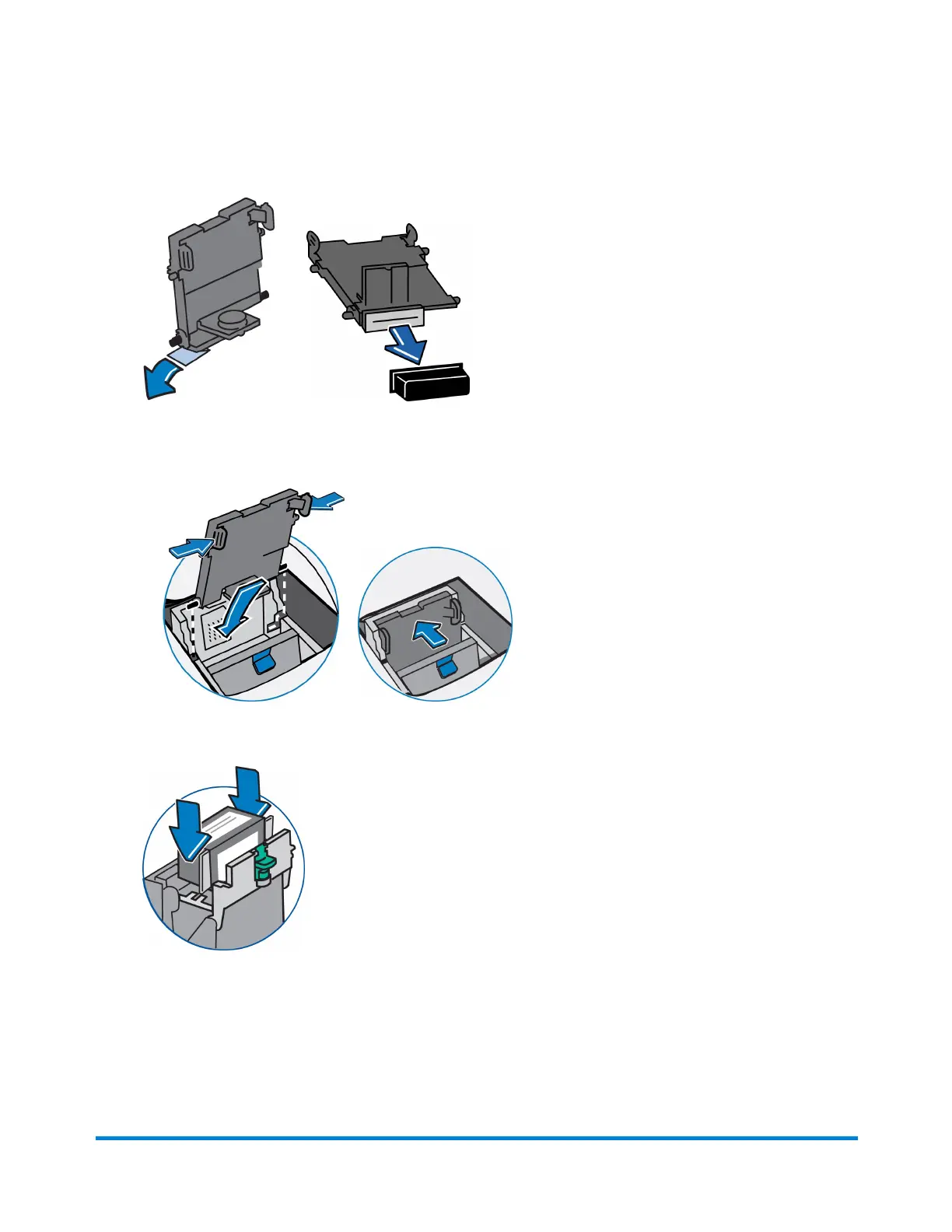
9. Remove the protective tape or the black cap from the bottom of the new print head.
OR
10. Squeeze the two gray tabs on either side of the new print head and slightly angle the print head
while pushing the print head flush against the wall.
11. Replace the ink cartridge, see Replacing the Ink Tank Cartridge if you need assistence.
Maintenance
Pitney Bowes Operator Guide February, 2017 Page 55 of 226












 To Next Page