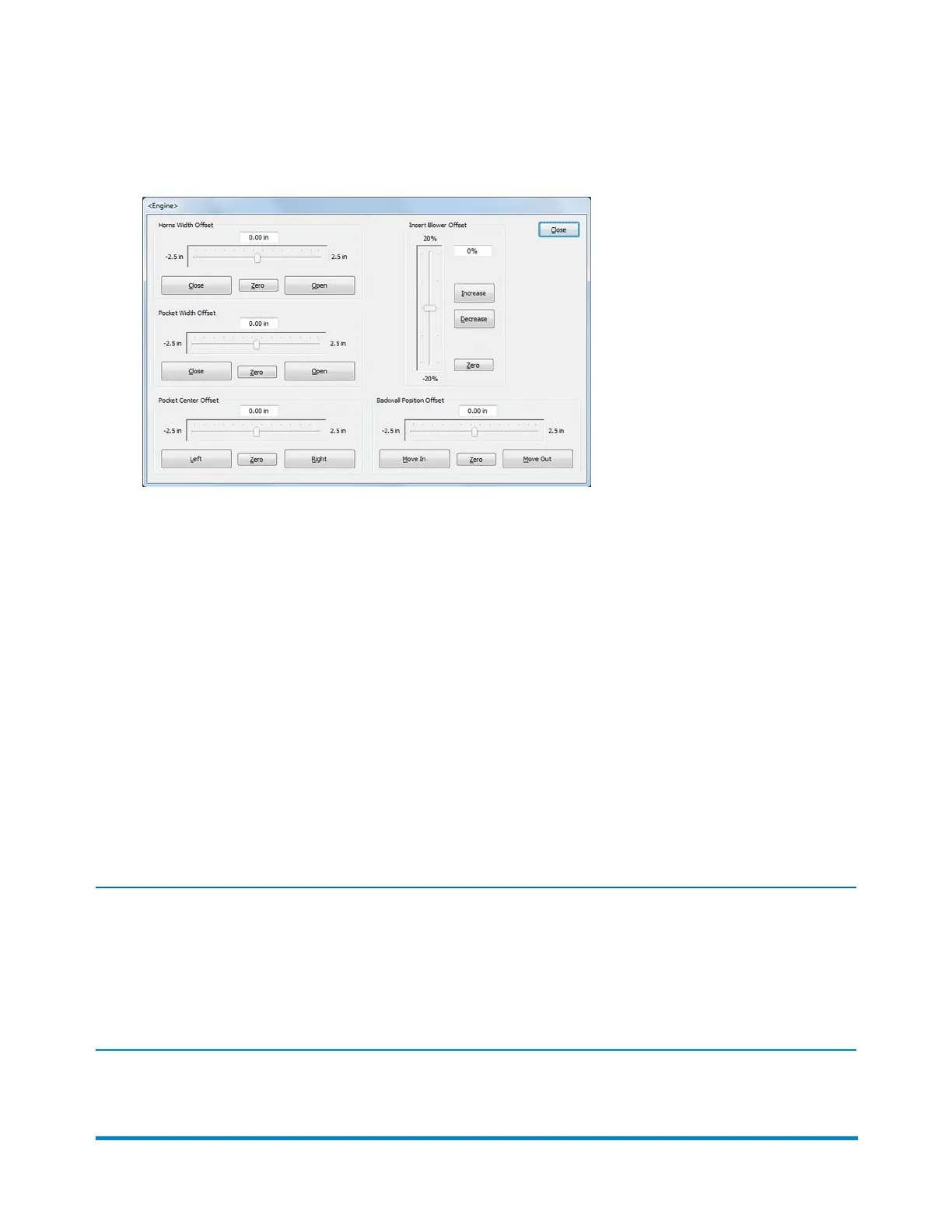
2. WhentheEngineAdjustmentwindowopens,youcanmakethefollowingadjustments:
l HornsWidthOffset-tomovethehornscloser togetherselecttheClosebuttontomovethe
slidertowards-2.5;tomovethehornsfarther apartselecttheOpenbuttontomovethebar
towards+2.5.
l PocketWidthOffset-tonarrow the pocket selecttheClosebuttontomovethebartowards
-2.5;to widen the pocketselecttheOpenbuttontomovetheslidertowards+2.5.
l PocketCenterOffset-tomovethepockettotheleft selecttheLeftbuttontomovetheslider
towards-2.5;tomovethepockettotheright selecttheRightbuttontomovetheslider
towards+2.5.
l InsertBlowerOffset-toincrease the amount of vacuumselecttheIncreasebuttontomove
theslidertowards20%;todecrease the amount of vacuumselecttheDecreasebuttonto
movetheslidertowards-20%.
l Backwall-tomovetheenvelope flap closer to the sealer brushselecttheMoveInbuttonto
movetheslidertowards-2.5;tomoveitfarher awayselecttheMoveOutbuttontomovethe
slidertowards+2.5
Note:
Adjustmentsmadetotheabovesettingsshouldonlybemadeinsmallincrementsatatime(0.06-inch
to0.12-inch).Iftheadjustmentsmadeinthisscreendifferfromthesettingsinthemode,thechanged
fieldturnsyellowtoindicateachnagehasbeenmade.Changes made here are temporary unless they
are saved to the mode.
Job Changeover Guidelines
Pitney Bowes Epic Select Operator Guide December,2017 Page 163 of 288



 To Next Page