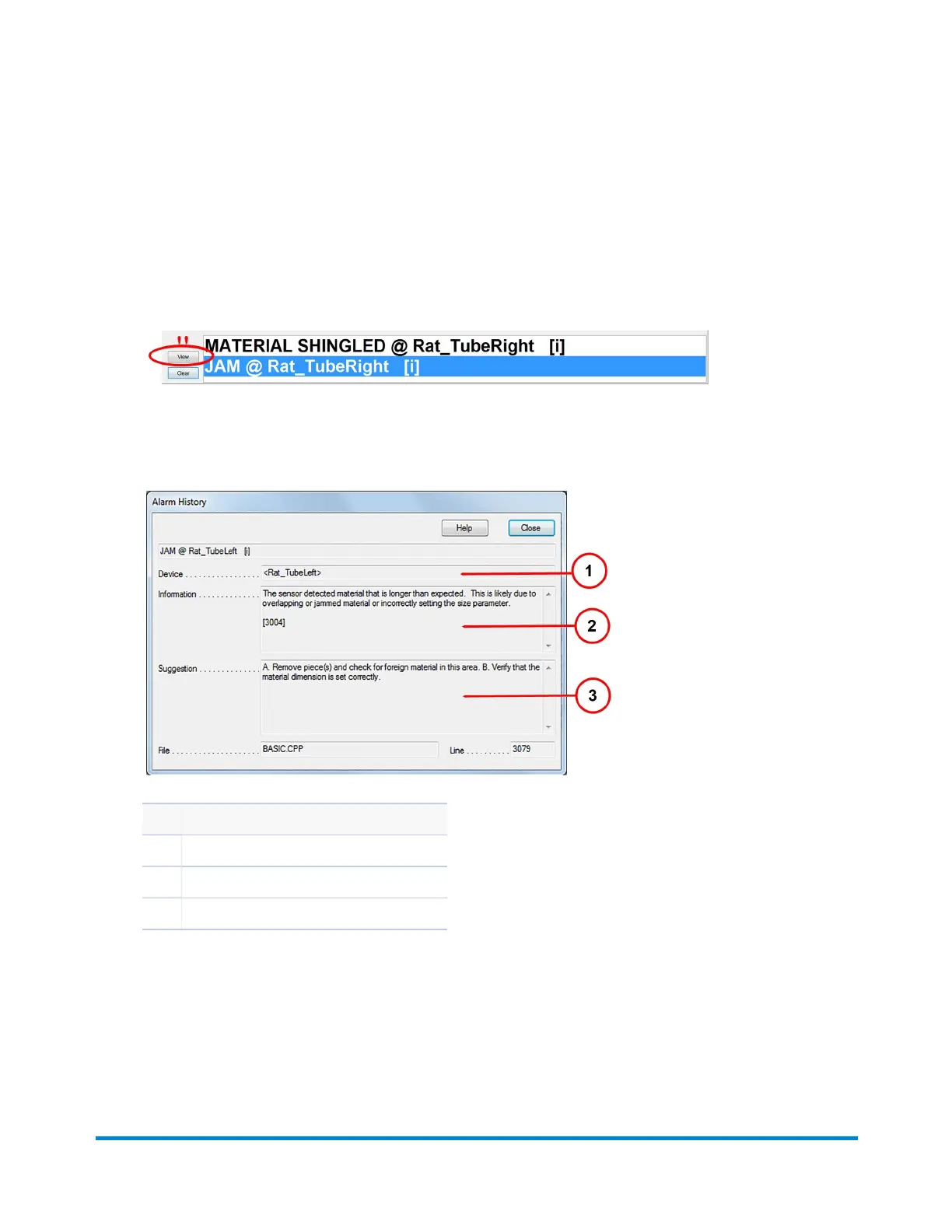
View Alarm Details
IfanalarmdisplaysonthebottomoftheDCmainscreen,followthesestepstogetmoreinformationon
thecauseandresolution.
1. WhenanalarmdisplaysonthebottomoftheDCmainscreen,double-clickitorclickView.The
AlarmHistorywindowopens.
Thiswindowhasinformationaboutwhere the error occurred(Device),error details(Information),
andasuggested course of action(Suggestion).
Item Description
1 Device(where the error occurred)
2 Information(details about the error)
3 Suggestion(suggested course of action)
Error Recovery
Pitney Bowes Epic Select Operator Guide December,2017 Page 192 of 288



 To Next Page