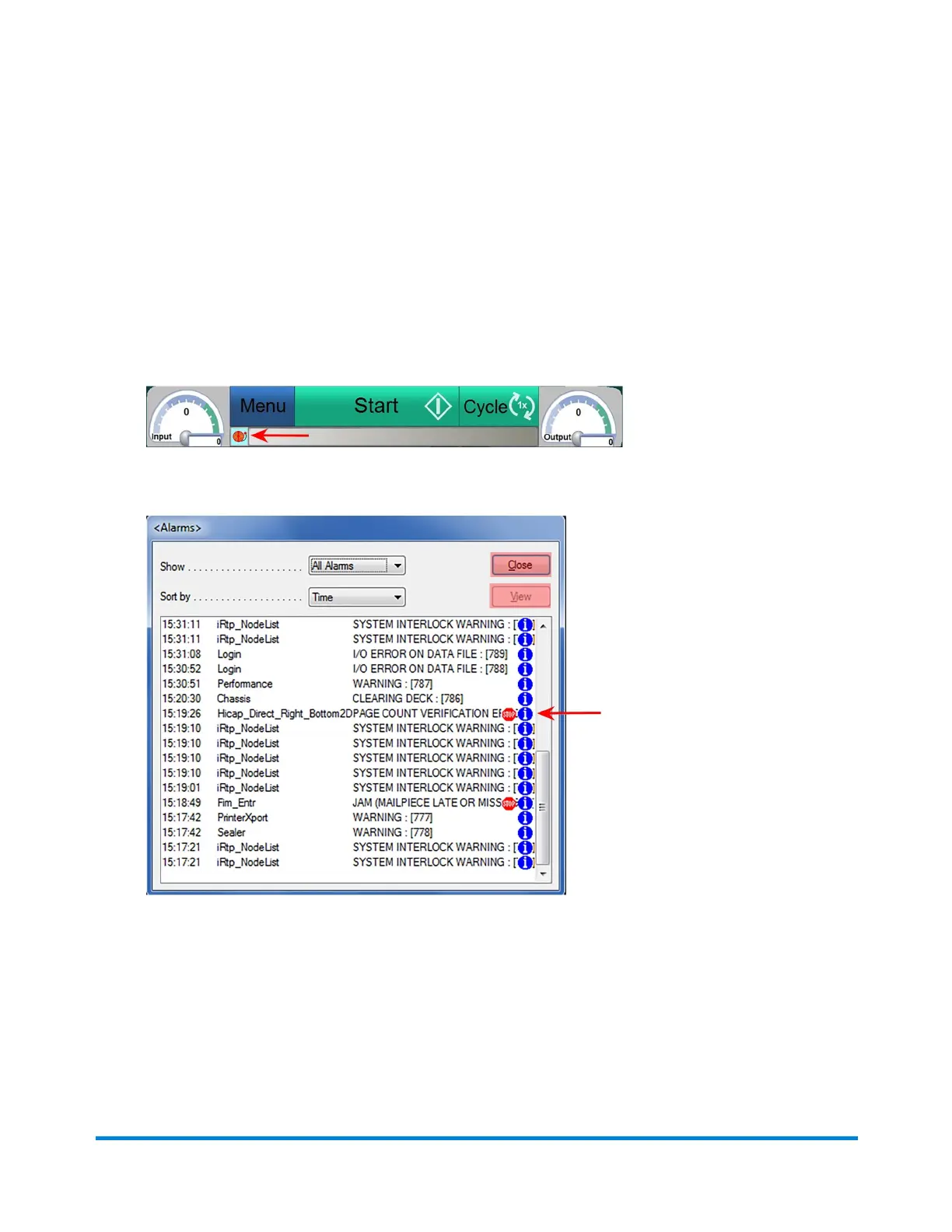
View Alarm History
Itispossibletoviewthehistoryofalarmsthathaveoccurredduringthecurrentjobrun.Thealarmhistory
canbehelpfulwhentroubleshootingpersistentproblems.
Toviewthealarmhistory:
1. ClicktheAlarmiconandselectHistoryfromthedrop-downmenu.TheAlarmHistorydialog
opens.
AlarmIcon
AlarmHistory-(Alarmswitha"stopsign"nexttothemindicateeventsthatstoppedtheinserter)
2. Toviewdetailsaboutaspecificalarm,double-clickitorhighlightit,andclickView.
3. ClickCloseandCloseagain,toexitoutofalarmhistoryandbacktothemaInDCscreen.
Error Recovery
Pitney Bowes Epic Select Operator Guide December,2017 Page 194 of 288



 To Next Page