X-Series Hyperconverged Nodes Powered by Acuity
Setup & User Guide, v1.0
| 14
DOC-246-GDE-Pivot3 Acuity 2.3 Setup & User Guide-v1.0.docx
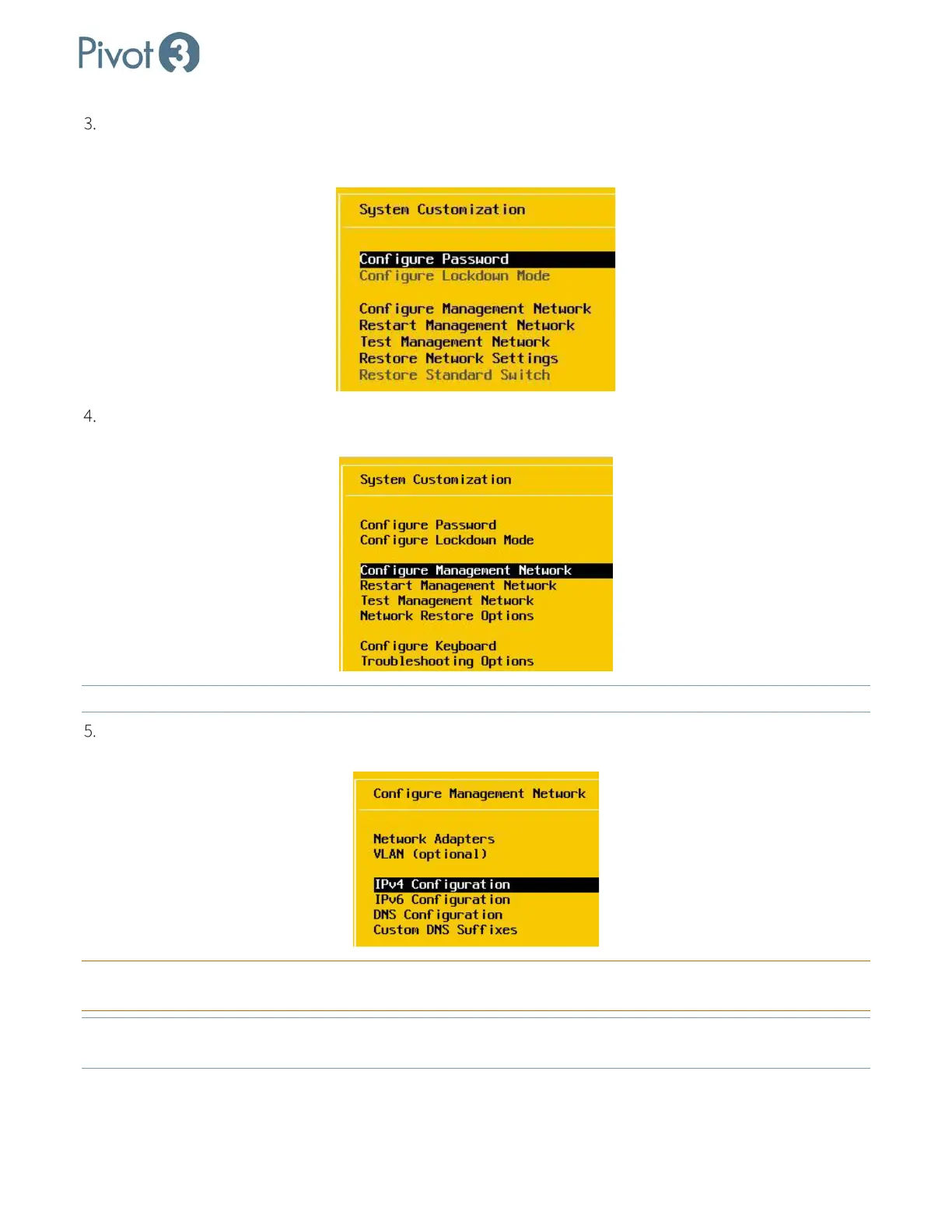
ESXi displays the System Customization screen. (Password can be configured whenever it is convenient.
Remember to make a note of Administrator credentials when set. User name and password can be reset, but
credentials will not be recoverable if lost or forgotten.)
Use the up and down arrow keys on the keyboard to highlight Configure Management Network. Press
<Enter>.
NOTE: To configure the host using SSH, enable SSH in this menu from Troubleshooting Options
.
On the Configure Management Network screen, use the up and down arrow keys on the keyboard to
highlight IPv4 Configuration. Press <Enter>.
CRITICAL:
Ensure that the chosen Network Adapter is the correct one. Default is Adapter 2, but may vary in the local
environment setup.
NOTE: Ensure that, if the management port is a trunk port, the management VLAN has been entered and tagged on
the menu. Trunk ports cannot accept a native VLAN that is identical to the management VLAN.



 To Next Page