X-Series Hyperconverged Nodes Powered by Acuity
Setup & User Guide, v1.0
| 28
DOC-246-GDE-Pivot3 Acuity 2.3 Setup & User Guide-v1.0.docx
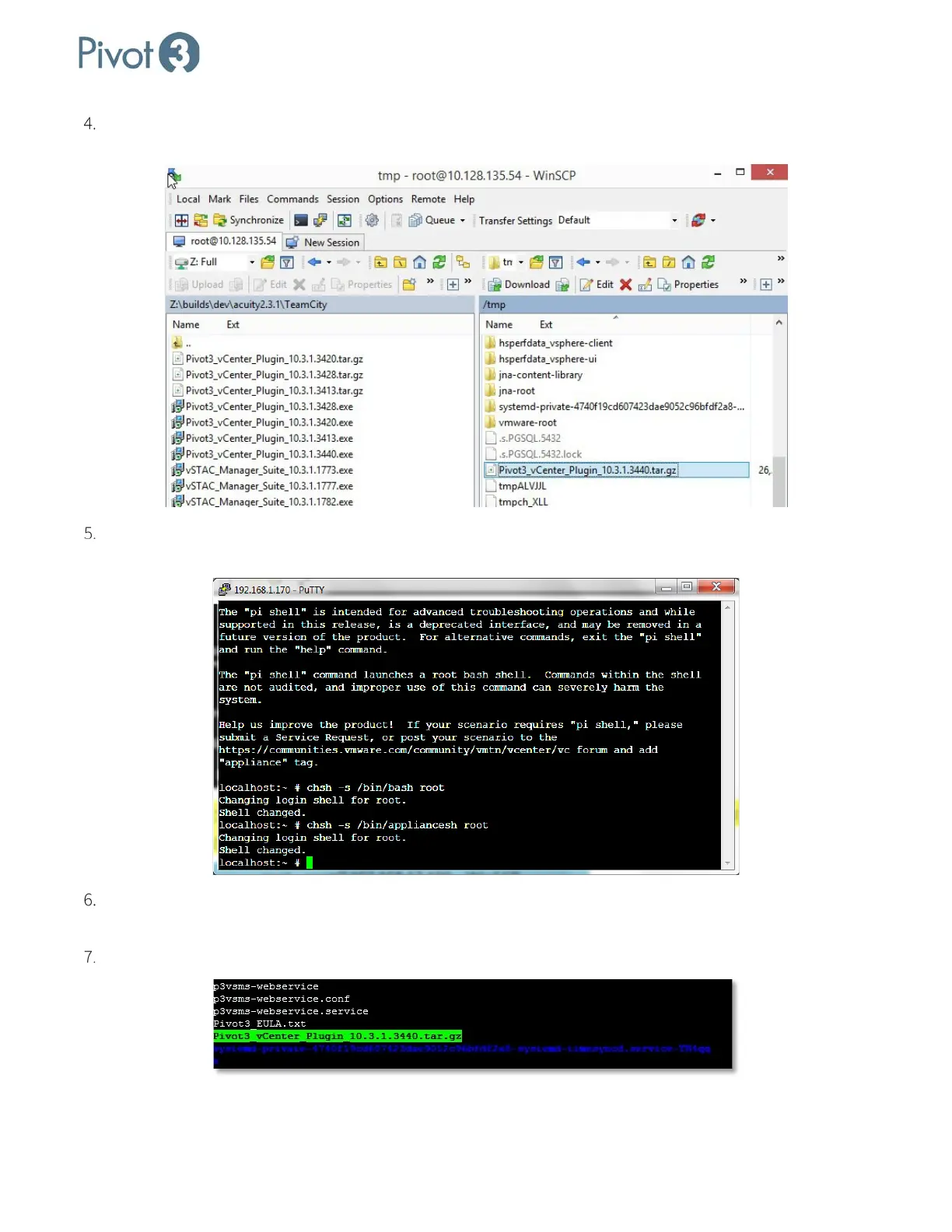
Open WinSCP and connect to Linux vCenter. Drag the Pivot3_vCenter_Plugin_10.3.1.[####].tar.gz file to
the default directory of vCenter as shown below.
Return to the Appliance Shell by running the following command:
# chsh -s /bin/appliancesh root
Format and extract the .tar file and list directory contents at the command prompt as follows:
Localhost:~ # ls
Multiple files will be listed. Ensure Pivot3_vCenter_Plugin_10.3.1.[####].tar.gz is one of them.



 To Next Page