X-Series Hyperconverged Nodes Powered by Acuity
Setup & User Guide, v1.0
31
|
DOC-246-GDE-Pivot3 Acuity 2.3 Setup & User Guide-v1.0.docx
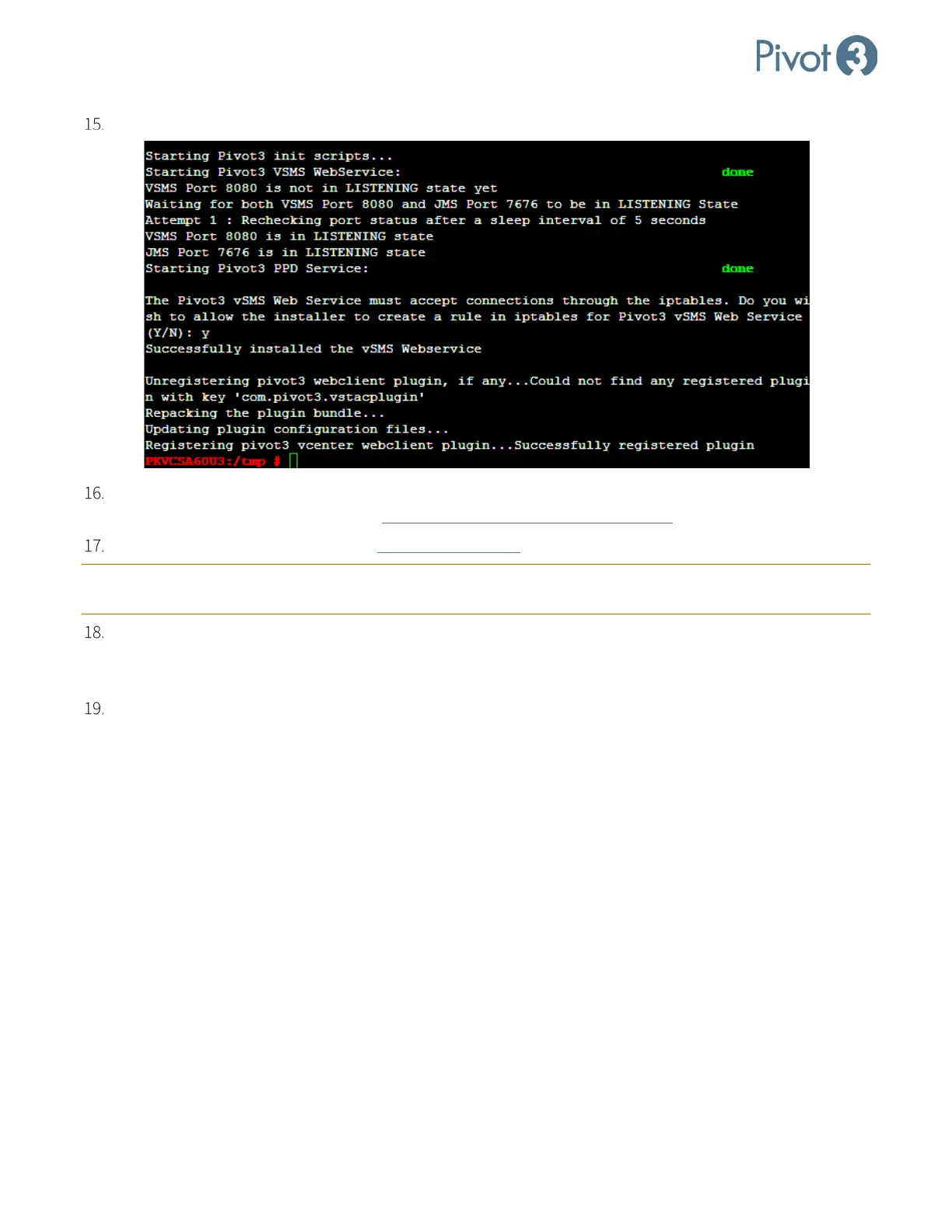
At the final question, enter Y to allow the installer to create a rule in iptables for Pivot3 vSMS Web Service.
If upgrading, it will be necessary to restart the vSphere Web Client Service or reboot the vCenter. For more
information on this procedure, consult
VMware Knowledge Base Article 2109887.
After upgrading, it will be necessary to clear browser cache before logging back in to the vSphere Web Client.
CRITICAL: For full Pivot3 functionality, a fresh login to vSphere Web Client is required after each vCenter server
reboot.
To reset the vCenter after installing the Linux plugin for Linux vCSA 6.0, use service vsphere-client
restart. For Linux vCSA 6.5, use the commands service-control --stop vsphere-client and then
service-control --start vsphere client.
At this point, installation is complete. Log in to the vSphere Web Client and continue to Section 6.



 To Next Page