X-Series Hyperconverged Nodes Powered by Acuity
Setup & User Guide, v1.0
| 30
DOC-246-GDE-Pivot3 Acuity 2.3 Setup & User Guide-v1.0.docx
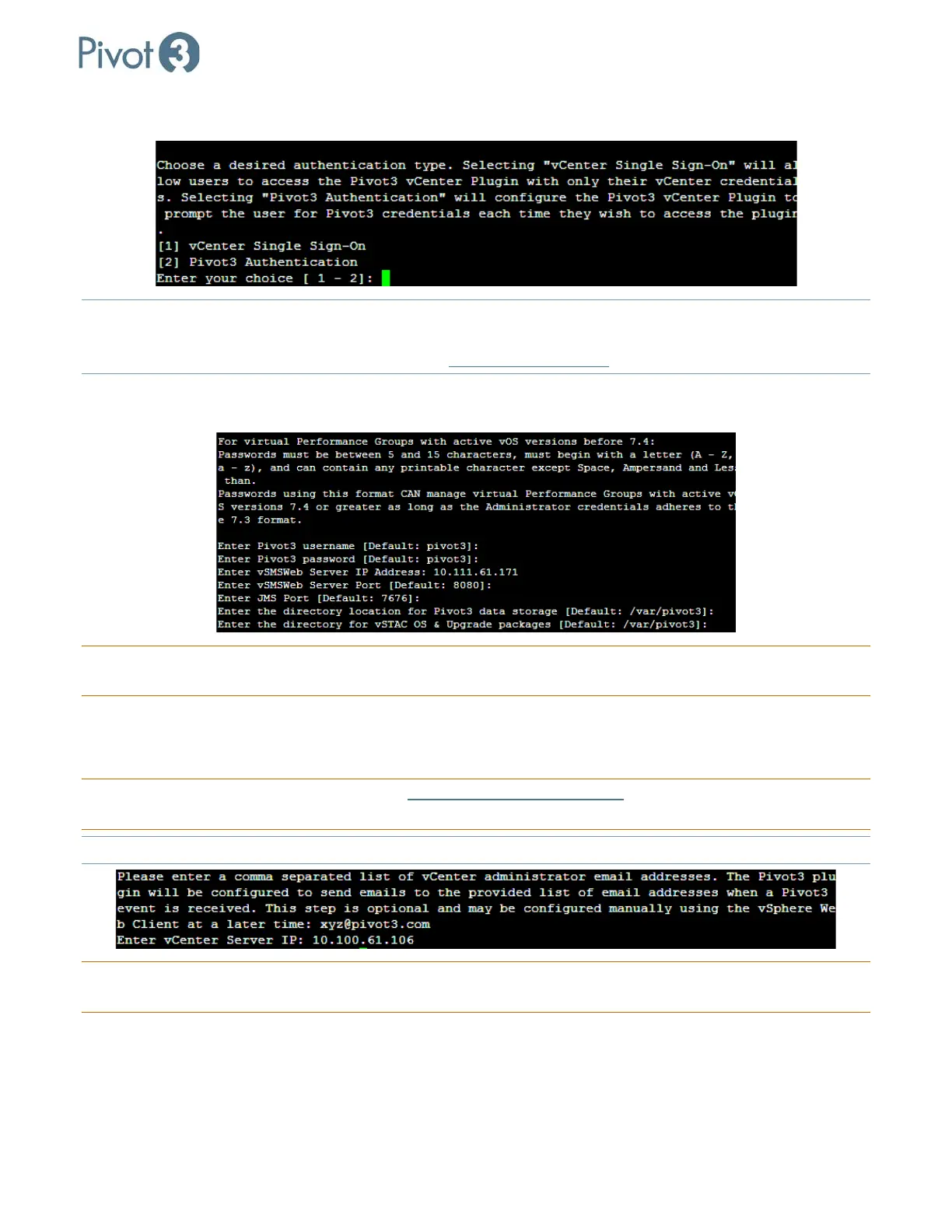
d. Choose an authentication type between vCenter Single Sign-On and Pivot3 Authentication.
NOTE: vCenter Single Sign-On
will allow the user to access the Pivot3 vCenter Plugin with vCenter credentials only;
Pivot3 Authentication requires Pivot3 credentials to also be entered for each login. For more information on
the vCenter Single Sign-On feature, consult the Pivot3 Support Portal
.
e. Continue following the wizard prompts, entering the desired strings to answer each question. For many
questions, the default values are listed; to accept the default values, simply press Enter.
CRITICAL: The vSMS IP and the vCenter Server IP will most likely be the IP of the
currently connected vCenter
Virtual Appliance, unless vCenter services have been split between separate servers.
f. For the contact IP address and vCenter credentials set up in the previous step, enter a comma-separated
list of email addresses for the vCenter administrators who are authorized to receive emails from Pivot3
and the Pivot3 plugin.
CRITICAL: The vCenter credentials will either be administrator@vsphere.local
or a service account set up in
vCenter with an Administrator Role.
NOTE: The email addresses provided here will also control who receives alarm notifications.
CRITICAL: If SSO Authentication has been chosen, the Pivot3 username entered must be pivot3ssouser
. This is hard-
coded and cannot be changed.



 To Next Page