Setup & User Guide
| 94
DOC-246-GDE-Pivot3 Acuity 2.3 Setup & User Guide-v1.0.docx
The clone is created and will now show up as a new volume.
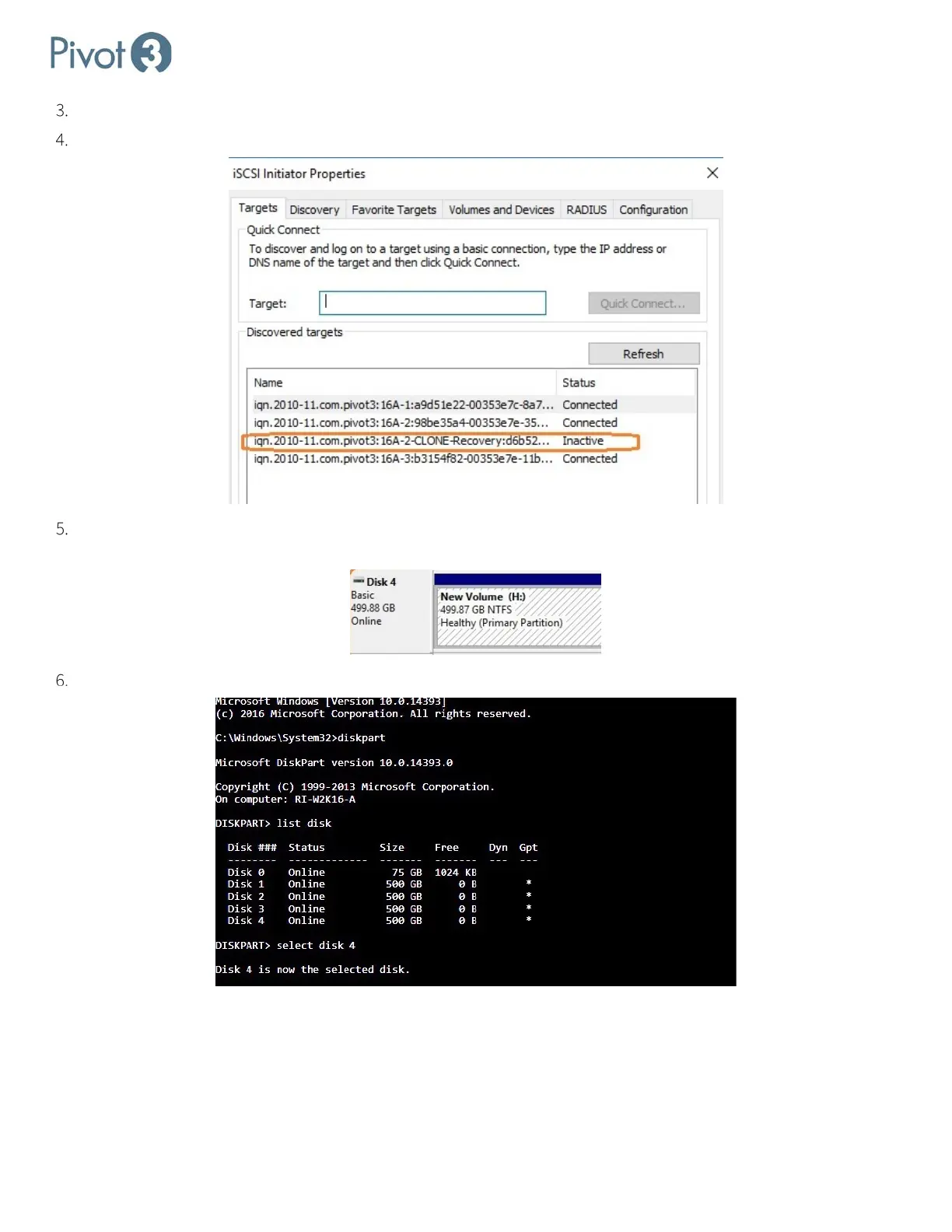
Discover the new volume and log in via iSCSI Initiator. The new volume will initially show up as Inactive.
Open Computer Management > Storage > Disk Management and bring the new disk online. The disk will be
recognized as it is formatted; it may be necessary to assign a drive letter.
Open a command prompt and run diskpart to select the correct disk.



 To Next Page