Setup & User Guide
| 98
DOC-246-GDE-Pivot3 Acuity 2.3 Setup & User Guide-v1.0.docx
A replication job will run at the QoS level of its source volume minus one level. This will prioritize I/O to a volume above
the replication activity for that volume.
Replication will fail if the source or target systems become non-Active-Active (caused by failure or explicit activity such as
Maintenance Mode). If the replication job was scheduled, then the next time that schedule fires, the replication will be re-
tried. If the source and target systems are now Active-Active, then the replication will proceed.
Configuring Replication Target IPs
A replication target is another Acuity vPG to which replicas of local volumes can be written. Targets must be configured
before volumes can be configured for replication.
NOTE:
Both Management and SAN NICs support replication tasks. Whichever network is initially specified will be used by
Acuity; replication will not run across different networks unless routing is specifically set up.
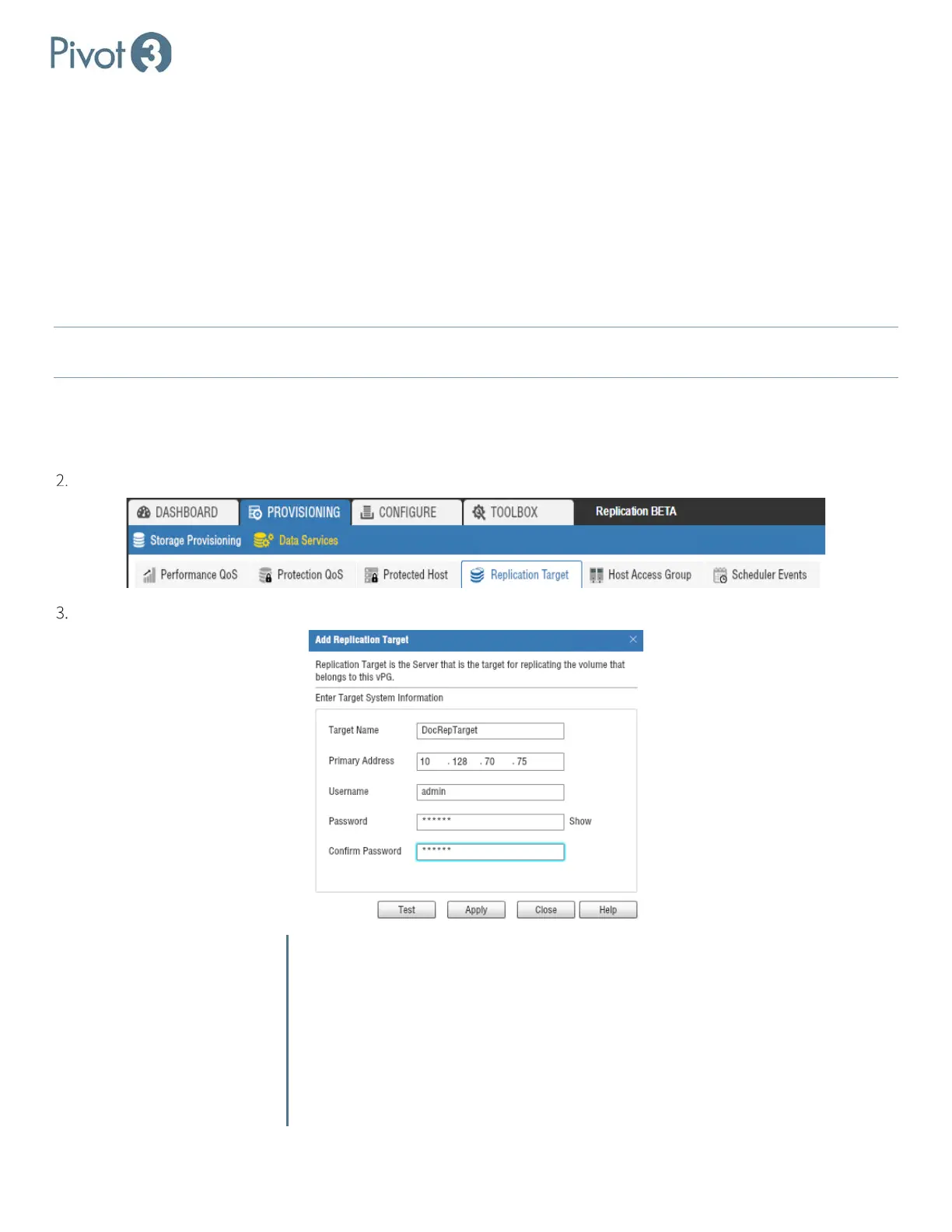
To configure replication targets, navigate to the Provisioning tab > Data Services view > Replication Target tab. Select
the desired vPG from the drop-down menu in the top right of the window.
Adding a Replication Target
Choose Add Replication Target from the tab menu options.
Fill out the fields as shown in the pop-up dialog.
Target Name Enter a descriptive name for the target.
Primary Address Enter an IP address for the target accelerated node; the address of
any port – data or management -- can be used on the target node.
Username Enter the username for the target vPG.
Password Enter the password for the target vPG.
Confirm Password Re-enter the password for the target vPG.



 To Next Page