211
Polyend Tracker Mini Manual
210
Polyend Tracker Mini Manual
NOTESNOTES
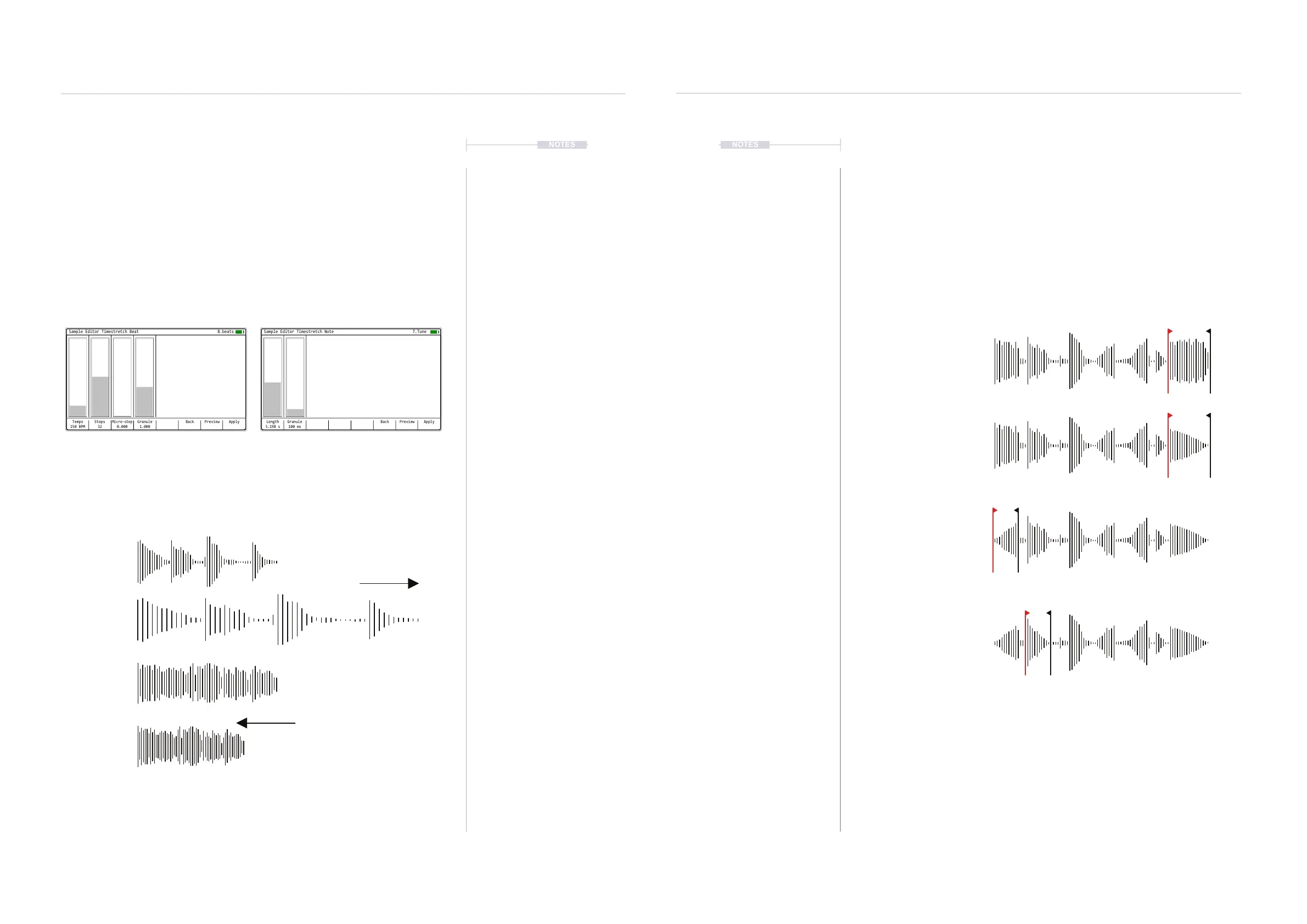
Fade In and Fade Out
The fade in and fade out utilities create a ramp up of audio level or a ramp
down of audio level. The effect is applied to the audio selected between the
start and end markers. Typically this would be applied at the start or end of
an audio sample but equally can be applied anywhere based on the
selected part of the audio sample. The effect is applied immediately with no
adjustable parameters.
Examples
Original audio sample
Fade Out applied at the end of the
audio to create a smooth volume
transition to conclude.
Fade In applied at the start of the
audio to create a smooth volume
transition to begin.
Fades can be applied at any part
of a sample that the start and end
marker is covering eg Fade Out.
Timestretch Beat and Note.
Two timestretch functions are available in the sample editor toolkit.
Timestretch is a feature that adjusts the time of an audio sample, extending
or reducing its duration without affecting pitch. Timestretch beat has
parameters that are better applied to rhythmic material such as drums and
percussion. Timestretch note is more aligned with melodic material.
Examples
1 2 3 4 5 6 7 8 9 10 11 12 13 14 16 17 18 19 20 21 22 23 24 25 26 27
0.1s 0.5s 1s 1.5s 2s 2.5s 3s 3.5s 4s 4.5s 5s 5.5s 6s 6.5s
Steps
Max 64
Longer / Slower
Shorter / Faster
Max 8s
Length
Original Sample
Original Sample
Original Sample
Stretched Sample
BackTempo
150 BPM
Micro-step
0.000
Granule
1.000
Steps
32
ApplyPreview
Sample Editor Timestretch Beat
8.beats
BackLength
3.198 s
Granule
100 ms
ApplyPreview
Sample Editor Timestretch Note
7.Tune
Timestretch Beat
Tempo and Steps are used to dene the duration of
the affected sample. Granule will affect audio quality.
Timestretch Note
Length is used to dene the duration of the affected
sample. Granule will affect audio quality.
Audio
8
Audio
8



 To Next Page