46-5
9
8
7
9 8
7
9
8
7
7
79
Servicing Conveyors
EN
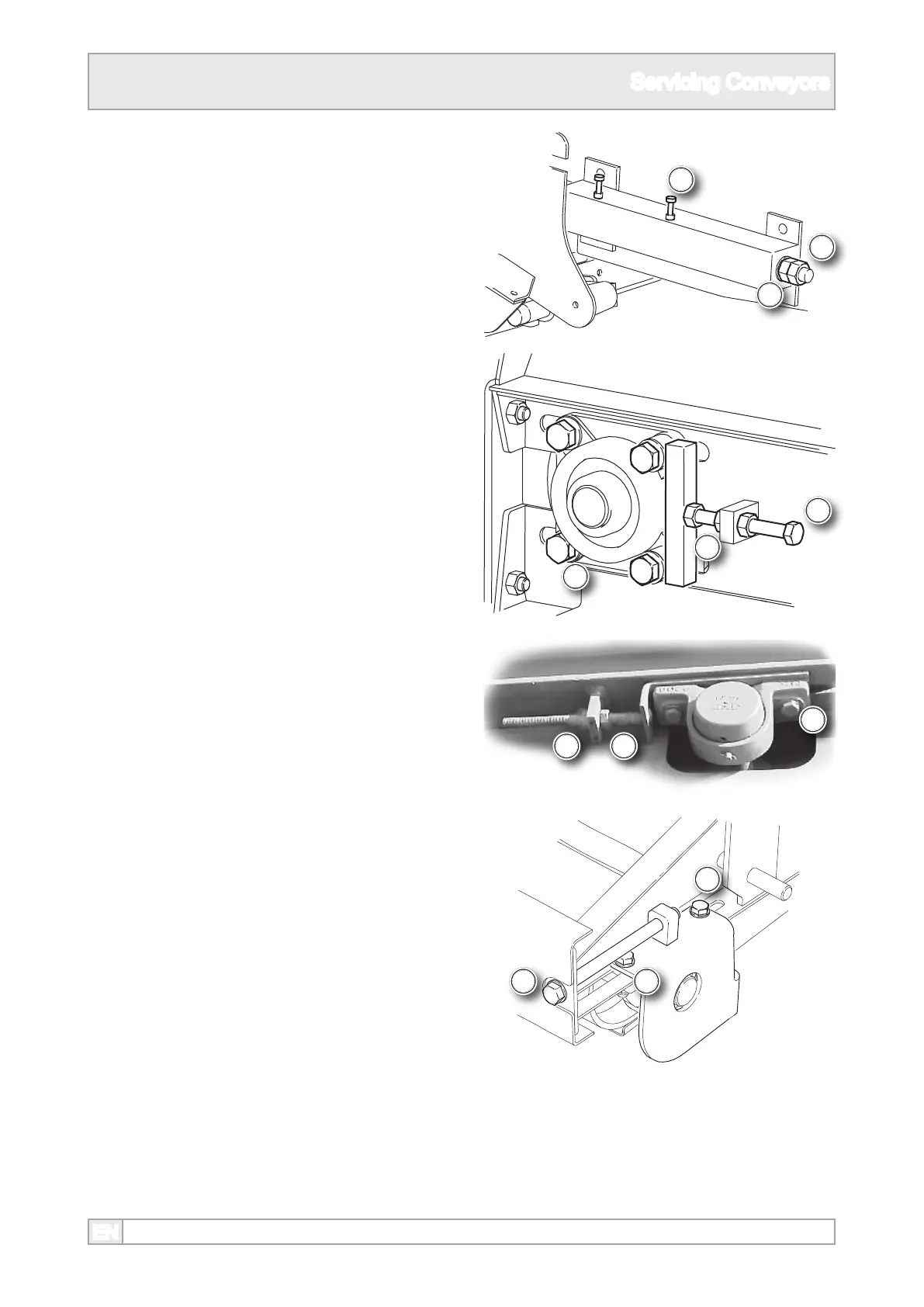
7. Loosen any screws used to clamp the tensioning
mechanism or securing a sliding bearing.
10. Once correct tension has been achieved,
tighten the lock nuts and clamping nuts.
8. Loosen the screw tension lock nuts. where tted.
9. Either by turning a nut on the screw or the screw
itself, depending on the type, tension or slacken
the belt as required. Make an equal amount of
adjustment to each screw.



 To Next Page