If the SD card is in the controller, this is
displayed on the display in the top-left
corner by the
[SD]
symbol. If the SD card
is 80% full, then this level also appears on
the screen as
[80% full]
. If the SD card is
full, then the data is stored in the control‐
ler's internal memory. If this internal
memory is full, then the oldest data is
overwritten.
16.2 Configuring log books
n User qualification: instructed user,
see
Ä Chapter 4.4 ‘Users' qualifica‐
tions’ on page 21
Continuous display ➨ ➨ or
[Diagnostics]
➨
[Diagnostics]
It is possible to look through log books,
perform a simulation of outputs or view
device information in this menu.
Diagnostics
Logbook
A0981
9.1
Simulation
Device information
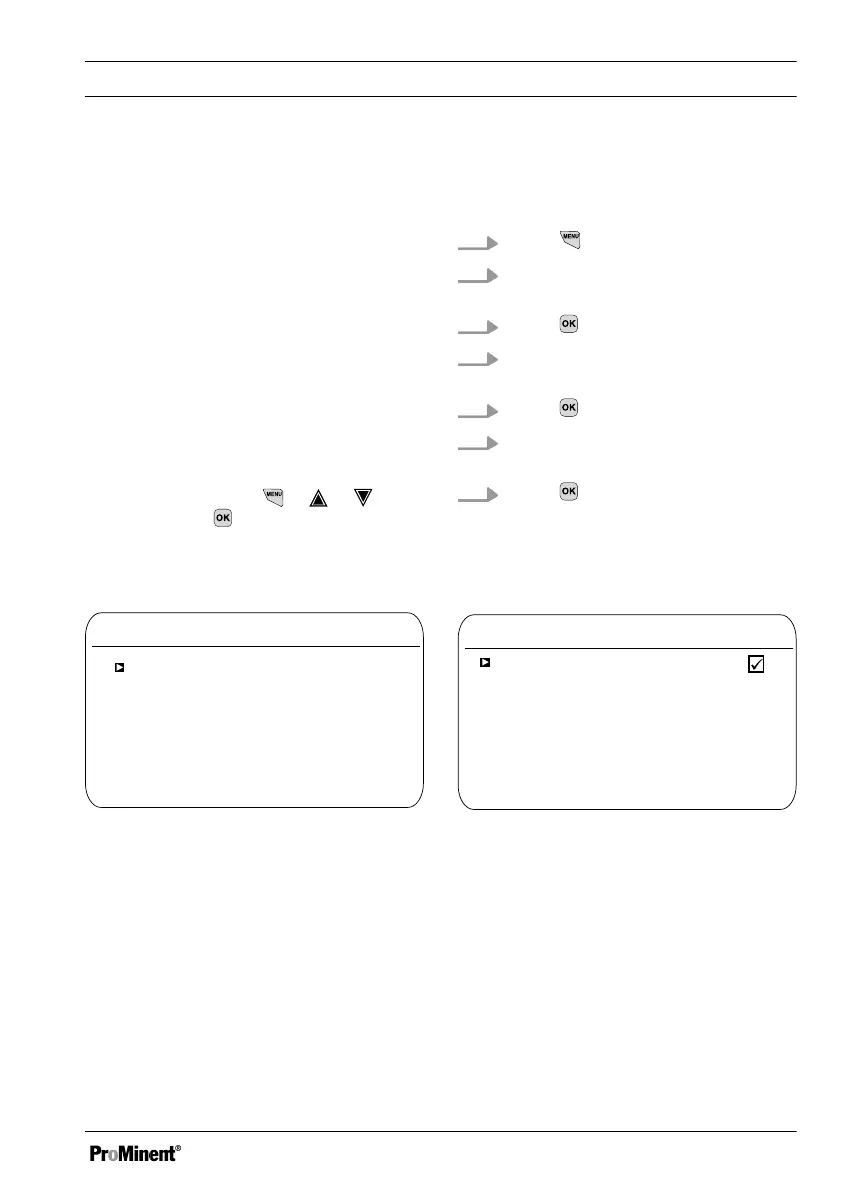
Fig. 101: [Diagnostics] > [Log books]
The calibration log book stores all calibra‐
tions of measured variables with a time
stamp.
1.
Press
in the continuous display
2. Use the arrow keys to select
[Diagnostics]
3.
Press
4. Use the arrow keys to select
[Log books]
5.
Press
6. Use the arrow keys to select
[Calibration log book]
7.
Press
16.2.1
Using the
[calibration log book]
Calibration log book
Record
A1673
9.1.1.1
Read
Clear
Fig. 102: Using the [calibration log book]
Function: Data logger
141














 To Next Page