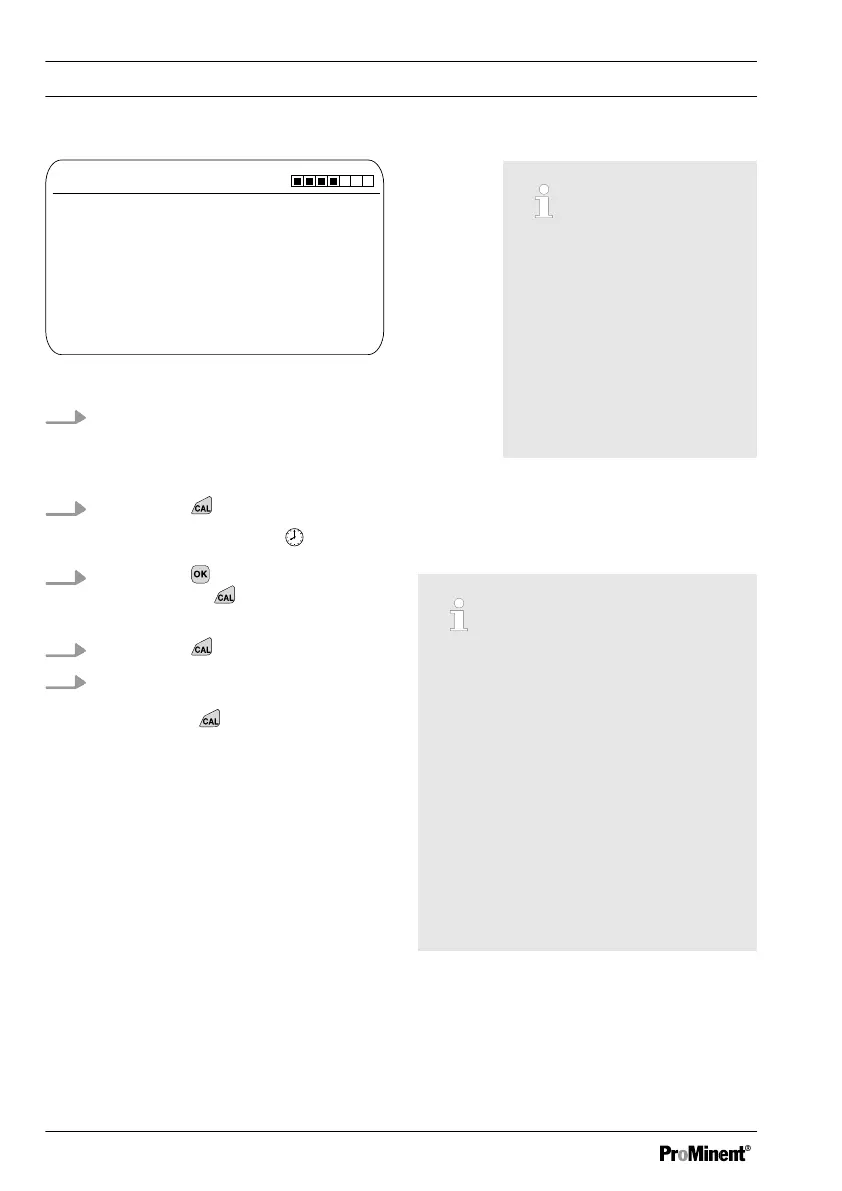
CAL F
-
Immerse sensor in buffer 2
Two point calibration
A1041
Sensor value
Sensor voltage
Start with <CAL>
4.88 ppm
144.2 mV
Fig. 53: Fluoride sensor calibration (CAL)
8. Immerse the sensor in test con‐
tainer 2 with calibration solution.
When doing so gently move the
sensor
9.
Then press
ð
[Calib. in progress]
.
10.
Then press to adjust the ppm
value or press
to continue with
the calibration
11.
Then press
12. Import the result of the calibration
into the controller memory by
pressing the key
ð
The controller displays the con‐
tinuous display again and oper‐
ates with the results of the cali‐
bration.
Incorrect calibration
Should the result of the cal‐
ibration lie outside the
specified tolerance limits,
an error message appears.
In this case the current cal‐
ibration will not be applied.
Check the prerequisites for
the calibration and clear
the error. Then repeat the
calibration
9.3.3
1-point fluoride sensor cali‐
bration (CAL)
Correct sensor operation
–
Correct measuring and metering
is only possible if the sensor is
working perfectly
–
Observe the sensor operating
instructions
–
The carrying out of a 2-point cali‐
bration is strongly recommended
and is to be preferred to other
methods
–
For calibration the sensor must
be removed and refitted in the in-
line probe housing. To do this,
observe the operating instructions
of your in-line probe housing
Material required for calibration of fluoride
sensors:
n One test container with calibration
solution
Calibration
82














 To Next Page