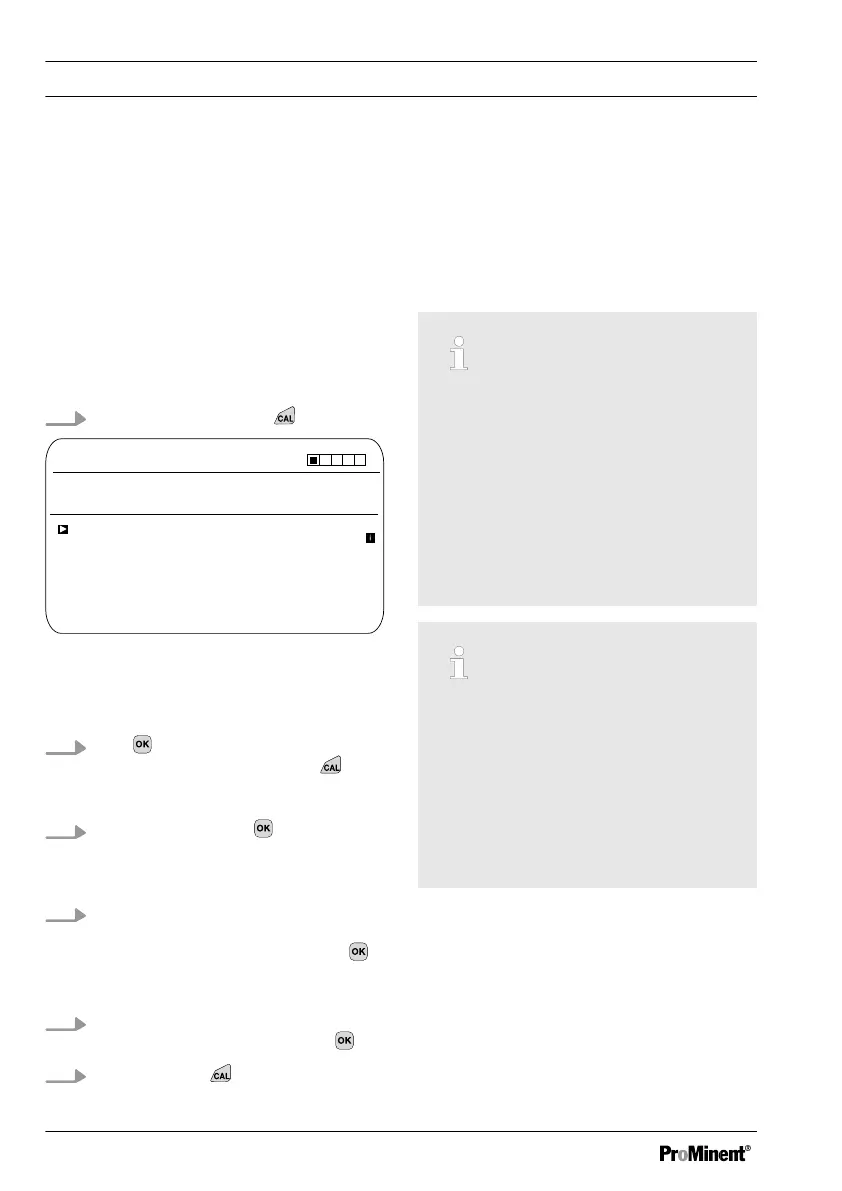
9.2 Calibrating the ORP Sensor
9.2.1
Selecting the calibration
process for ORP
Selecting the calibration process
There are two calibration processes avail‐
able for calibrating the controller:
n 1-point (with buffer solution)
n Data input
1.
Continuous display ➨
CAL ORP
Pot. equalisation
Calibration process
A1027
No
0.0 mV
Offset
Last calibration
CAL setup
13:26:11
11/04/2013
continue with <CAL>
1 point
Fig. 43: [ORP] calibration menu
ð
The calibration menu is dis‐
played.
2.
Use to select the Setup menu or
start calibration by pressing
Selecting the calibration process
3.
[CAL Setup]
: Press
ð
The menu for selecting the cali‐
bration process appears.
4. Using the arrow keys select the
required menu item
[Calibration process]
and press
ð
The input window appears.
5. Use the arrow keys to select the
calibration process and press
6.
Continue with
ð
You can now start your chosen
calibration process.
9.2.2
1-point calibration of ORP
sensor (CAL)
Correct sensor operation
–
Correct measuring and metering
is only possible if the sensor is
working perfectly
–
Refer to the sensor's operating
instructions
–
Remove the sensor from the in-
line probe housing and re-fit it for
calibration. To do this, refer to the
operating instructions for your in-
line probe housing
ORP sensor calibration
The ORP sensor cannot be cali‐
brated. Only an [OFFSET] deviation
of magnitude ± 40 mV can be set and
thus compensated. If the ORP sensor
deviates by more than ± 40 mV from
the reference value, then it must be
checked in accordance with the
requirements of the sensor operating
instructions.
Calibration
76














 To Next Page