9 Calibration
n User qualification: instructed user,
see
Ä Chapter 4.4 ‘Users' qualifica‐
tions’ on page 21
Settings for [Channel 2]
In its 2-channel version, the controller
has two measurement channels. This
description for [Channel 1] applies
correspondingly for the settings in
[Channel 2]. The procedure for
making the settings for the channel in
question is identical, however the
parameters to be set may be different.
Differences are pointed out and are
also described.
Display tolerances
Display tolerances between the
sensor and/or measuring device and
controller have to be calibrated with
sensors and/or with output signals of
measuring devices that do not require
calibration or where calibration is per‐
formed in the sensor/measuring
device. The relevant information for
this is contained in the respective
operating instructions for the sensor
or measuring device.
Continuous display ➨ Menu ➨ or
[Calibration]
➨
or
Continuous display ➨
A1606
Channel 2
Channel 1
Please select channel
pH [mV]
Calibration
Chlorine
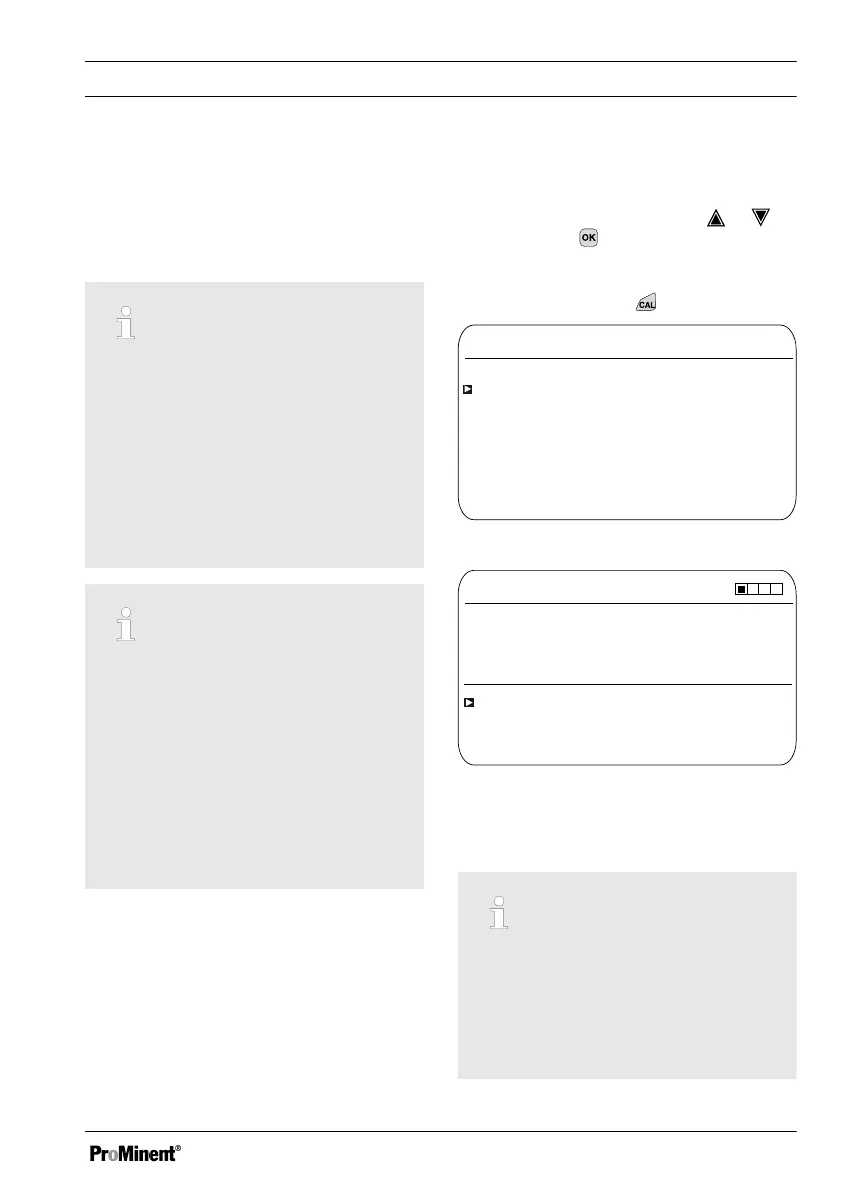
Fig. 29: Please select channel
CAL Cl
A1039
Zero point
Slope
Slope calibration
Calibration of zero point
4.00 mA
Last calibration 31.03. 2013 13:11:11
100 %
Fig. 30: Display [Calibration] with the
example of [Chlorine]
Calibrating measuring channel 1
and measuring channel 2
The calibration processes are iden‐
tical for measuring channel 1 and
measuring channel 2. However, it is
necessary to calibrate each meas‐
uring channel separately
Calibration
61














 To Next Page