CAL pH
Asymmetry
Buffer 2:
A1019
Zero point
Slope
% Slope
Accept with <CAL>
Buffer 1:
Calibr.param. for 25 °C
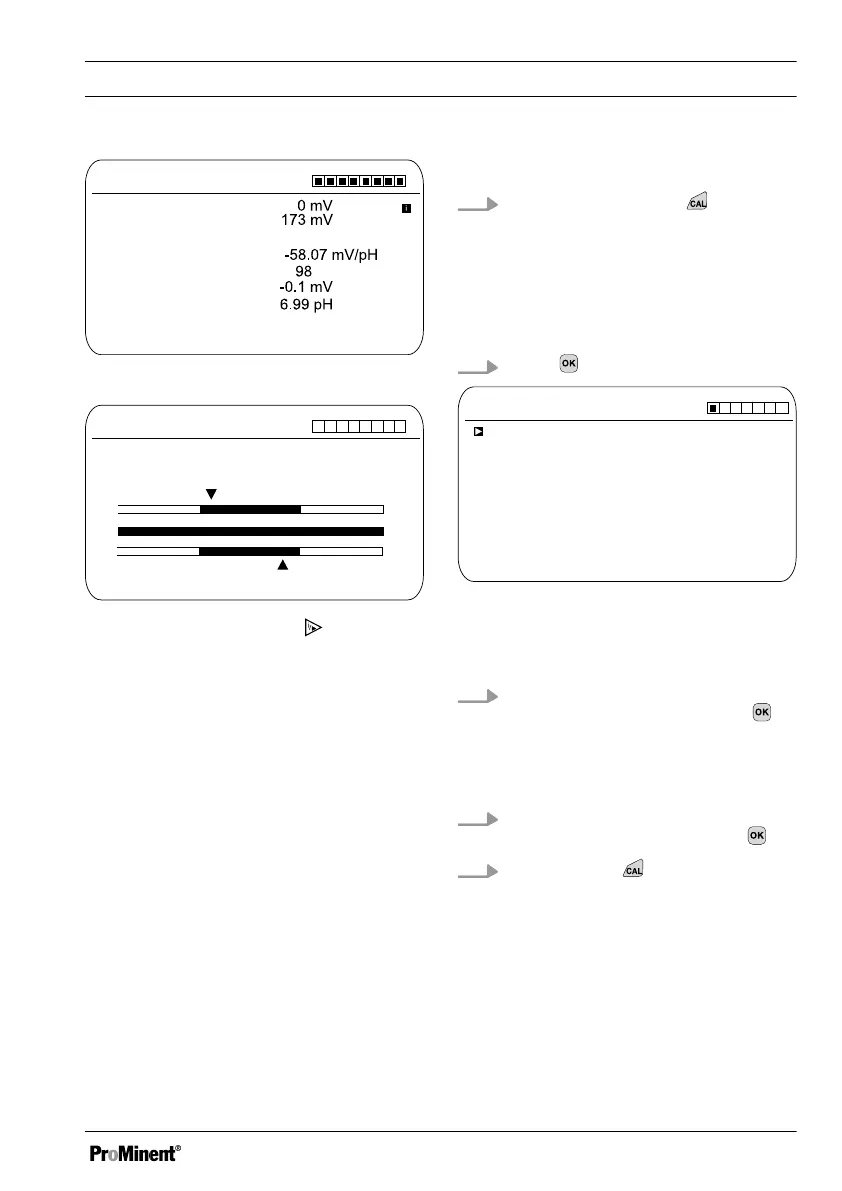
Fig. 31: Display of the calibration result
CAL pH
Asymmetry in mV
Sensor quality
A1481
Slope in mV/pH
acceptable
good
good
55 56 57 58 59 60 61 62
-60 -30 0 30 60
Fig. 32: Displayed after the key has
been pressed
9.1.1
Selecting the Calibration
Process for pH
To calibrate the controller there are three
available calibration processes:
n 2-point
n Sample (1-point)
n Data input
Selecting the calibration process
1.
Continuous display ➨
ð
The Calibration menu is dis‐
played, you may need to select
[Channel 1]
or
[Channel 2]
,
depending on the measuring
channel on which the pH meas‐
urement is performed.
2.
Press
CAL pH
Buffer manufacturer
Calibration process
A1025
Off
Buffer detection
2 point
requirement
Buffer value 1
Buffer value 2
Buffer temperature
ProMinent
pH 7
pH 4
Fig. 33: Selecting the calibration process
ð
The menu for selecting the cali‐
bration process appears.
3. Use the arrow keys to select the
required menu item and press
ð
The input window appears and
you can make the necessary
settings for your process
4. Use the arrow keys to select the
calibration process and press
5.
Continue with
ð
You can now start your chosen
calibration process.
Calibration
65














 To Next Page