Measuring and control behaviour
of the controller during calibration
During calibration the actuating out‐
puts are deactivated. Exception: a
basic load or a manual control vari‐
able has been set. This remains
active. The measured value output
[standard signal output mA] is frozen,
corresponding to its settings in the
mA output menu.
When calibration/testing has been
completed successfully, all of the
error checks relating to the measured
value are restarted. The controller
saves all the determined data for zero
point and slope upon a successful
calibration.
Used calibration solution
Dispose of the used calibration solu‐
tion. For more information: see cali‐
bration solution safety data sheet.
One test container with calibration solution
are required for calibration.
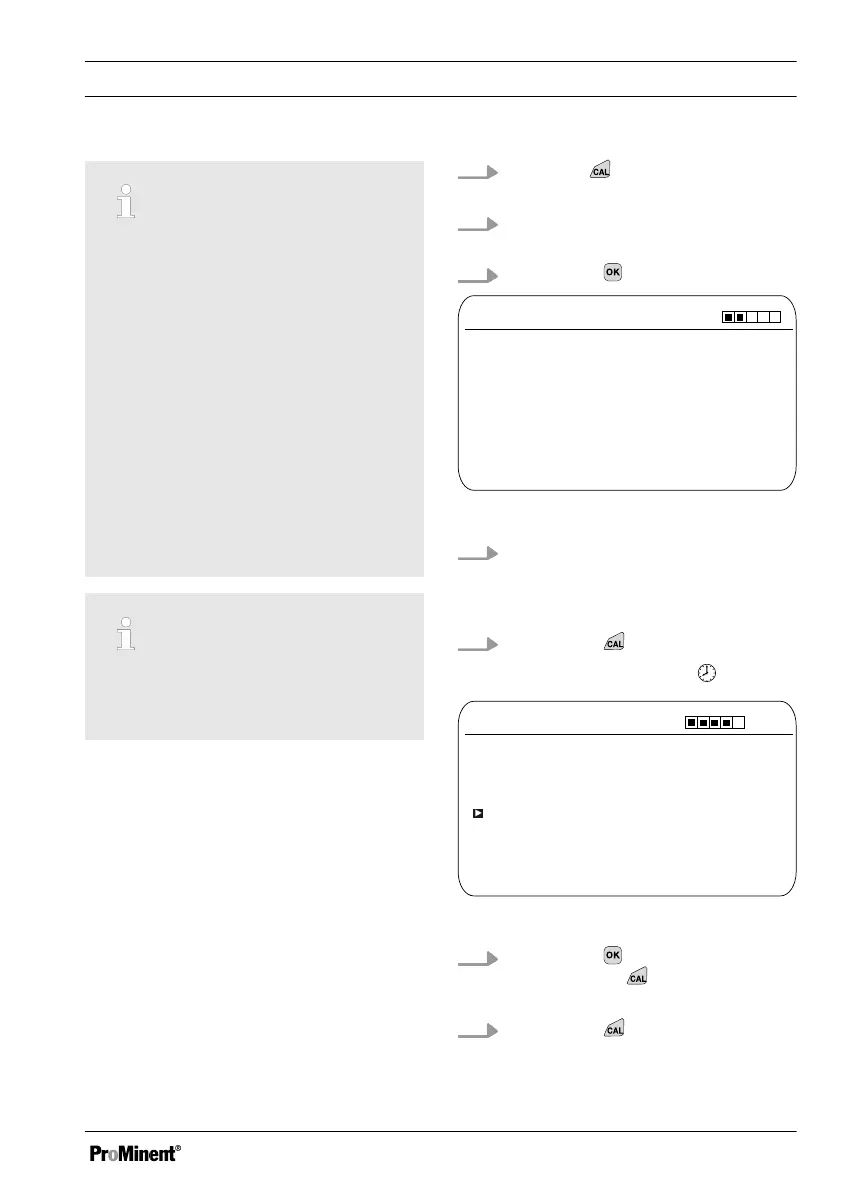
1.
Press the key in the continuous
display.
2. Using the arrow keys select
[Single point calibration]
3.
Then press
CAL F
-
Immerse sensor in buffer
Single point calibration
A1042
Sensor value 2.50 ppm
Sensor voltage 161.4 mV
Start with <CAL>
Fig. 54: Fluoride sensor calibration (CAL)
4. Immerse the sensor in test con‐
tainer 1 with calibration solution.
When doing so gently move the
sensor
5.
Then press
ð
[Calib. in progress]
.
CAL F
-
Single point calibration
A1043
Sensor value
2.50 ppm
Change with <OK>
continue with <CAL>
Fig. 55: Fluoride sensor calibration (CAL)
6.
Then press to change the ppm
value or press
to continue with
the calibration
7.
Then press
Calibration
83














 To Next Page