Remove sample water directly at the
measuring point and determine the con‐
tent of the feed chemical in the sample
water in
[ppm]
using an appropriate refer‐
ence method (e.g. DPD, titration etc.).
Enter this value into the controller as fol‐
lows:
1.
Press in the continuous display.
2. Use the arrow keys to select
[Slope calibration]
3.
Continue with
CAL Cl
A1044
Concentration
Latest sensor measured values
2) Take sample and continue with <CAL>
Sensor current
1) Wait until meas values stable
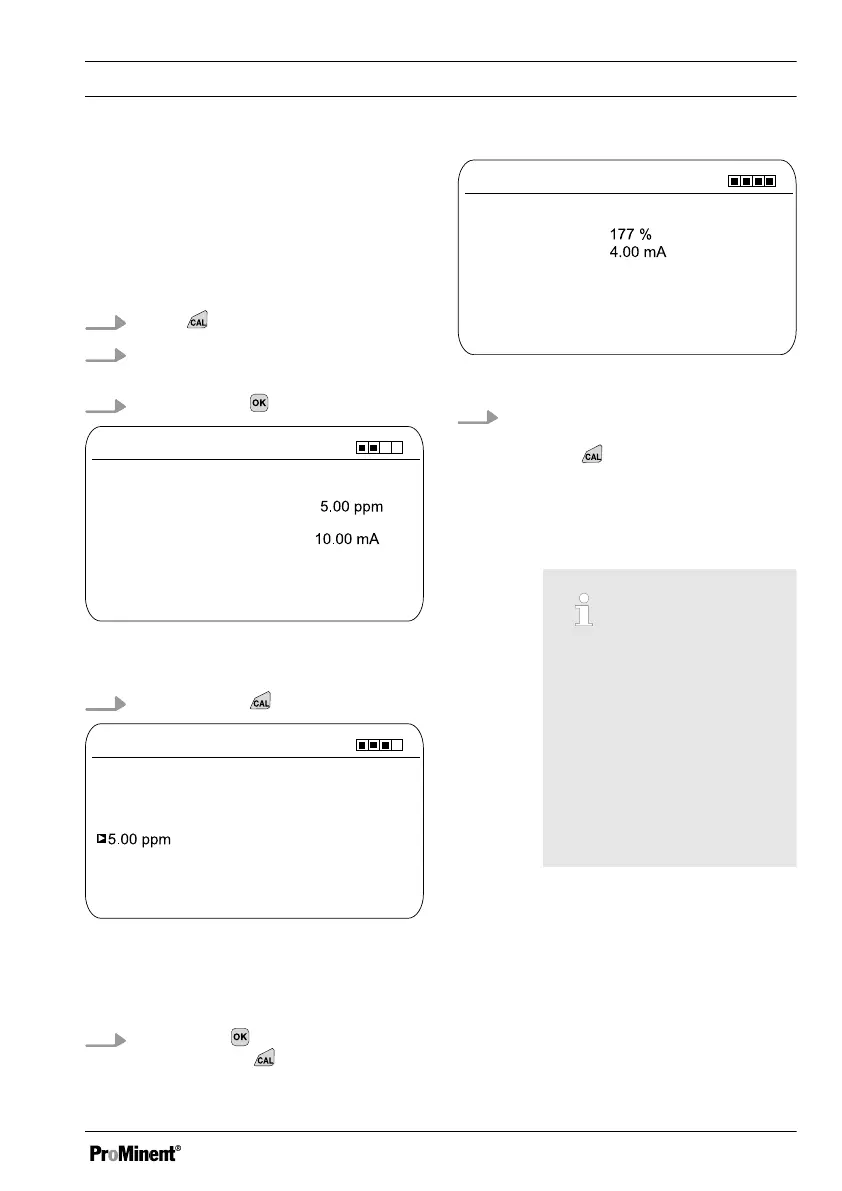
Fig. 57: Reference value calibration
shows the actual sensor values
4.
Continue with
CAL Cl
A1045
Measured value upon sampling
Change with <OK>
Determine reference value
continue with <CAL>
Fig. 58: Reference value calibration, the
sensor value is frozen here; now take the
sample and measure using DPD,
for example
5.
Then press to adjust the ppm
value or press to continue with
the calibration
CAL Cl
A1047
Calibration successful
Slope
continue with <CAL>
Zero point
Fig. 59: Calibrating the reference value
6. Transfer the result of the calibration
into the controller memory by
pressing
ð
The controller displays the con‐
tinuous display again and oper‐
ates with the results of the cali‐
bration.
Incorrect calibration
An error message appears
if the result of the calibra‐
tion lies outside the speci‐
fied tolerance limits. In this
case, the current calibra‐
tion is not applied.
Check the prerequisites for
calibration and clear the
error. Then repeat calibra‐
tion
Calibration
87














 To Next Page