1.
Press the key in the continuous
display.
2. Using the arrow keys select
[automatic]
3.
Then press
CAL DO
A1074
Air temperature
Water temp.
continue with <CAL>
Air pressure
Adjusting the concentration
higher than
Sea level
Relat. humidity
Salinity of the
Water
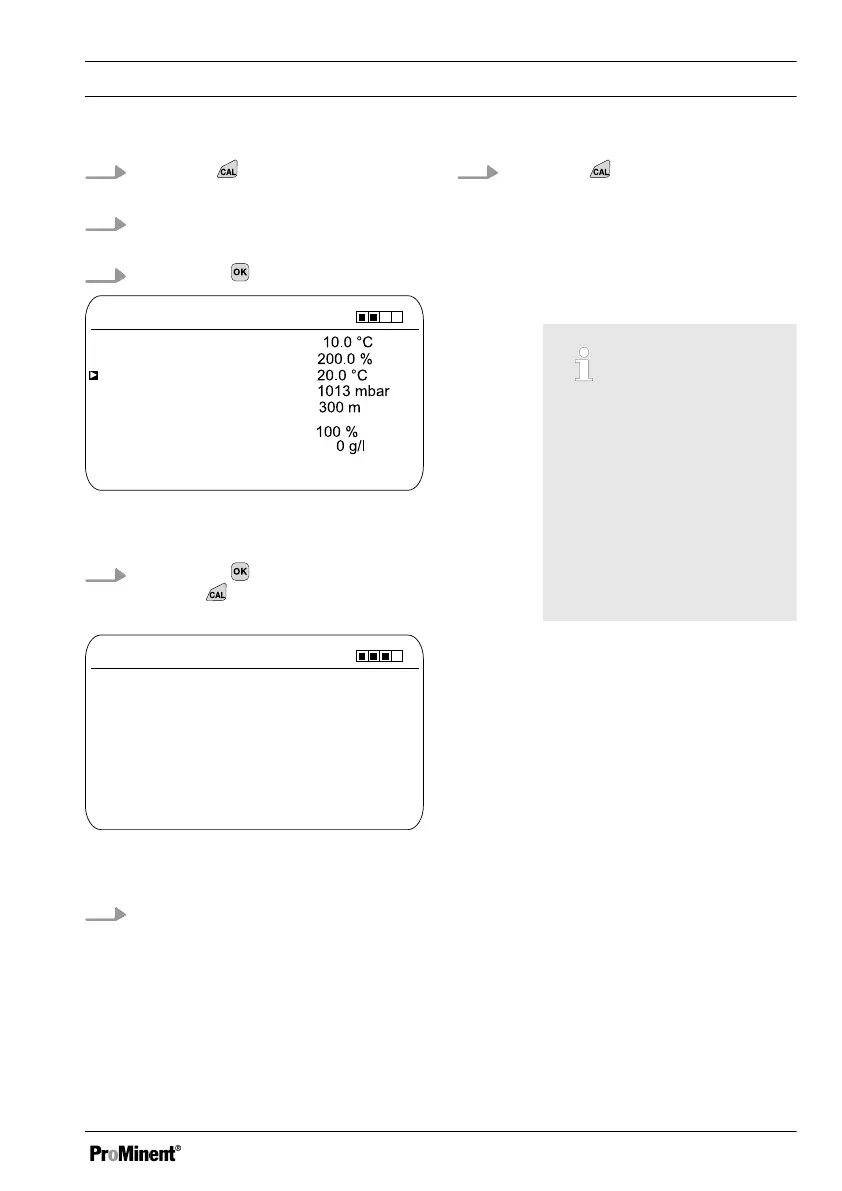
Fig. 63: Selection of the calibration
process for the measured variable DO
4.
Then press to adjust the values
or press
to continue with the cal‐
ibration
CAL DO
A1075
Sensor head up
continue with <CAL>
Minimum waiting time 5 min
Time: XX.XX min
Fig. 64: Selection of the calibration
process for the measured variable DO
5. Hold the DO sensor head up in the
ambient air.
ð
The calibration takes place.
The elapsed time is displayed.
The minimum waiting time for a
correct calibration is 5 minutes
6.
Press the key to import the
result of the calibration into the
memory of the controller
ð
The controller changes back to
the continuous display and
operates with the results of the
calibration.
Incorrect calibration
Should the result of the cal‐
ibration lie outside the
specified tolerance limits,
an error message appears.
In this case the current cal‐
ibration will not be applied.
Check the prerequisites for
the calibration and clear
the error. Then repeat the
calibration
Calibration
93














 To Next Page