1.
Press the key in the continuous
display.
2. Using the arrow keys select
[DO value]
3.
Then press
CAL DO
A1074
Air temperature
Water temp.
continue with <CAL>
Air pressure
Adjusting the concentration
higher than
Sea level
Relat. humidity
Salinity of the
Water
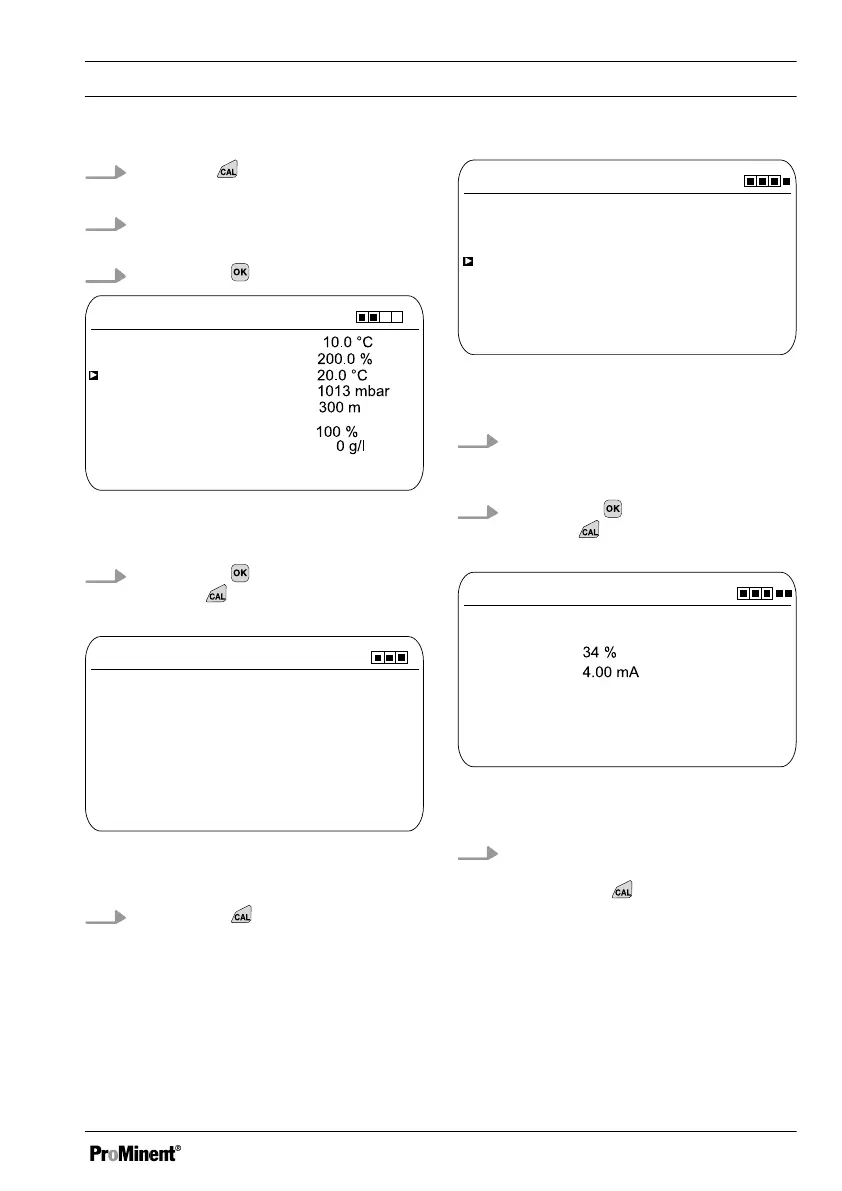
Fig. 68: DO value calibration for the meas‐
ured variable DO
4.
Then press to adjust the values
or press to continue with the cal‐
ibration
CAL DO
A1076
DPD value
Start with <CAL>
Sensor value 0.00 ppm
Sensor current
8.03 mA
Fig. 69: DO value calibration for the meas‐
ured variable DO
5.
Then press
CAL DO
A1077
1) Take sample
Change with <OK>
7.04 ppm
continue with <CAL>
2) Determine DPD value
Fig. 70: DO value calibration for the meas‐
ured variable DO
6. Take a water sample and determine
the DPD value with a suitable
measuring instrument.
7.
Then press to adjust the values
or press to continue with the cal‐
ibration
CAL DO
A1078
Calibration successful
Zero point
continue with <CAL>
Slope
Fig. 71: DO value calibration for the meas‐
ured variable DO
8. Import the result of the calibration
into the controller memory by
pressing the key
ð
The controller displays the con‐
tinuous display again and oper‐
ates with the results of the cali‐
bration.
Calibration
97














 To Next Page