Advanced Operations3.7
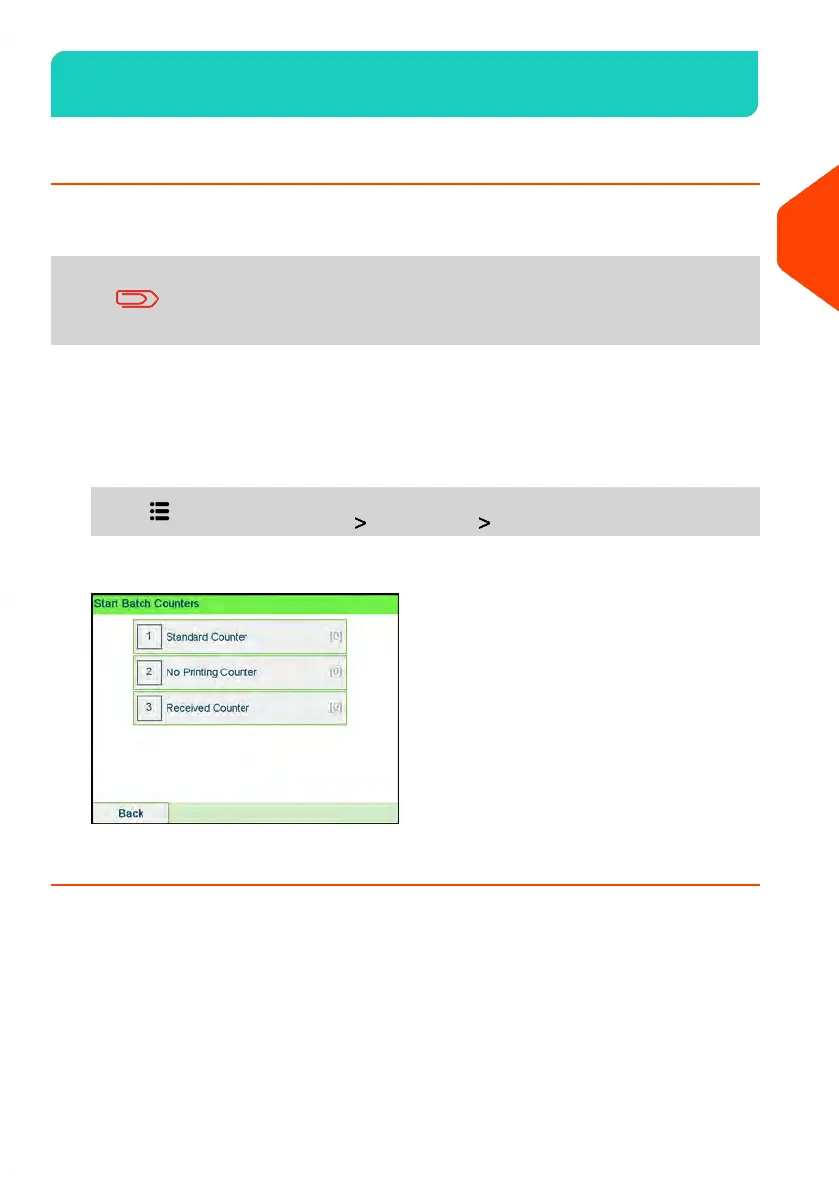
How to Reset Batch Counters
Batch counters allow you to track and report pieces (items) and postage (value) since
the last counter reset.
To produce reports associated to counters, see Reports on page
217.
To reset a Counter:
1. On the Homescreen display:
1. As a user:
Press and select the path: Job settings Start batch counters
2. Select the counter you wish to reset and press [OK].
111
| Page 111 | | Apr-15-2022 12:02 |
3
Processing Mail


 To Next Page