Funding PIN Code5.6
How to Set/Cancel a Funding PIN Code
You can create a funding PIN code to control access to only those who are authorized
to add postage (see Money Operations on page 131).
To set a funding PIN code:
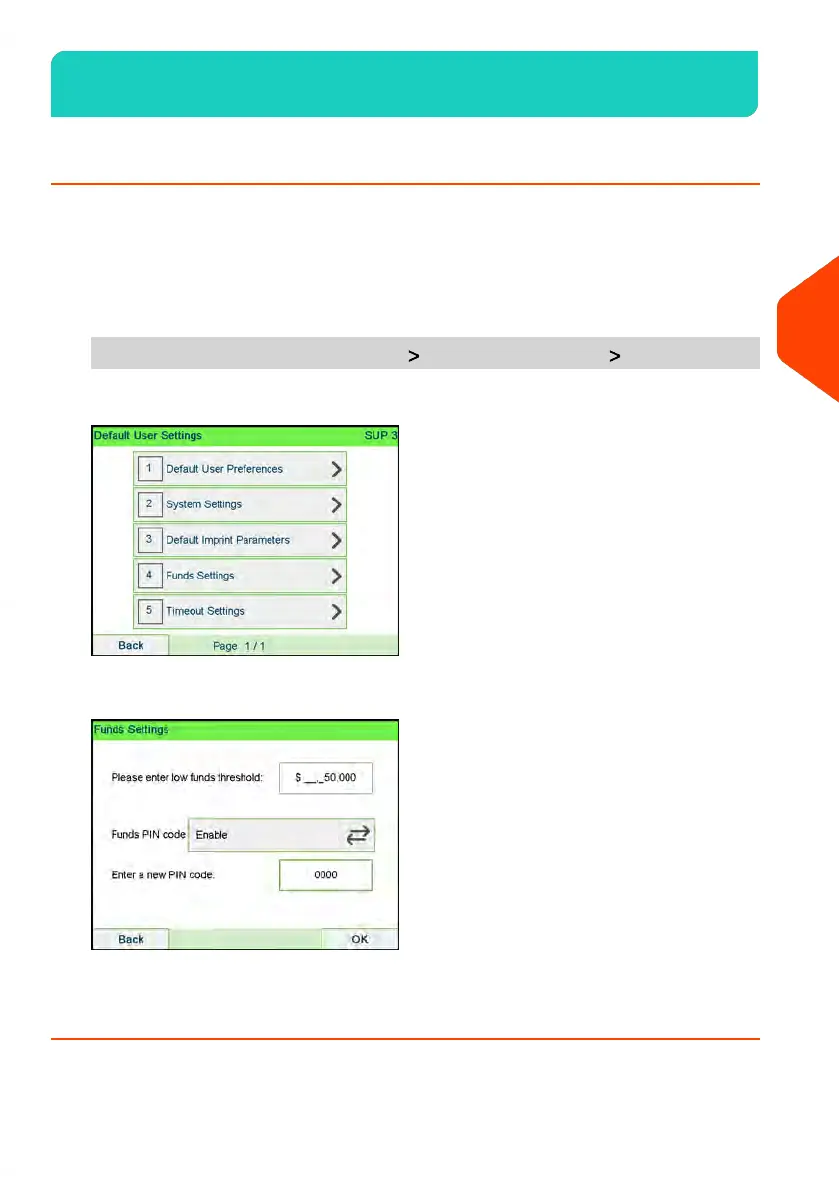
1. As supervisor (see How to Log in as Supervisor on page 269):
From the main menu, select the path: Default user settings Funds settings
2. Press the arrow to the Enable or Disable state to enable or disable the PIN code.
3. Enter the funding PIN code if enabled.
4. Press [OK] to validate.
143
| Page 143 | | Apr-15-2022 12:02 |
5
Money Operations













 To Next Page