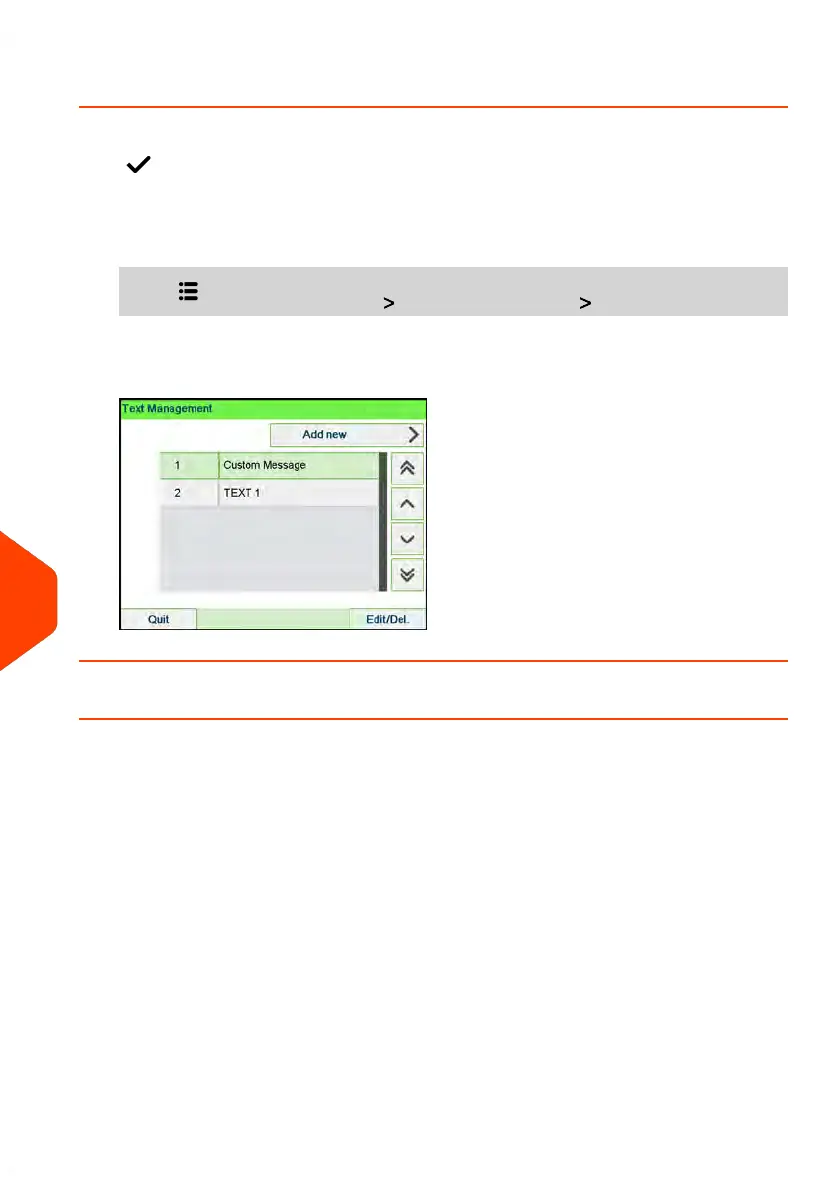
How to Display the List of Text Messages
The list of text displays the messages you have created and indicates with a check
mark the default text, if any.
To display the list of text:
1. As supervisor (see How to Log in as Supervisor on page 269):
Press and select the path: Option and Updates Text
The list of text is displayed in the Text management screen.
How to Add a New Text Message
To add a new message:
334
| Page 334 | Apr-15-2022 12:02 |
11
Options and Updates














 To Next Page