How to Process International Mail
The mailing system allows you to process items for international mailing by selecting
the appropriate country when processing.
For this example we will be processing an International First Class Letter to Great
Britain.
One common mistake is to look for England or United Kingdom
instead of Great Britain when selecting the country.
1.
Place the item on the weighing platform and press .
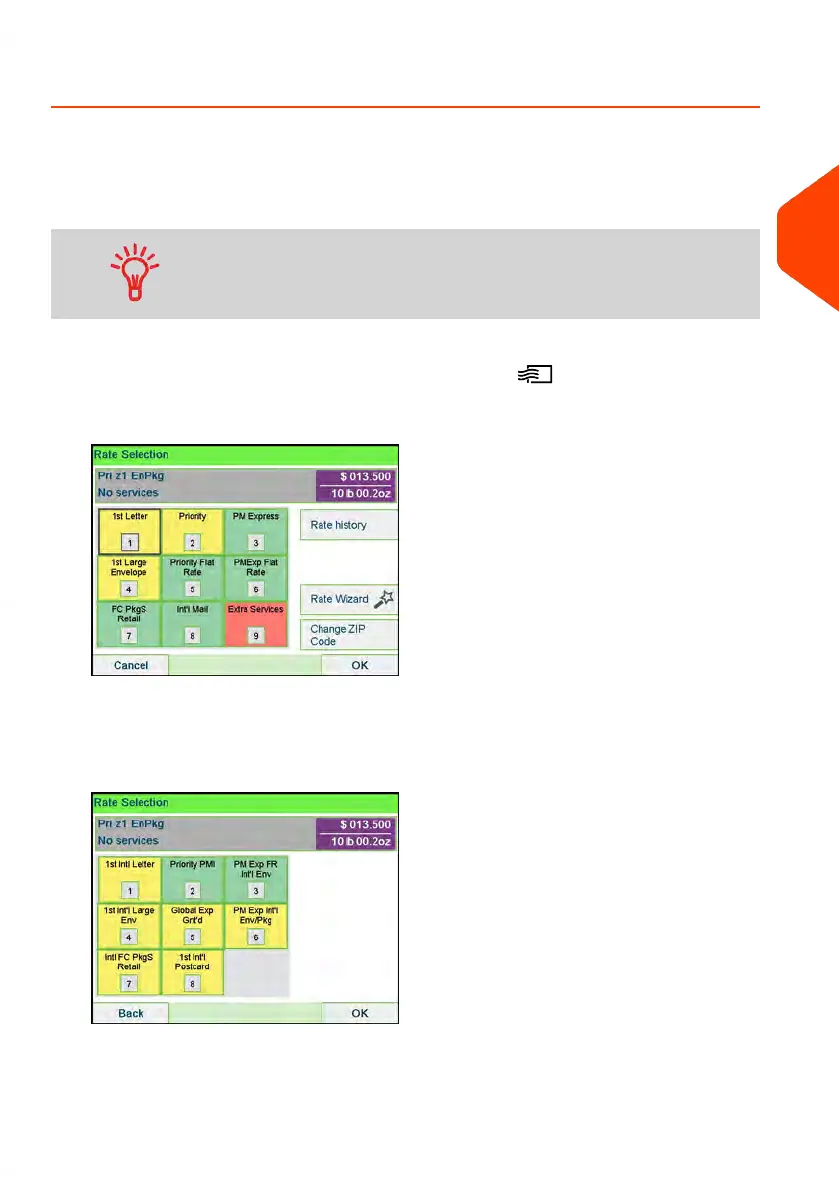
2. Select Int'l Mail [8].
3. On that screen, you can:
Press one of the rate buttons (or type the number) to select the rate or display
rate options.
3
Processing Mail
61
| Page 61 | Apr-15-2022 12:02 |














 To Next Page