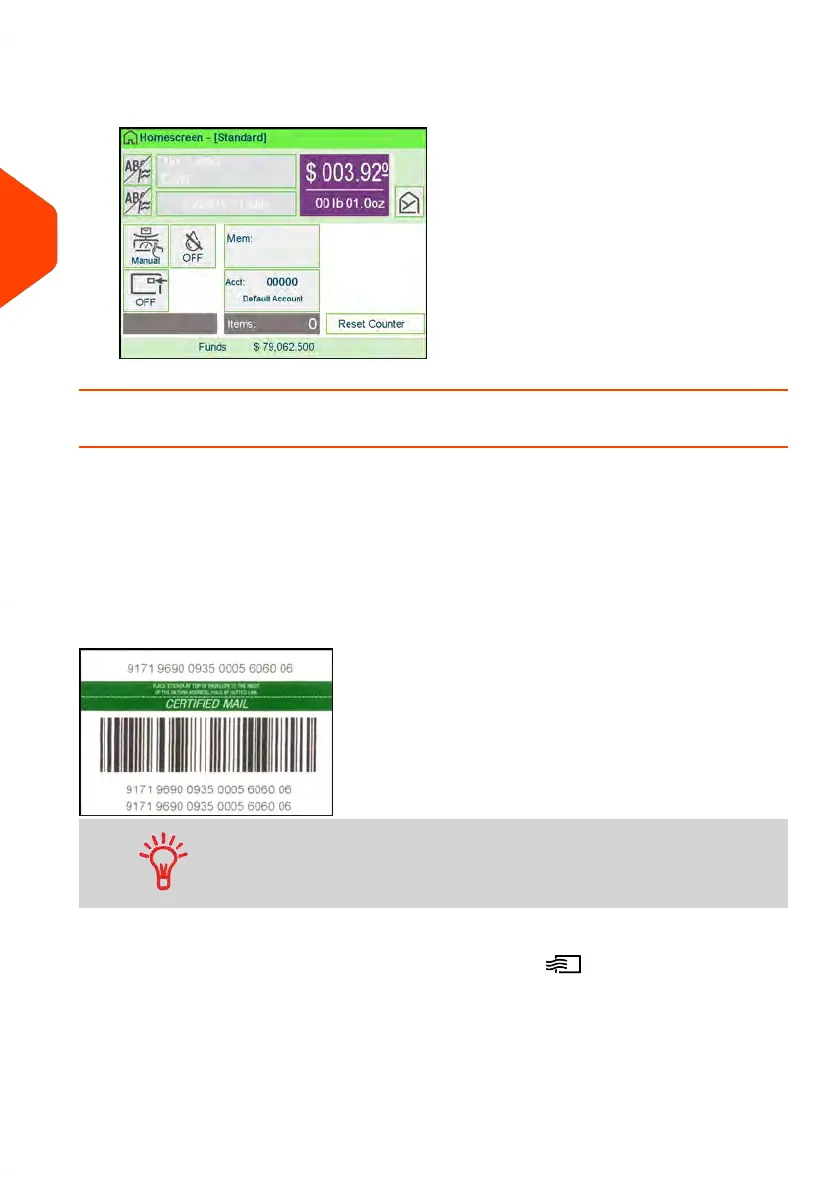
4. Press the [OK] button to save and exit to the home screen. The cost of 1st Letter
Cert is now displayed on the screen.
How to Process E-Certified Mail
The USPS offers several Confirmation Services to assure postal customers of the
delivery of their parcels. To track parcels, the USPS must be able to uniquely identify
each one with a label. When tracking a parcel using electronic confirmation services,
an eConfirmation label is used.
Neopost provides you with special eConfirmation labels once you sign up for the
eConfirmation contract. The three types of eConfirmation labels correspond to the
three types of eConfirmation Services supported by the USPS: eDelivery Confirmation
labels, eSignature Confirmation labels, and eCertified Mail labels.
• Not all mail classes may offer eCertified.
• Be sure to use the correct label for the service you want.
1.
Place the item on the weighing platform and press .
58
| Page 58 | Apr-15-2022 12:02 |
3
Processing Mail















 To Next Page