Processing Examples3.3
Standard mail
To apply Postage for [Standard] mail, follow the settings below.
How to Set Postage for [Standard] Mail
The procedure below outlines steps in a recommended sequence to process your mail.
• As mail requirements quickly vary, some settings may not be necessary, or their
order may vary.
• You must begin with selecting the Type of stamp to gain access to the additional
options and be able to run your mail (standard is default).
To set the stamp quickly, consider using imprint memories. The
memories store stamp characteristics together with rates and,
if activated, charged account. See Imprint Memories on page
124.
Required settings:
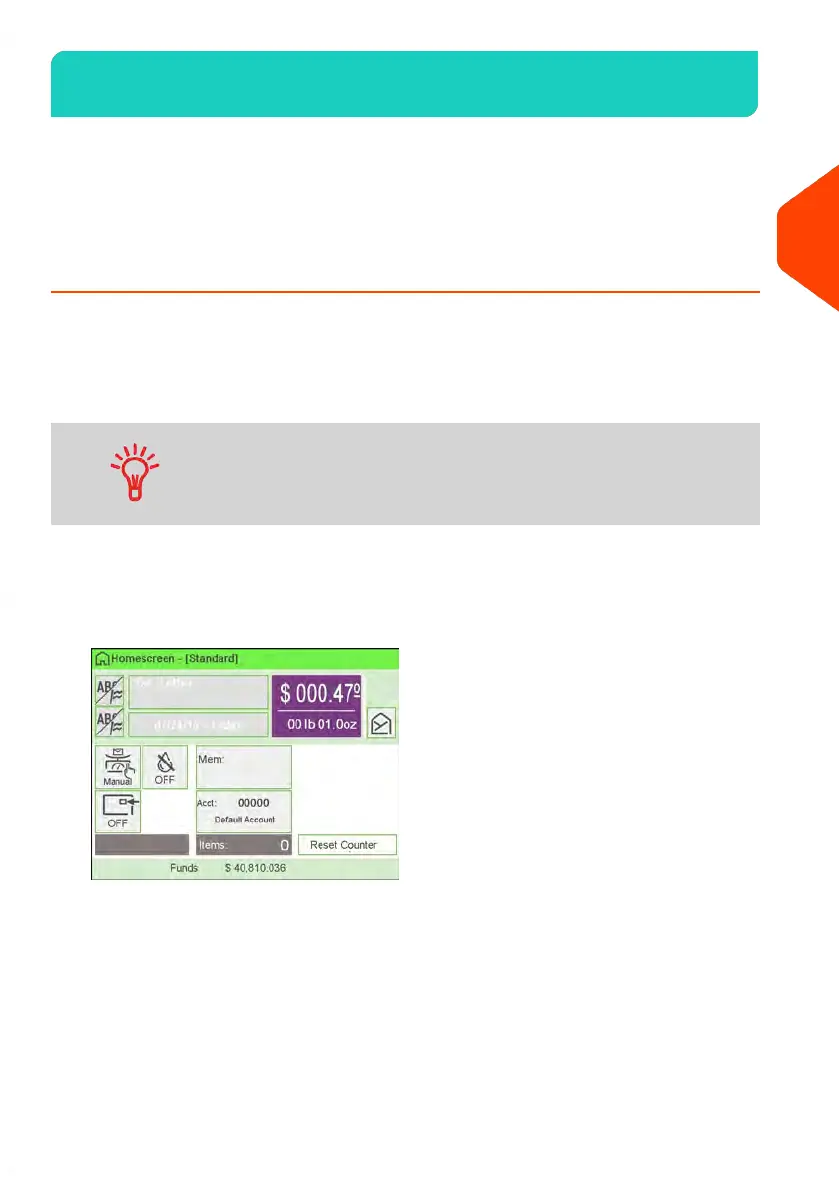
1. Make sure you are on the home screen of the [Standard] type of stamp.
The type of stamp is indicated at the top of the home screen as illustrated below.
41
| Page 41 | | Apr-15-2022 12:02 |
3
Processing Mail















 To Next Page