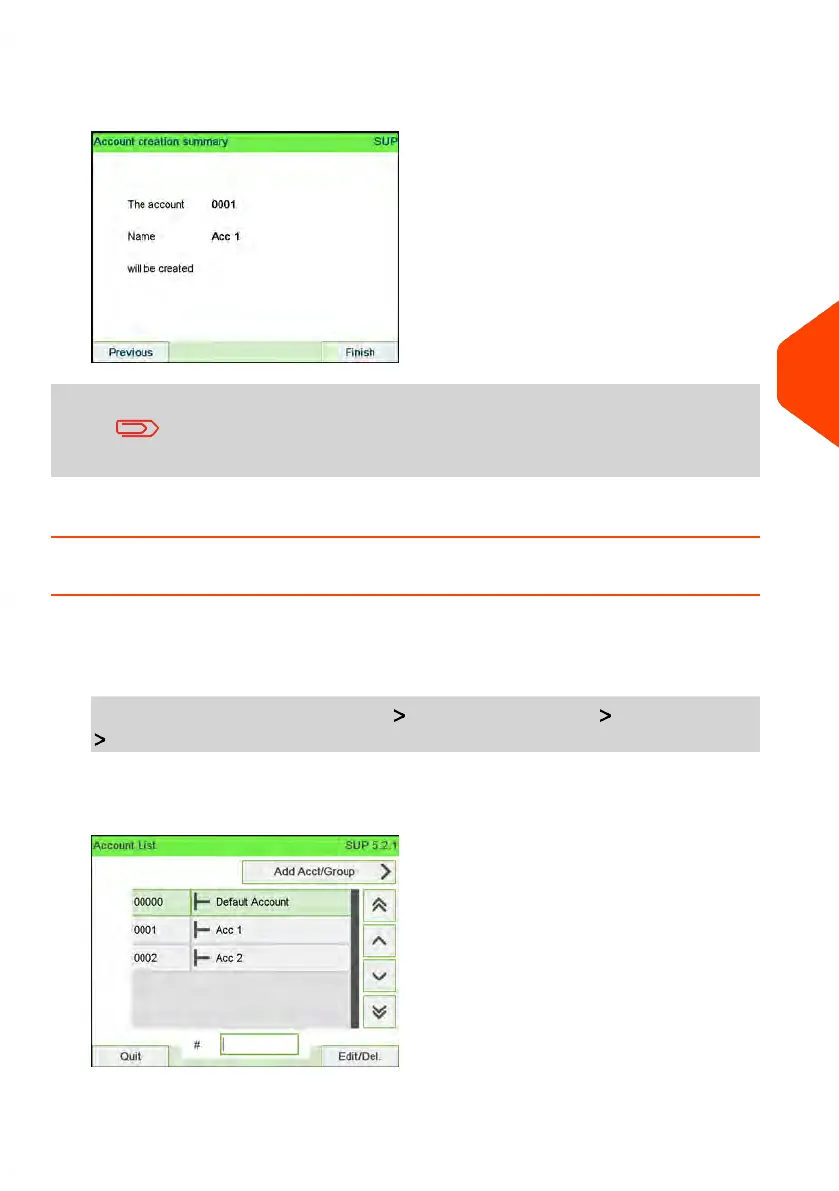
5. On the Add account screen, press [OK].
The Account creation summary screen is displayed.
The Budget and Surcharge settings are only available when
Advanced Reporting option is activated. See Budget and
Surcharge Preferences on page 238.
6. Press [OK] to confirm the creation of the account.
How to View / Edit Account Information
To view or edit an account:
1. As supervisor (see How to Log in as Supervisor on page 269):
From the main menu, select the path: Account management Manage account
Account list
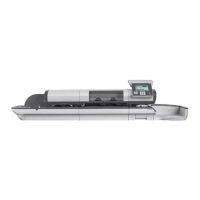
The Account list screen is displayed.
6
Accounts and Access Control
165
| Page 165 | Apr-15-2022 12:02 |




 To Next Page