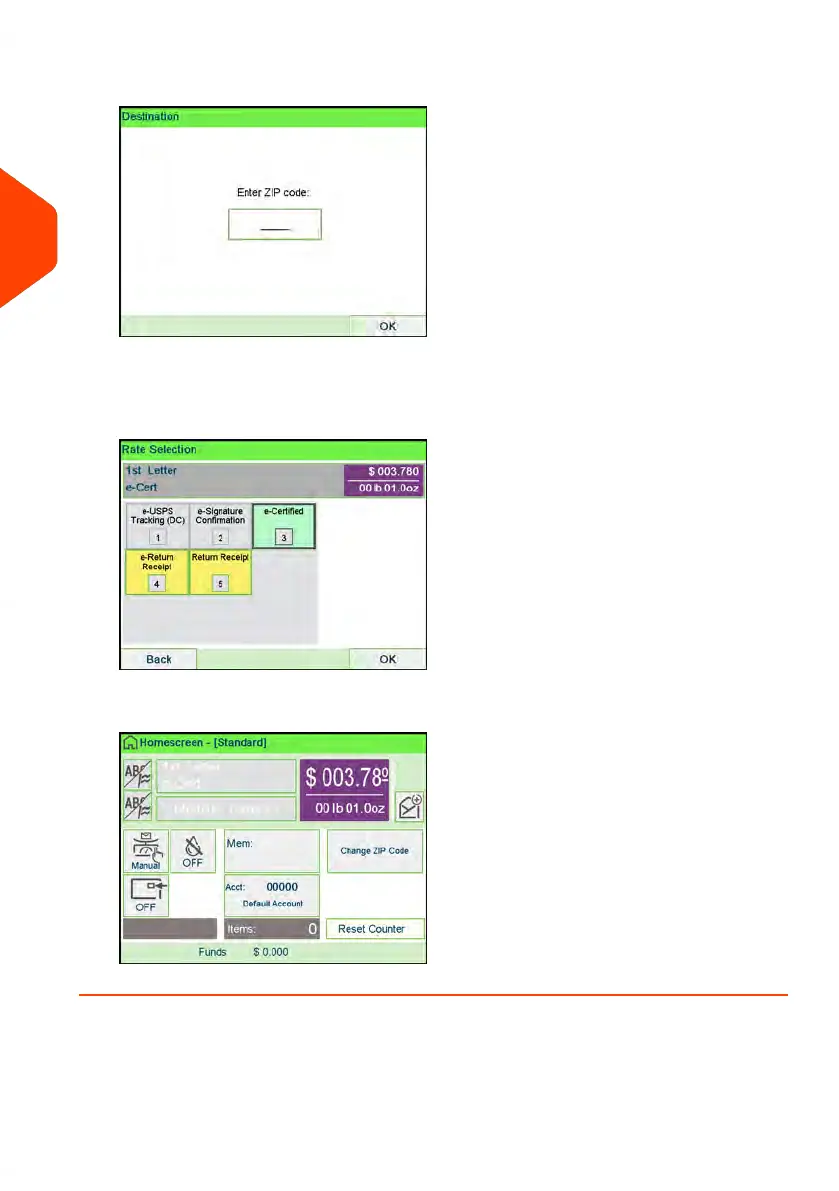
5. Enter the destination ZIP Code.
6. Enter an e-Confirmation Sender ID. (Optional)
7. Select [3] for eCertified, [4] for Return Receipt, [5] for eReturn Receipt. (Optional)
8. Press the [Finish] button to save and exit to the home screen.
60
| Page 60 | Apr-15-2022 12:02 |
3
Processing Mail















 To Next Page