Keys and Shortcuts
NAVIGATION KEYS
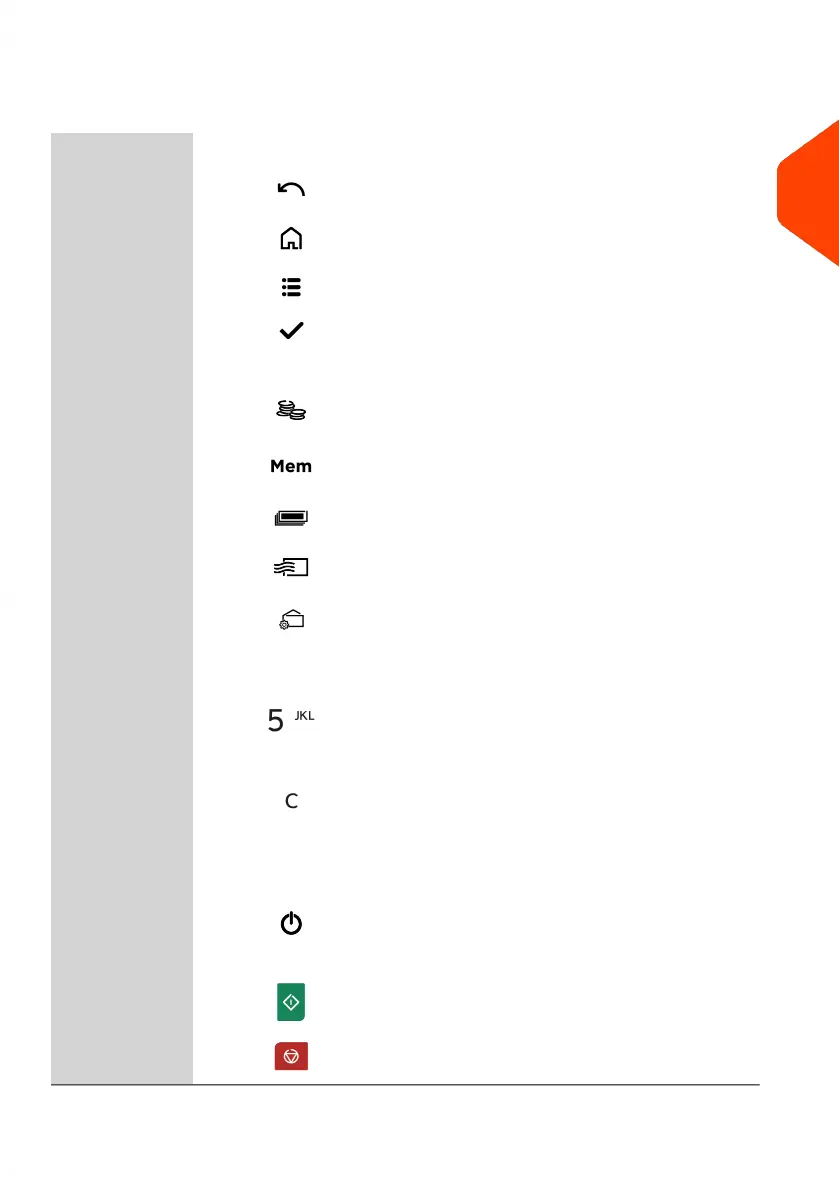
Goes back to the previous screen.24Return
Returns the system to the Home screen.25Home Screen
Accesses the menu settings.13Menu
Validates a selection.12OK
SHORTCUT KEYS18
Accesses funds management (including adding
funds).
21Funds
Accesses preset stamp and account memories.
These presets are managed by the supervisor.
22
Imprint
Memories
Switches to label printing (instead of envelopes).20Print Labels
Displays the rate selection screen.23Rate Selection
Accesses stamp selection and stamp set up
screens.
19
Stamp
Configuration
KEYPAD
Allows the entry of alpha or numeric values
(accounts or other set up information). Press a key
several times to display all possible characters.
16
Alphanumeric
Keys
Clears keypad entries and existing data in entry
fields or, from the home screen, resets rate to
default.
17
Clear / Reset
Rate
START / STOP KEYS
Wakes the mailing system up or turns it to 'Sleep'
mode or 'Soft off' mode. The light indicates the
system state (green = awake, amber (continuous)
= sleep mode, amber (blinking) = soft off mode).
5
Sleep/Wake/Soft
Off
Starts printing process.15Start
Stops printing and all mechanical activity (motors)
in the mailing system.
14Stop
2
Meet Your Mailing System
21
| Page 21 | Apr-15-2022 12:02 |














 To Next Page