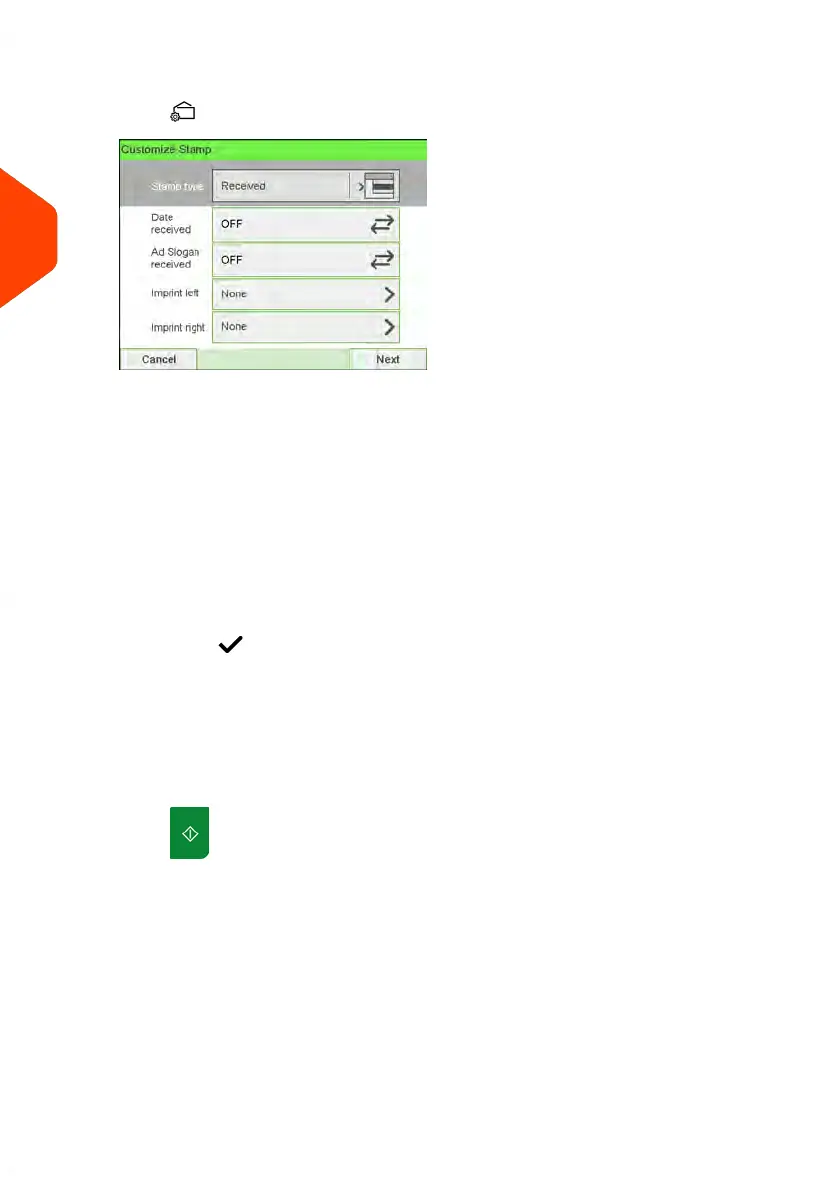
2. Check or change the type of stamp, if you are not in [Received] mode.
Press to access the Customize stamp screen:
To change the type of stamp, select Stamp type and then select [Received] in the
Type of stamp screen. For more details, see How to Change the Current 'Type of
Stamp' on page 37.
Additionally, you can:
- Activate or deactivate printing Date received.
- Activate or deactivate printing 'Received'.
- Add slogan, custom text to the stamp.
- Activate the Print Counter.
- Select the option to change. The buttons indicate the current status of the
options. The screen indicates the current status of the options.
-
Press to return to the home screen.
You can also apply this optional setting:
1. Move the stamp away from the envelope edge for thick envelopes: see How to
Move the Stamp (Print Offset) on page 123.
On the [Received] home screen:
1.
Press . System motors start running.
68
| Page 68 | Apr-15-2022 12:02 |
3
Processing Mail















 To Next Page