780C Multi-Interface Interoperability Tester – User Guide Page 57
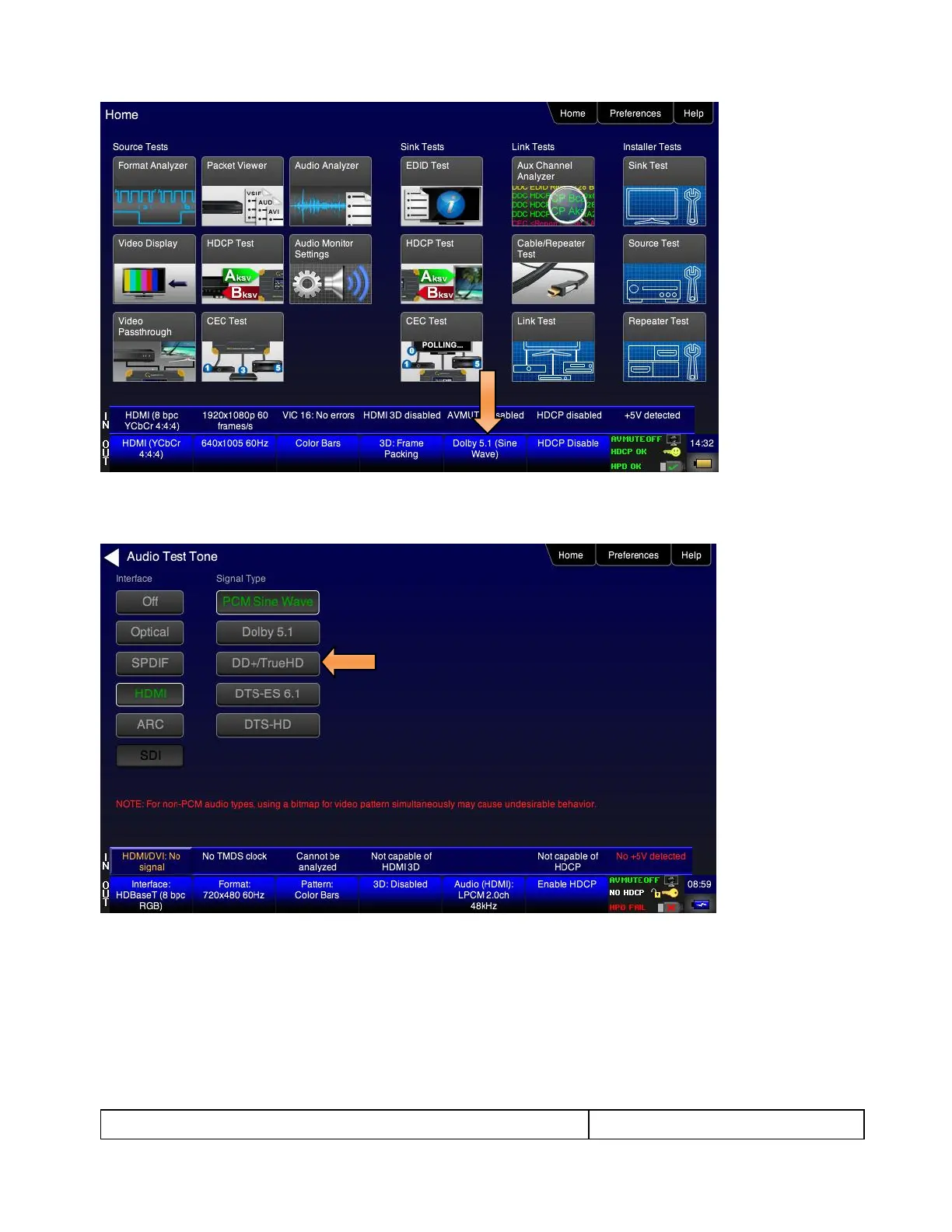
4. Enable the digital audio interface (HDMI, HDBaseT, SDI, TOSLInk, SPDIF). Refer to the screen examples
below.
Please note that not all of the audio formats are available on all of the Interface types.
5. Touch select the desired Interface from the Audio Pattern menu (refer to the screen shot above which
shows HDMI). The options are Optical, SPDIF or HDMI.
6. Double touch select the Dolby Digital 5.1 or DTS-ES 6.1 item on the Audio Pattern menu (refer to the
screen shot above).
The following screen appears (DTS-ES shown):



 To Next Page