780C Multi-Interface Interoperability Tester – User Guide Page 63
Table 4-8: Sine Wave Audio Pattern
PCM Sine Wave
(programmable)
HDMI
HDBaseT
Optical
SPDIF
HDMI ARC
SDI
Provides programmable sine waves:
Bits per sample – 16, 20, 24
Sampling rate (kHz) – 32, 44.2, 48, 88.2, 96, 176.4, 192
Channels – 2.0, 2.1, 5.1, 6.1, 7.1
Level – 0dB to -99dB in 1dB and 3dB increments (per
channel)
Frequency – 0.01kHz to 20kHz (per channel) in 1Hz, 10Hz,
100Hz and 1000Hz increments
Mute – On/Off (per channel)
1. Make the cable connection between the appropriate the 780C video output connector (e.g. HDMI OUT,
HDBaseT OUT, SPDIF or OPTICAL) and the input connector of the audio rendering device using the
cables supplied.
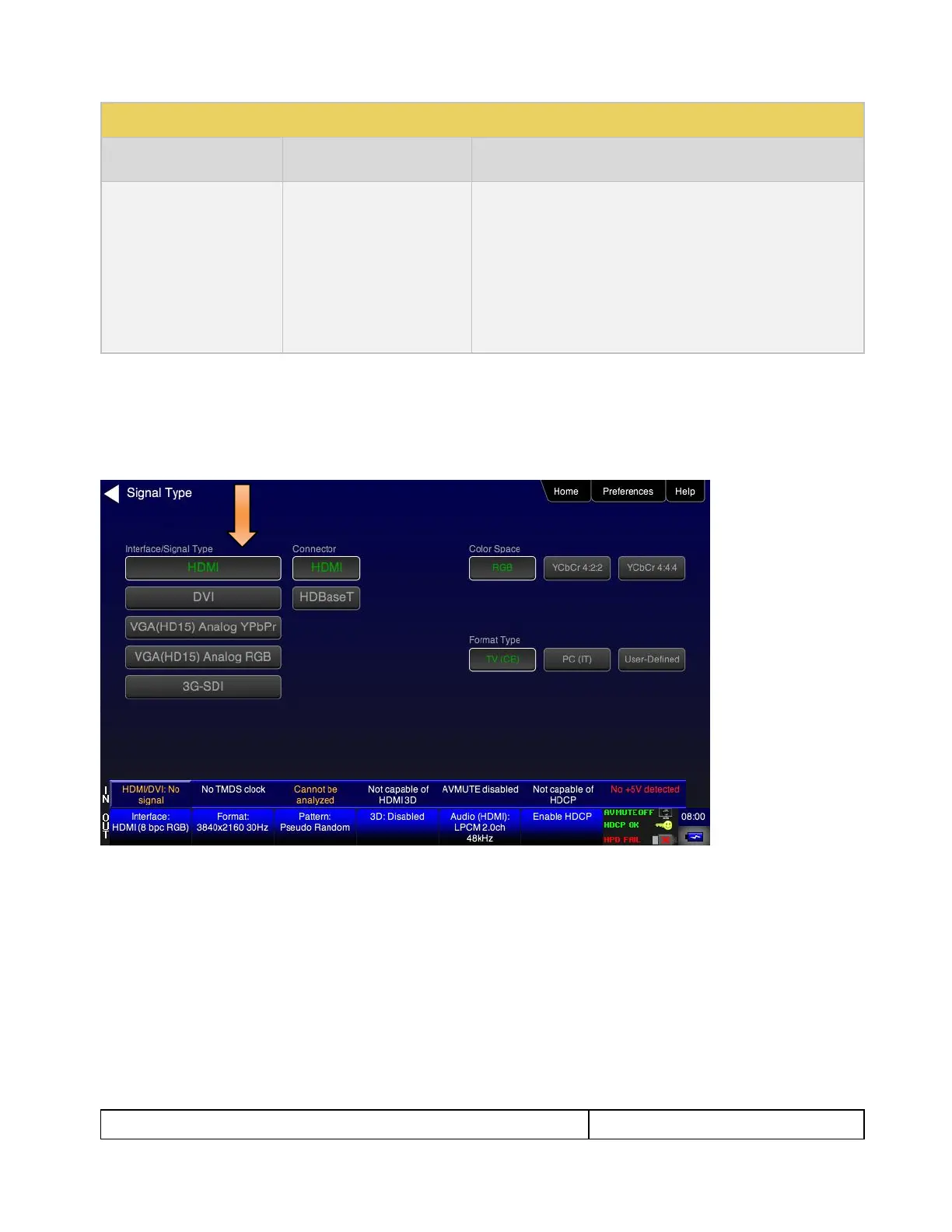
2. Select the digital interfaces—HDMI, HDBaseT or SDI—output as shown below.
Note for testing SPDIF of TOSLink this is not necessary.
3. From the Home menu (shown in the figure below), select the Audio status/activation button on the Status
Bar as indicated below.



 To Next Page