780C Multi-Interface Interoperability Tester – User Guide Page 91
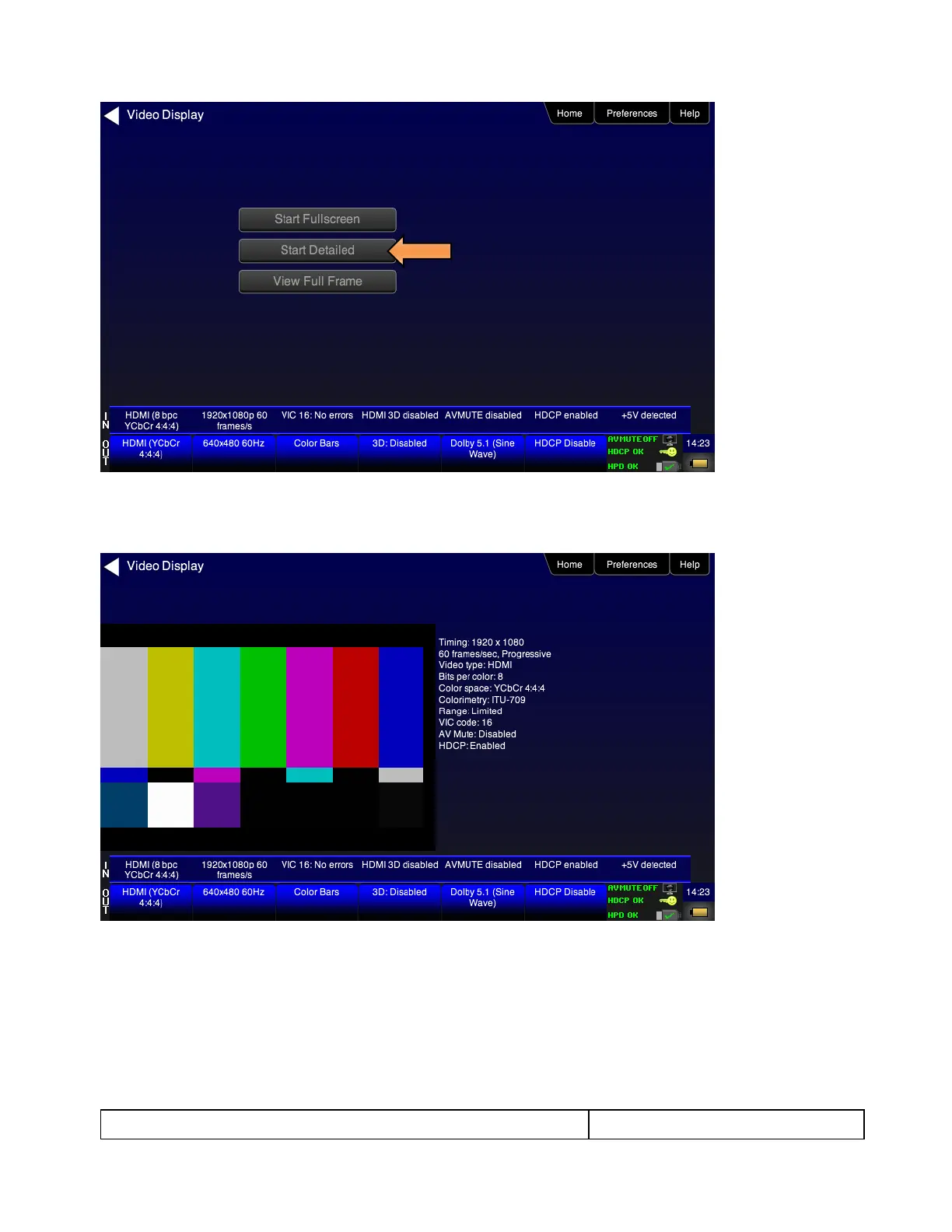
7. Touch select the Start Detailed activation button on the Video Display menu to view the incoming video
along with the metadata from the source device under test. In this example a test pattern is shown.
Note that the HDCP encryption status and AVmute status are also shown.
1. For the 780C you have the additional option of capturing and viewing a captured bitmap of the entire
resolution of the incoming video View Full Frame.



 To Next Page