OPTIONAL UNIT INSTALLATION 17 January, 2003
1-16
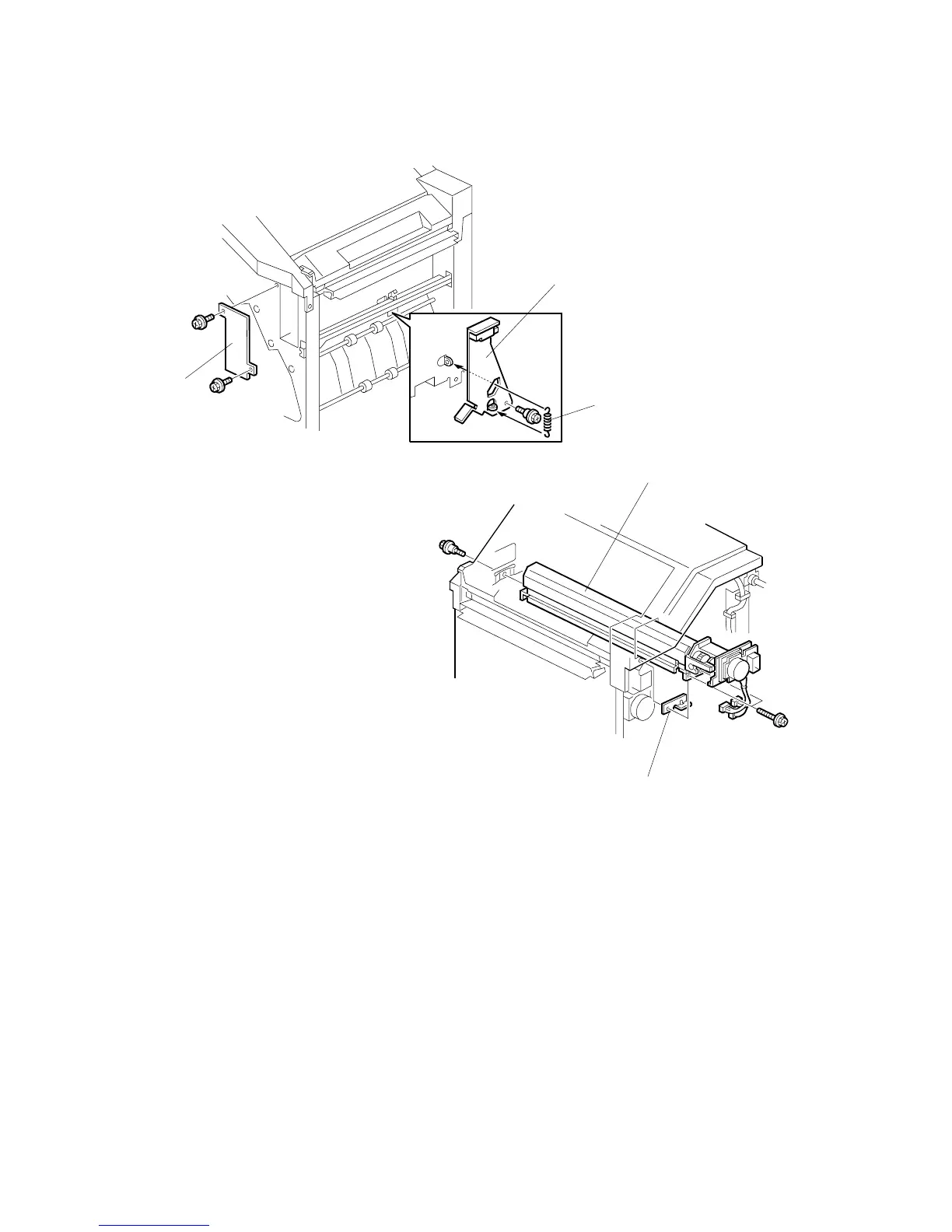
4. Remove the hopper cover [A] (! x 2).
5. Install the sensor bracket [B] (stepped ! x 1).
6. Install the spring [C].
7. Install the 2 mm spacer [D].
8. Install the punch unit [E] (! x 2, stepped ! x 1).
B377I101.WMF
B377I104.WMF
[A]
[B]
[C]
[D]
[E]



 To Next Page