Wrist Camera Instruction Manual
PolyScope 3.6
l From PolyScope's home page, tap Setup Robot and go to URCaps Setup.
l Tap the plus ( + ) sign and open Robotiq_Wrist_Camera-X.X.X.urcap from the USB stick.
l Tap Restart and wait for PolyScope to reopen.
l Go to Program Robot and then to the Installation tab.
l Choose Camera and go to the Dashboard tab.
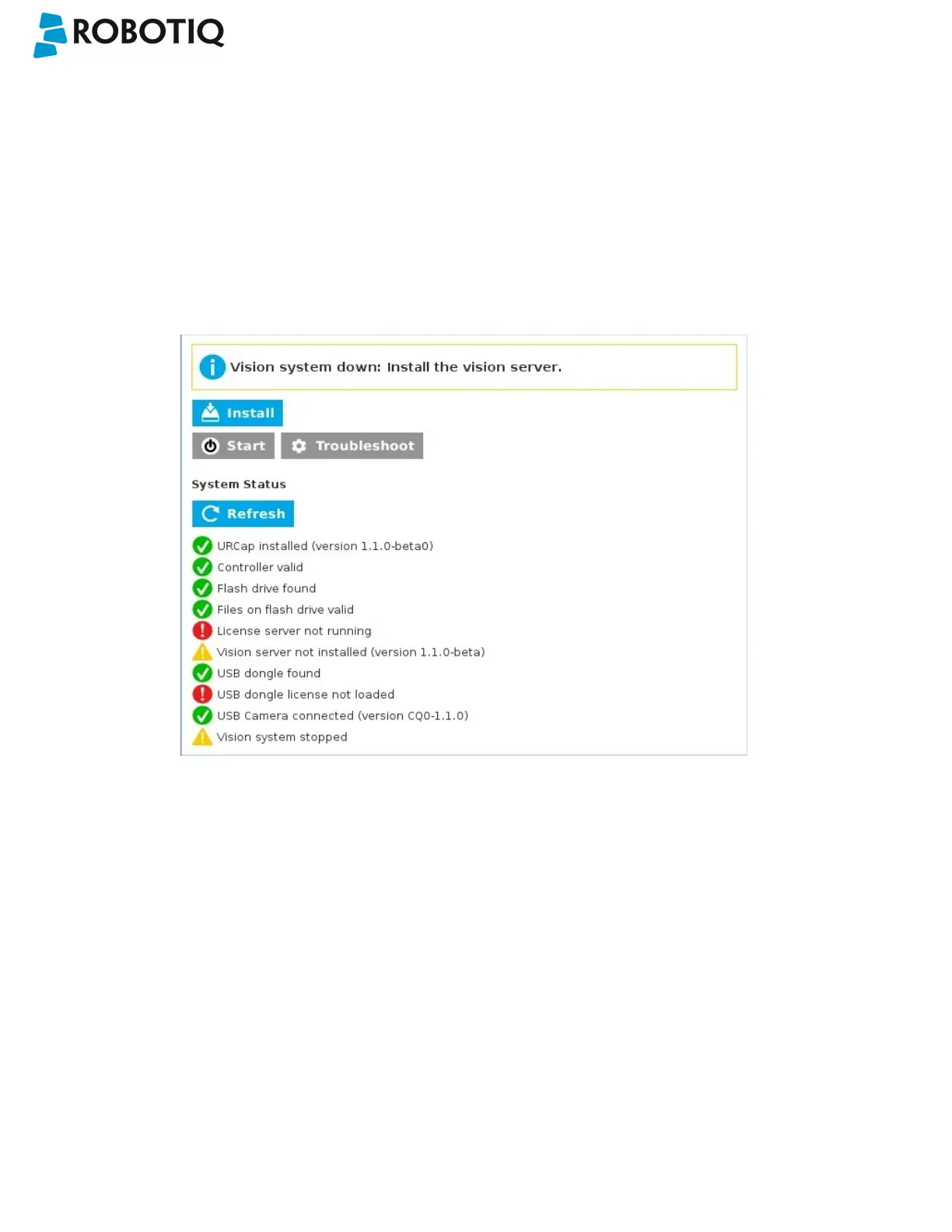
l Verify the Vision system's status.
Fig. 3-7: Camera dashboard ready to install the vision server.
l Tap Install and wait for the vision server to be installed.
l If the firmware has to be updated, tap Upgrade Camera firmware to upgrade it before continuing (refer to the
figure below).
©Robotiq inc. 2016-2018
25



 To Next Page