Wrist Camera Instruction Manual
l Make sure the Camera see the whole board
Tip
Snapshot Position will determine the field of view, notice that the calibration step position does not
have to be the same as Snapshot position. Thus, you can have a small field of view, then move back for
calibration step.
l Tap Calibrate to begin calibration
Warning
Calibration is an automatic process, the robot will move in order to perform calibration. Make sure the
robot workspace is clear. You can tap Cancel to stop the process. Operator should watch the robot at
all time and have emergency stop button at hand.
l The Vision System will center on the board and take 27 poses of the board.
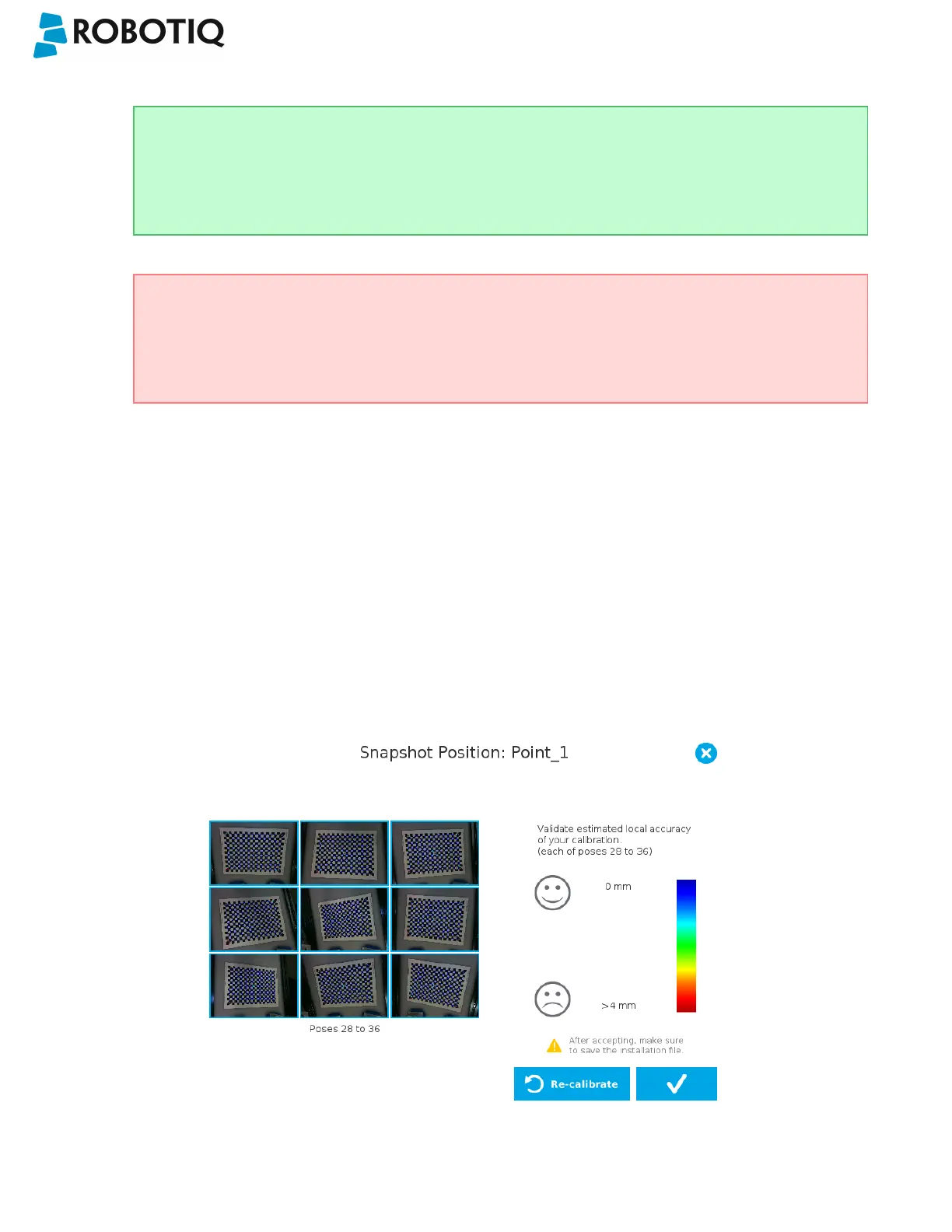
l After the 27 poses, it will take 9 more photos for validating.
l When the process is done, you will be asked to Accept or Re-Calibrate.
l Accept if the calibration board grid is match on all pose (first 27 poses)
l Re-Calibrate if the grid is not matched
l The wizard will show the 9 validating poses.
l Verify that the accuracy on the validation poses according to the color chart.
l Dark blue: local accuracy of +/-0mm.
l Dark red: local accuracy of +/-4mm and over.
Fig. 4-1: Validating poses.
©Robotiq inc. 2016-2018
35



 To Next Page