Wrist Camera Instruction Manual
Edges detection threshold and score
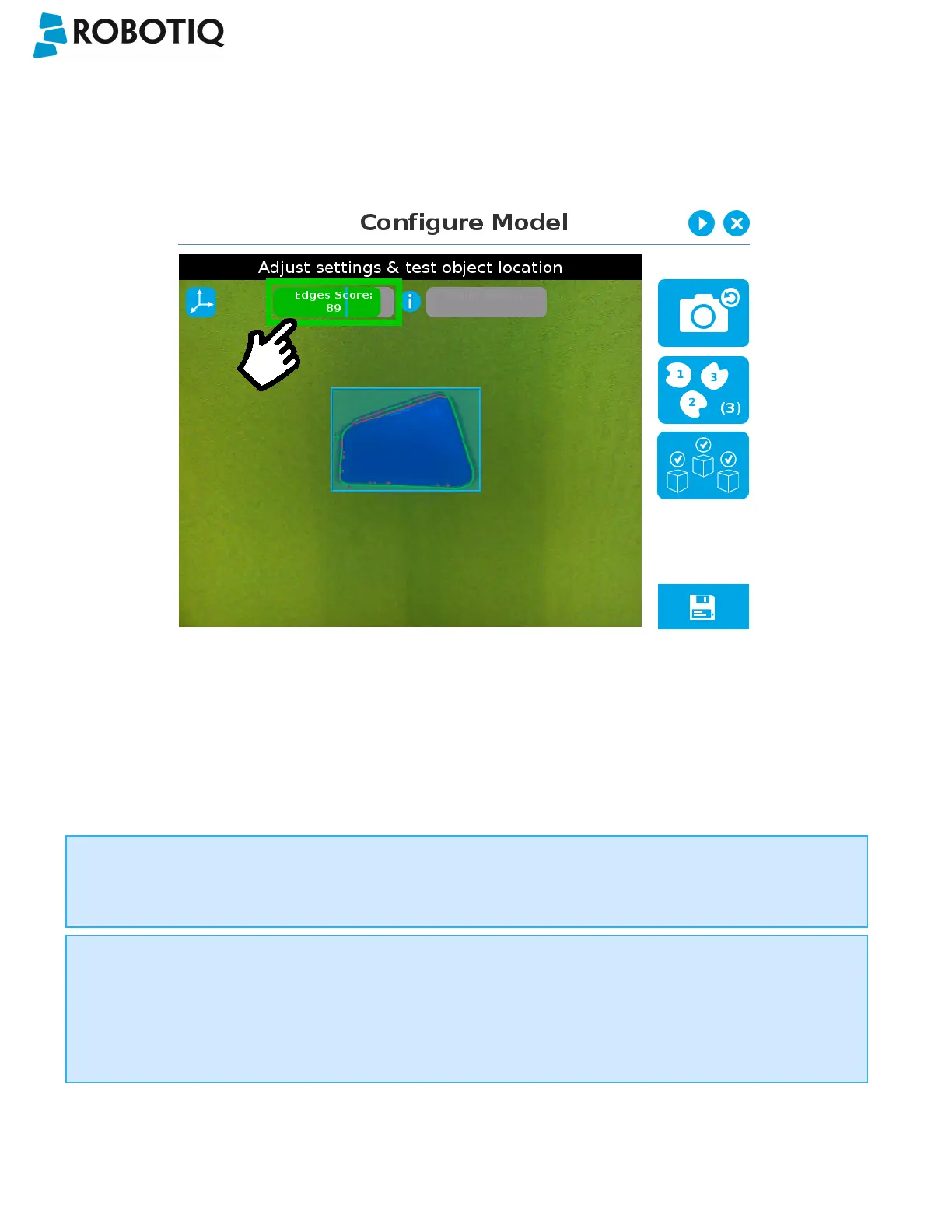
If the object is found, you will see the object outlined, surrounded by a blue rectangle, with the detection score value (%).
Other objects detected will be surrounded by a white rectangle. Tap the other object(s) to display their own set of
detection score values.
Fig. 5-28: Object found with detection score.
l If no object is found, an error message will display, reading that the object was not found.
When testing the object(s) locating:
l Object contours and detected features are outlined in green
l Features from the model that cannot be located on the object in the field of view of the camera are outlined in red.
Info
In the context of multiple objects detection, each object detected has its own set of detection score values (%).
Info
When performing the localization test, place the whole object over the workplane. Due to the perspective effect,
some or all of the object features might not be recognized. If an important feature needs to be found for your
application (a hole for example), make sure it is found during all localization tests. Again, green contour should
match the object outlines at all times.
©Robotiq inc. 2016-2018
78



 To Next Page