Wrist Camera Instruction Manual
Object Location:
The System will use the Camera Locate node described in the Programming with the Camera Locate Node section to
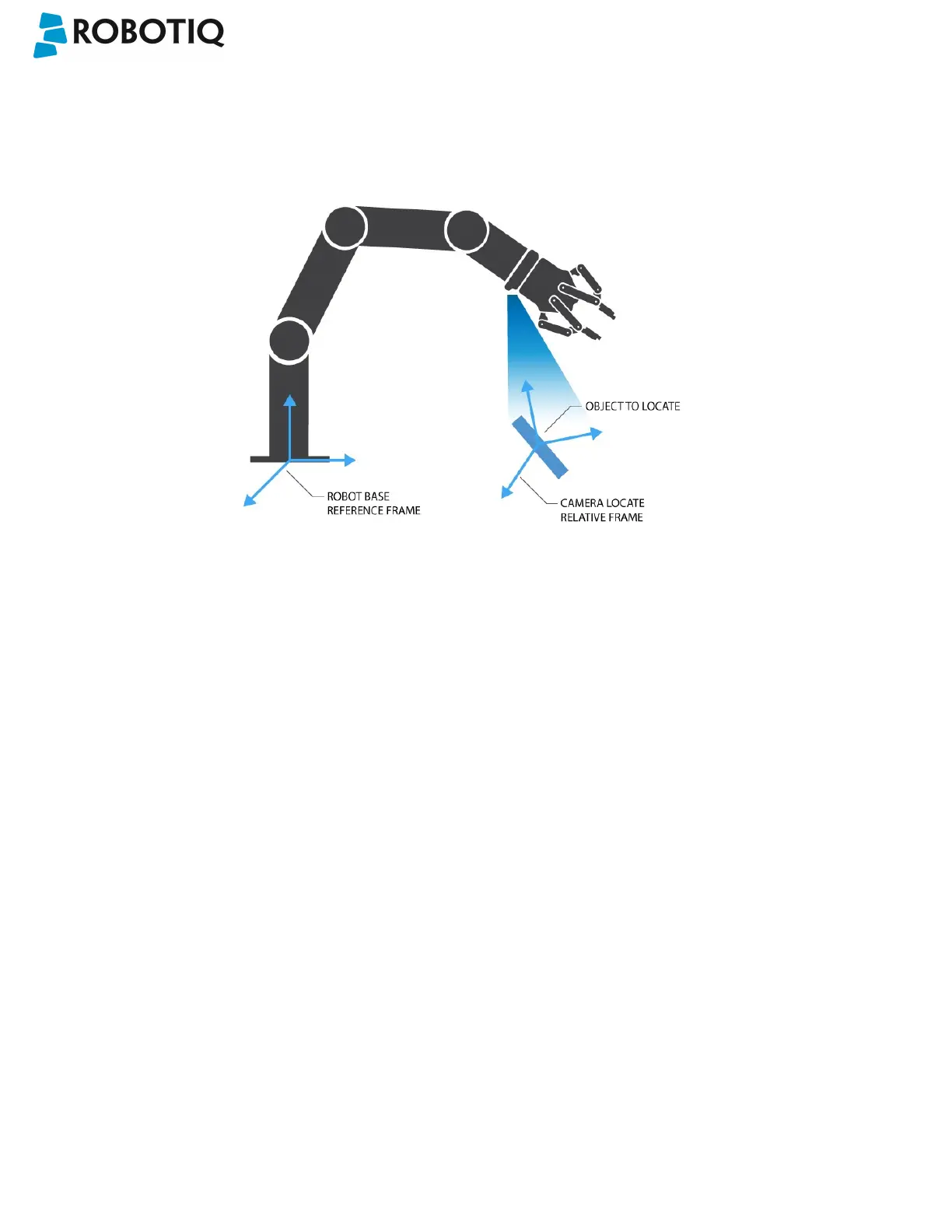
locate the object. The figure below represents the object location process. Please refer to the Programming with the
Camera Locate Node section for details on the object location process.
Fig. 1-3: Object location process schematic representation.
l Object to locate: The object you want to locate with coordinates X & Y and rotation Rz.
l Camera Locate relative frame: The reference frame updated by the Vision System to provide you with the
objectlocation.
l Robot base frame: The reference frame of the Universal Robot. Coordinate [0,0,0].
©Robotiq inc. 2016-2018
8



 To Next Page