Wrist Camera Instruction Manual
Snapshot Position & Workspace:
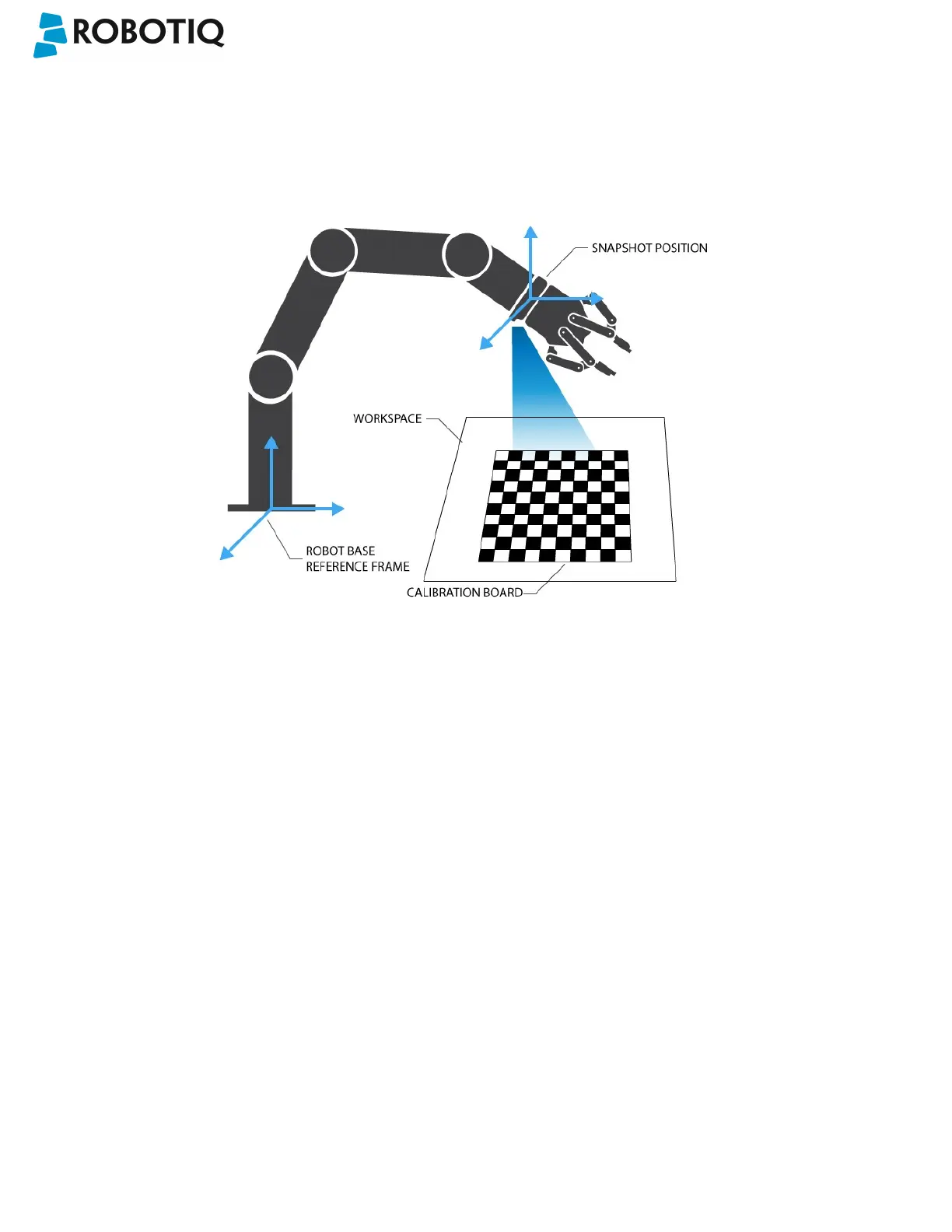
The figure below illustrates the various terms used in the following manual to describe the Vision System's Snapshot
Position and workspace. The object location process will always start at the Snapshot Position, that position will determine
the field of view of the Camera and thus the workspace. See the Snapshot Position section for details on how to teach the
Snapshot Position.
Fig. 1-2: Schematic representation of the Robotiq Vision System Snapshot Position and workspace concepts.
l Snapshot Position: the robot pose use to take snapshots from the Wrist Camera.
l Workspace: the area of interest for the Vision System, it is defined by the Camera's field of view.
l Object: the object you want to locate using the Vision System.
l Calibration board: a grid provided with your Camera UR Kit used during the calibration process of the Snapshot
Position.
©Robotiq inc. 2016-2018
7



 To Next Page