Wrist Camera Instruction Manual
Program Example
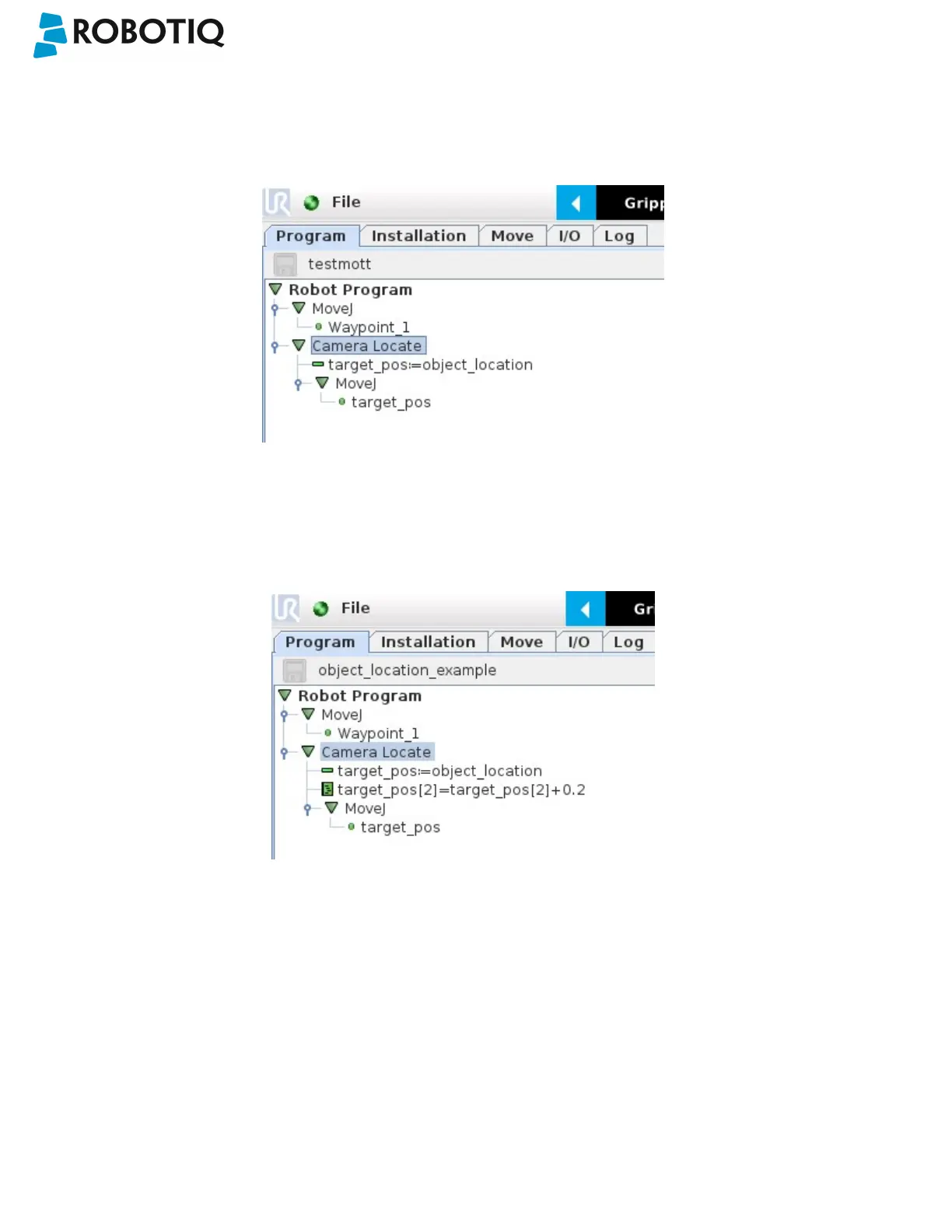
The program examples below show how to use the object_location pose variable.The first one simply moves the robot so
that the TCP goes directly on the detected object. Make sure the TCP is set properly to avoid collisions.
Fig. 6-6: Program example - place the TCP on the detected object.
The second example moves the robot so that the TCP goes 20 cm above the detected object. This is in the case of an
horizontal plane.
Fig. 6-7: Program example – Place the TCP 20 cm above the detected object, in case of an horizontal plane.
©Robotiq inc. 2016-2018
88



 To Next Page