54 / 291 - EN -
User information:
For simple firing such as biscuit firing, two segments are sufficient, more complex firings such as crystal glazes or glass
production require several segments.
6.5. Programming the control unit
6.5.1.
Changing the firing program
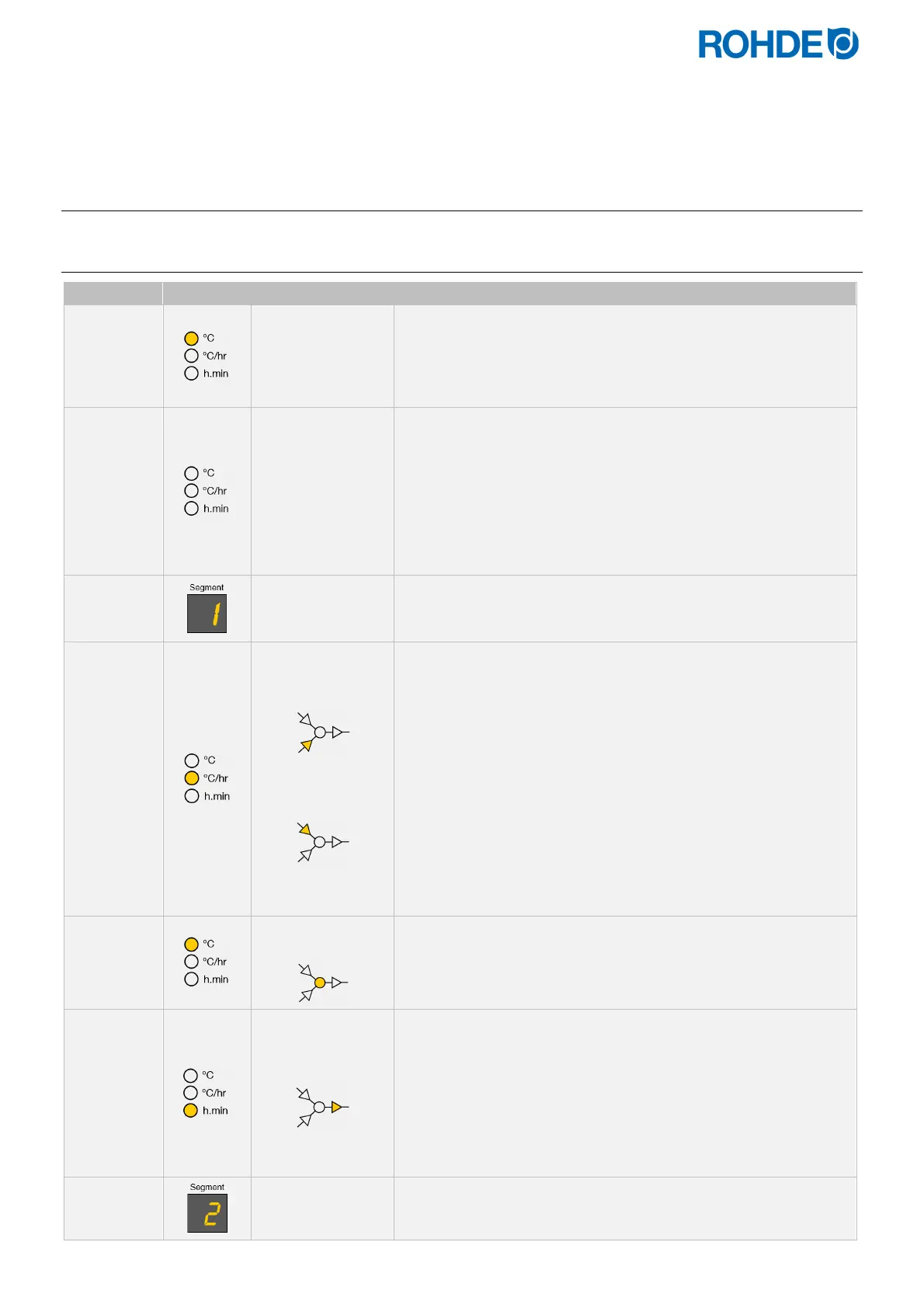
Display Icon Meaning Description
20
No program in
operation
If no firing is carried out, no element lights up in the program
sequence of the graphical display.
The firing indicator also does not light up.
The main display shows the current firing chamber
temperature.
Pr. 1
Program number
When you press the
g
key, the program number lights up on
the display.
The firing program can now be selected with the
d
and
f
keys.
By pressing the
g
key again, the program number which is to
be changed can be selected.
You can switch back to the previous value in each step by
pressing the
h
key.
1
Indicator in the
segment display
The selected firing program always shows the first segment first.
150
Heating ramp
Cooling ramp
The ramp rate in the main display appears as:
“1°C/h-999°C/h” or
“FULL” or
“END”
This can be altered with the
d
&
f
keys.
The graphical display indicates whether a heating ramp or a
cooling ramp is being programmed.
Notes:
To change the heating ramp to a cooling ramp and vice versa,
see Section 6.4.2.
To program the ramp rate to “FULL” or “END”, see Section
6.4.3.
To program the additional switch output see section 7.
600
Soak/Target
temperature
The next press of the
g
key displays the soak or target
temperature.
This can be altered with the
d
&
f
keys.
00. 15
Soak time
The next push of the
g
key displays the soak period in
“hours:minutes”.
This can be altered in the range 00:00 to 99:59 with the
d
and
f
keys.
The soak period indicator on the graphical display will flash.
Note:
To program the additional switch output see section 7.
2
Indicator in the
segment display
The next press of the
g
key increments the segment number
digit and firing values for the next segment can be entered.


 To Next Page
 Loading...


