74 / 291 - EN -
10.4.2.
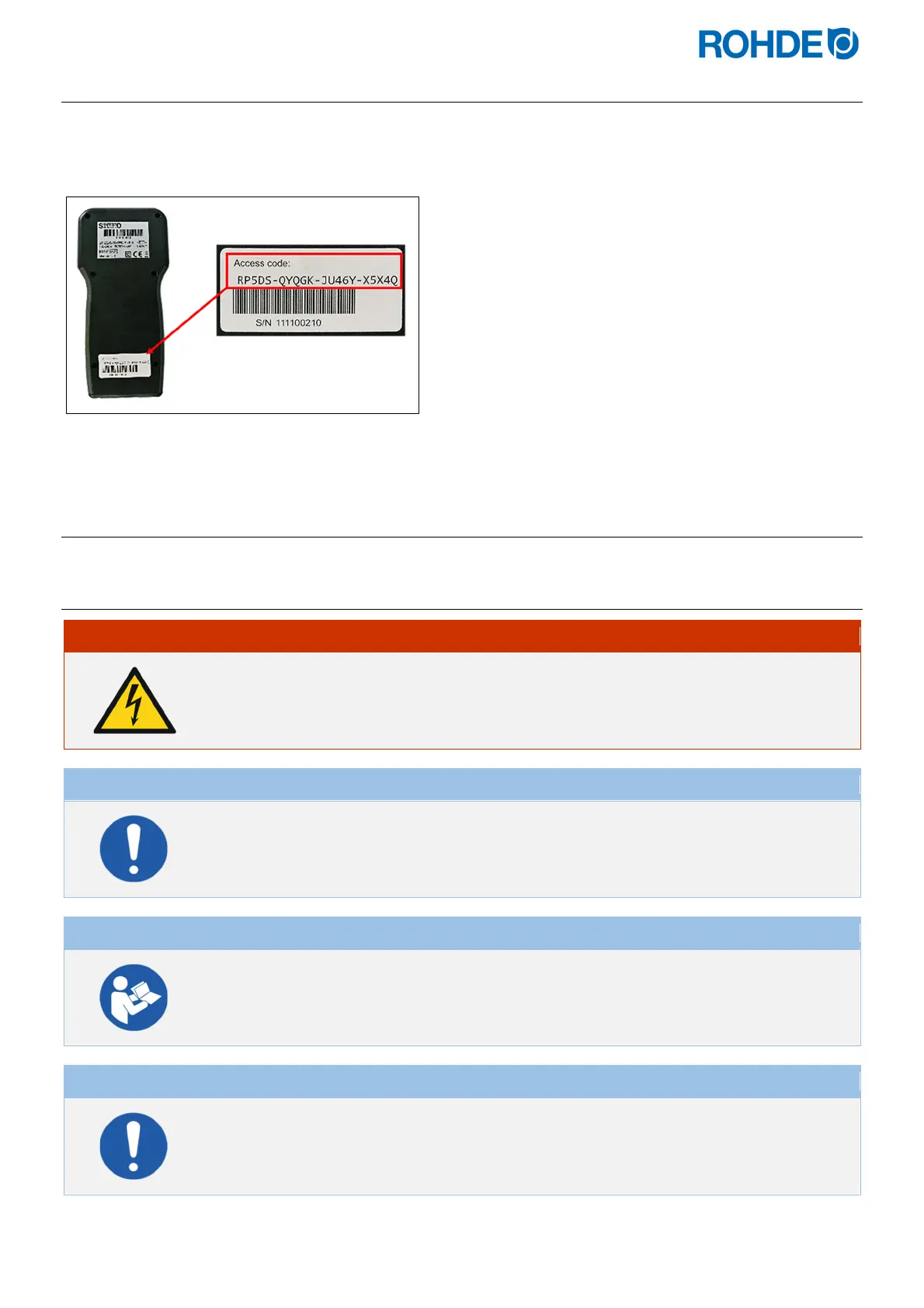
Register the controller in ROHDE App myKiln (“Access code”)
To register the controller in ROHDE App myKiln, the controller's “Access code” is required. This “Access code” is
located on the back of the controller. Each controller with an integrated module for wireless data transmission has
its own unique “Access code”.
11. Faults
11.1. Safety instructions
DANGER
Disconnect the control unit and kiln from the power supply before troubleshooting and
repair work.
Risk of severe personal injury, property damage and even death.
NOTE
In the event of faults that you cannot rectify yourself, contact a qualified electrician, the
local specialist or the manufacturer.
NOTE
In the event of faults which have to do with the kiln itself to which the control system is
connected, the instruction manual for the kiln must be followed.
NOTE
Do not open the device cover.
There are no user-serviceable parts inside.


 To Next Page
 Loading...


