Chapter 11 Examples
111 Alpha 710ML User’s Guide
Registering A Reference Number
Example 28: Used to print a number, up to 10 digits, to identify an invoice
number or any other number on receipts. Ring up the number 1234567 in a
standard sale.
Note
Using the reference number is not recorded in any activity counter or sales
totals on the Management Reports.
To register a reference number
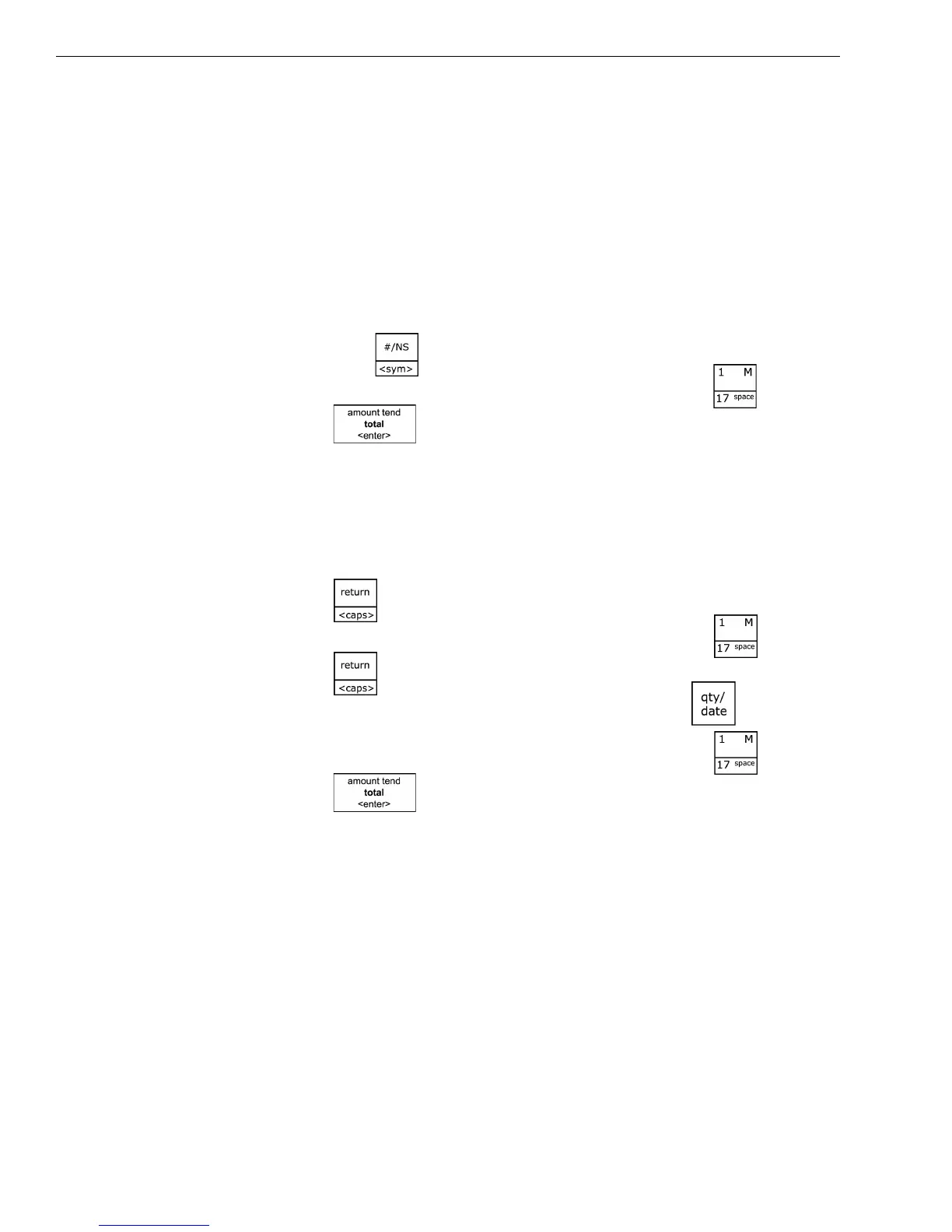
1 In the Number keys area, enter the Reference Number 1234567, and
then press the key.
2 In the Number keys area, press 100, and then press the key.
3 Press the key.
Return Sale
Example 29: Refund a $1.00 item in Department 1 and refund a $1.50 item
three times in Department 1.
To ring a return sale
1 Press the key.
2 In the Number keys area, press 100, and then press the key.
3 Press the key.
4 In the Number keys area, press 3, and then press the key.
5 In the Number keys area, press 150, and then press the key.
6 Press the key.
Note
The Return function can be performed in the middle of any sales
transactions or by itself in a separate transaction.



 To Next Page