Alpha 710ML User’s Guide 92
Connecting the Cash Register to a PC
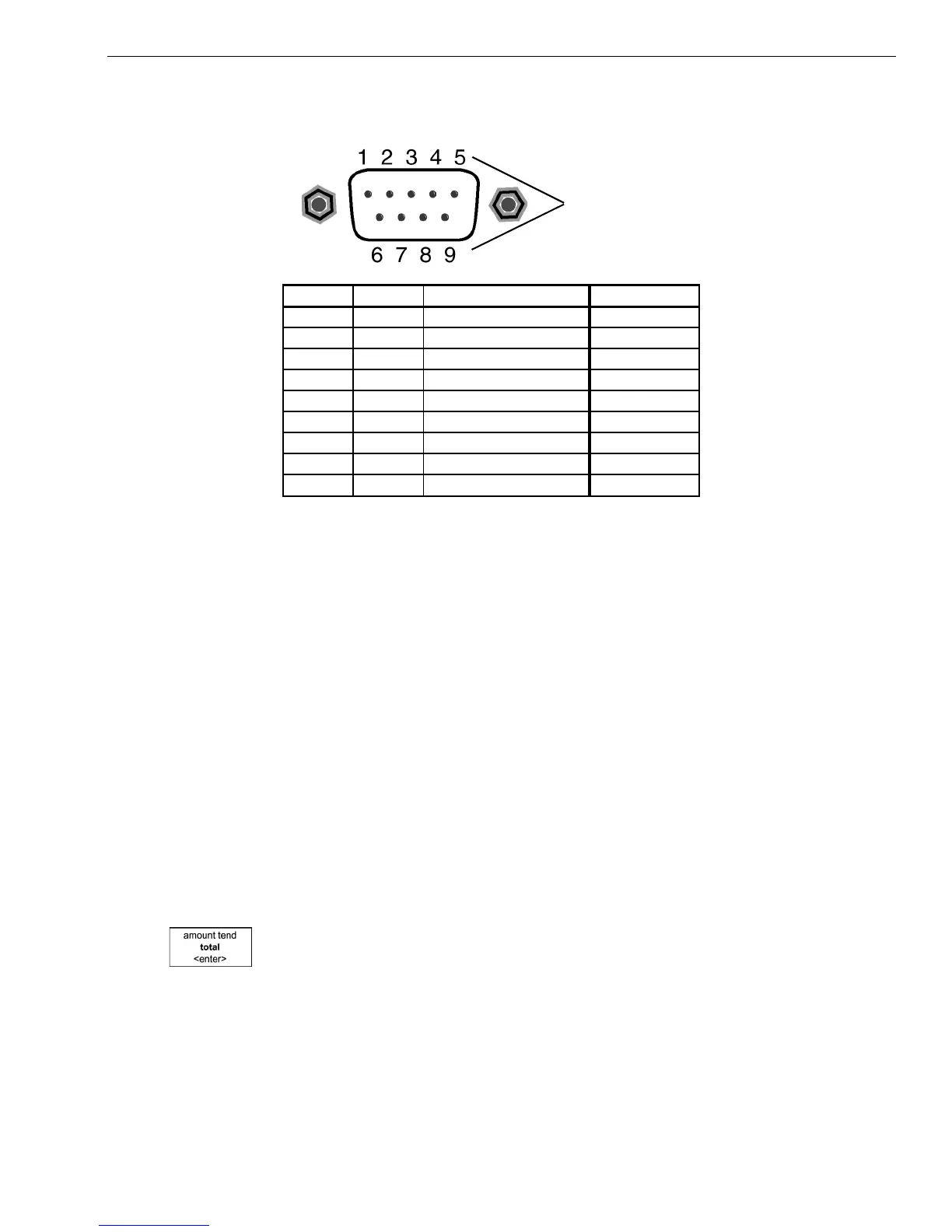
The pin description for the serial port on the cash register is shown below.
Connecting the Cash Register to a PC
Using the RegisterLink software, you can connect your cash register to a
PC to download the information.
Note
You must use RegisterLink version K or later.
RegisterLink must be installed and the PC restarted if it was the first time
you installed RegisterLink. For specific information about using the
RegisterLink software, see the RegisterLink manual.
Before you start, you must have the null modem serial cable. For more
information, see About the Serial Port on page 91.
To set up the cash register to connect to a PC
1 Connect the cash register to the PC using a null modem serial cable.
2 Open the RegisterLink software on your PC
3 On the cash register, go to the main menu, scroll down to PC-LINK and
press the Amount Tend Total <Enter> key.
4 Go to the RegisterLink software on the PC and follow the directions in
RegisterLink.
Pin numbers
Pin No. I/O Signal Name
bbreviation
1NC
2 IN Receive Data RXD
3 OUT Transmit Data TXD
4NC
5 N/A Signal Grand SG
6NC
7 OUT (Request to send) RTS
8 IN (Clear to send) CTS
9 OUT(+5V) Power supply for BCR +5V



 To Next Page