Chapter 4 Setting Up Your Cash Register - the Basics
43 Alpha 710ML User’s Guide
Important
If you enter the wrong character, press the Void <bksp> key to delete the
character. Now you can continue.
To program PLUs without a barcode reader
ProgrammingPLU Set Up
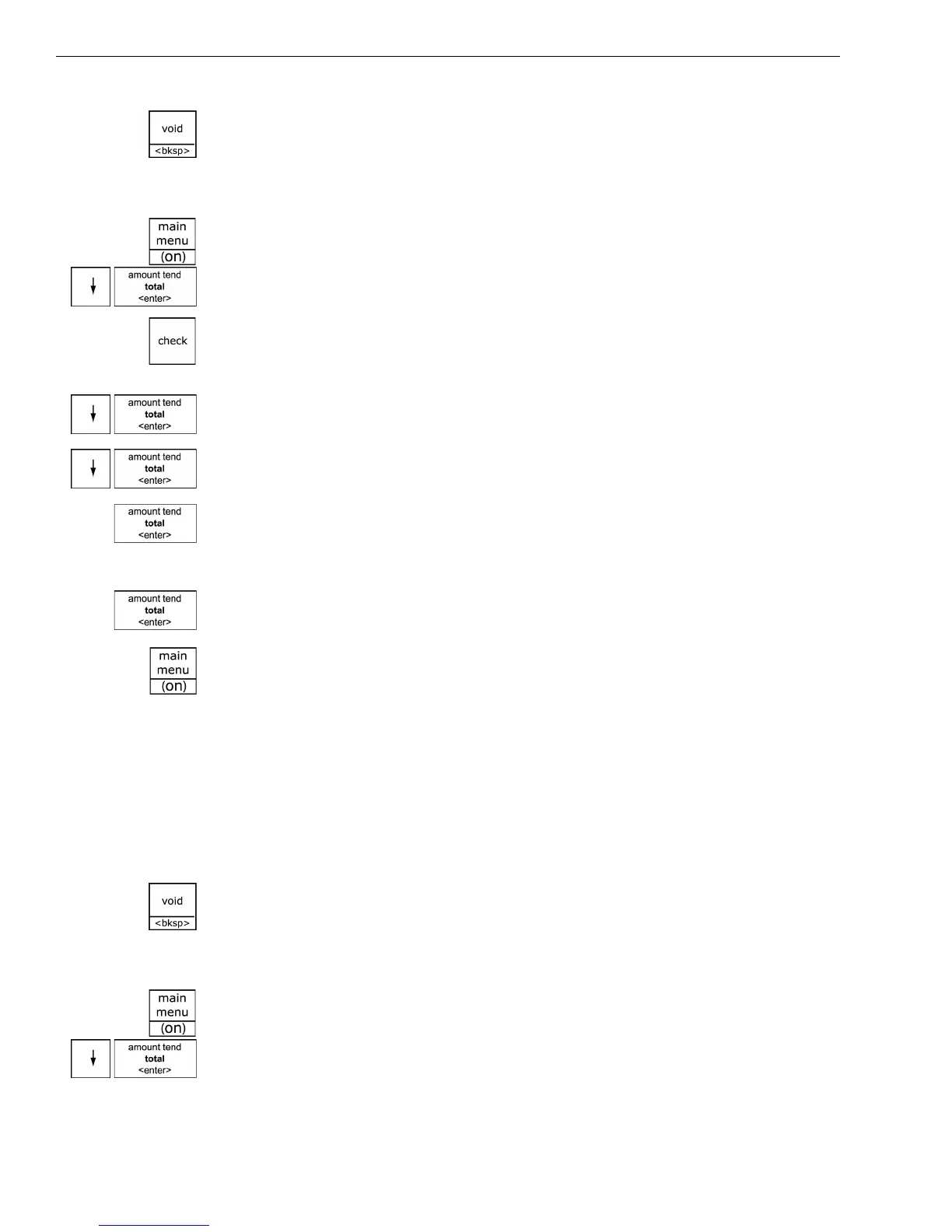
1 Press the Main menu (on) key.
2 Press the Arrow Down key to select Programming. Press the Amount
Tend Total <Enter> key.
3 If you are prompted for a Manager Passcode, type the passcode number
and then press the Check key. If you did not program a Manager
Passcode, go to the next step.
4 Press the Arrow Down key to select PLU Set Up. Press the Amount Tend
Total <Enter> key.
5 Press the Arrow Down key to select New & Edit. Press the Amount Tend
Total <Enter> key.
6 Using the rounded Number keys, enter the PLU number. Press the
Amount Tend Total <Enter> key.
7 Follow the instructions on the display
8 To program the next PLU, go to Next PLU and press the Amount Tend
Total <Enter> key.
9 When you are done programming, press the Main menu (on) key.
Programming PLUs with the Optional Barcode Reader
You can use the optional Royal model PS700 barcode reader to scan items
and automatically ring them up. Using the barcode reader saves time and
reduces errors caused by people ringing up items incorrectly. The barcode
reader must be held about ½ inch or closer above the symbol on the
product to read the UPC or other barcode properly.
Important
If you enter the wrong character, press the Void <bksp> key to delete the
character. Now you can continue.
To program PLUs using the barcode reader
ProgrammingPLU Set Up
1 Press the Main menu (on) key.
2 Press the Arrow Down key to select Programming. Press the Amount
Tend Total <Enter> key.



 To Next Page